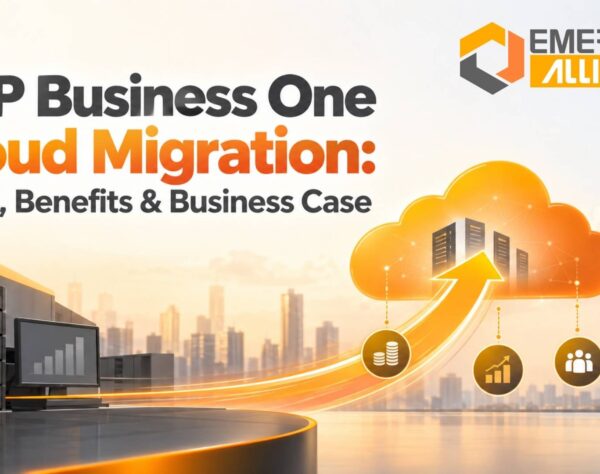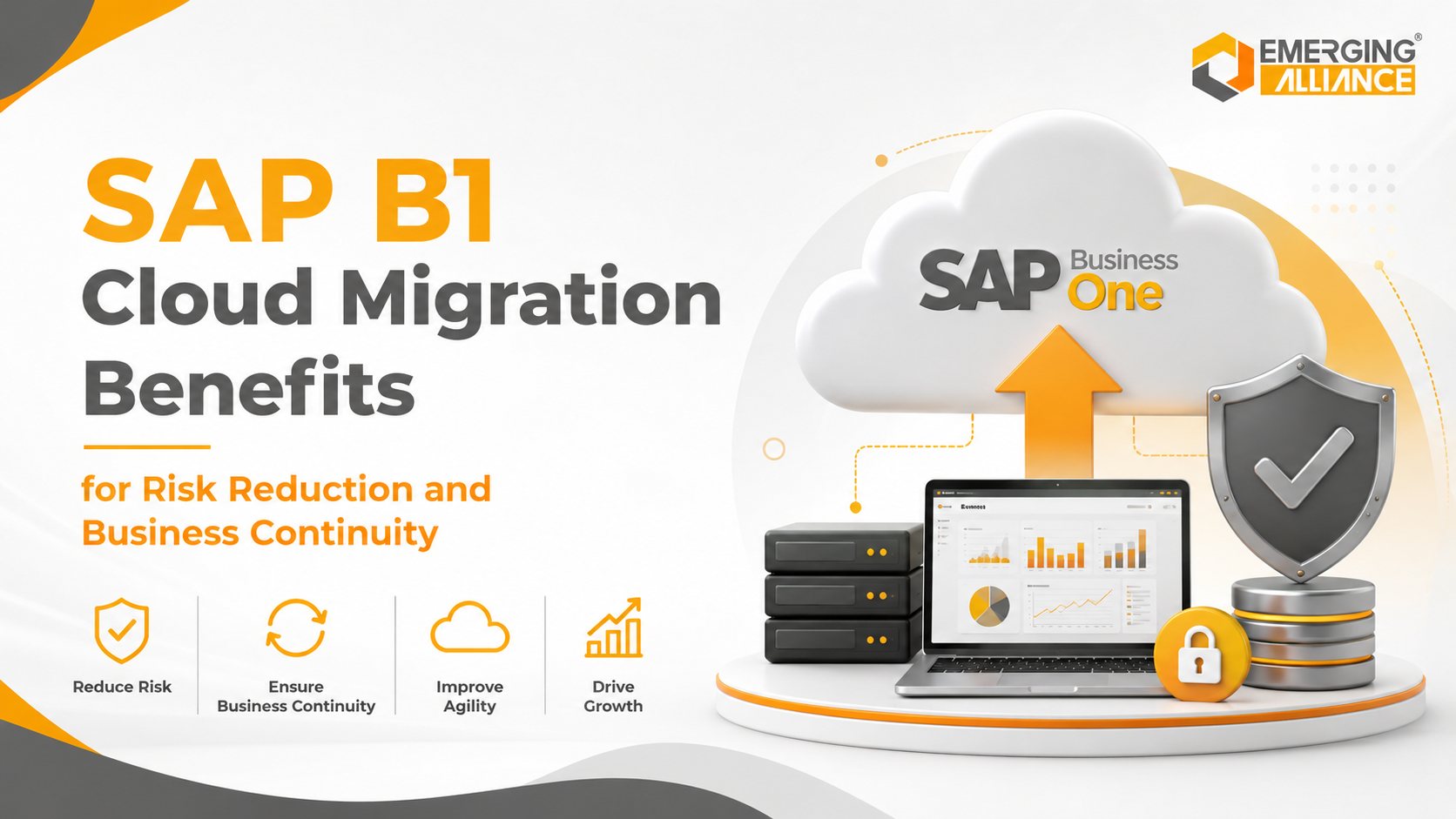
SAP Business One Cloud Migration: Business Continuity and Risk Reduction Guide for Growing Companies
Quick Answer
SAP Business One Cloud Migration helps businesses reduce operational risk by moving SAP Business One from locally managed infrastructure to a secure, scalable cloud environment. It lowers exposure to hardware failure, unplanned downtime, cyber threats, weak backup practices, and limited disaster recovery while improving remote access, resilience, and business continuity. For SMEs, cloud migration protects critical processes across finance, inventory, sales, purchasing, production, warehousing, reporting, and customer service.
Why Businesses Are Moving SAP Business One to the Cloud
SAP Business One has become the operational backbone for many growing companies. It supports finance, purchasing, inventory, sales, manufacturing, customer management, reporting. As dependence on ERP increases, even a short interruption can affect invoicing, production, warehouse activity, customer response times, and management decisions.
This dependence is pushing more organizations to reconsider traditional on-premise infrastructure. Modern businesses also expect greater flexibility. Employees work across offices, warehouses, manufacturing plants, customer sites, and remote locations, while leaders need real-time visibility.
Customers expect responses, suppliers require timely communication, and management teams need reliable data. Although on-premise SAP Business One can support these needs, it requires responsibility for:
On-premise deployment requires direct responsibility for:
For many SMEs, these responsibilities increase cost, complexity, and operational exposure.
SAP Business One Cloud Migration shifts much of this infrastructure management to a managed cloud environment. Instead of depending on a single office server, businesses gain access to infrastructure designed for availability, security, and resilience.
Cloud adoption also supports expansion. When a company adds branches, warehouses, users, or markets, cloud resources can scale without purchasing additional hardware. Secure access can support travelling managers, remote employees, consultants, and multi-location teams.
For many organizations, SAP Business One Cloud Migration is no longer only an IT upgrade. It is a strategic investment in resilience, accessibility, and long-term growth.
Business Risks of Staying with On-Premise SAP Business One
An on-premise SAP Business One environment may perform reliably under normal conditions, yet risks may become visible during disruption.
Key risks include:
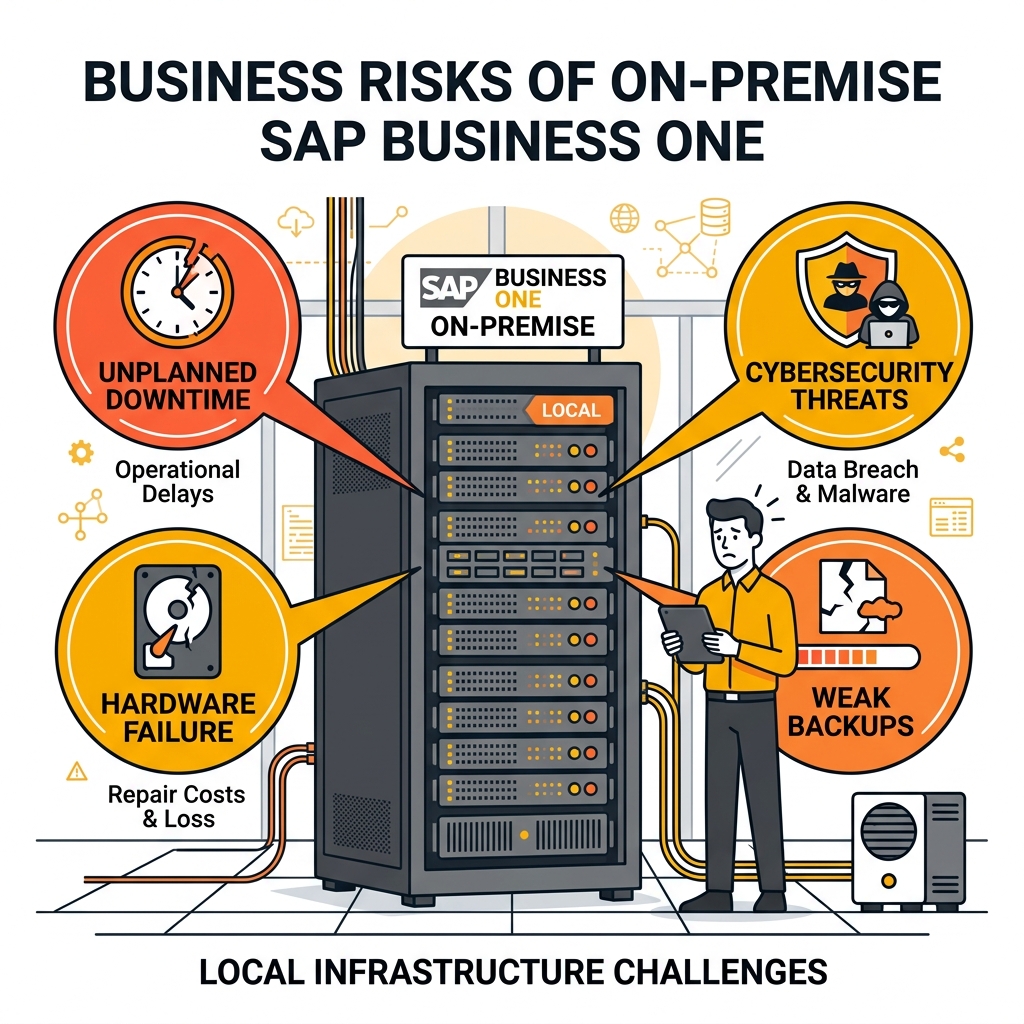
On-premise infrastructure exposes growing businesses to downtime, security threats, and data recovery vulnerabilities.
1. Hardware dependency
Servers, storage devices, networking equipment, and power infrastructure have limited lifespans. When a critical component fails, users may lose access to SAP Business One until the system is repaired or replaced.
The impact can spread quickly:
- Finance teams cannot process invoices or payments.
- Warehouse teams lose inventory visibility.
- Production planning slows or stops.
- Sales teams cannot confirm stock or balances.
- Customer deliveries may be delayed.
Even a few hours of downtime can affect productivity, service levels, and revenue.
2. Cybersecurity pressure
On-premise environments require continuous patching, firewall management, endpoint protection, vulnerability monitoring, and access control. SMEs with small IT teams may struggle to maintain these controls.
3. Weak or untested backups
Regular backup jobs do not guarantee recovery. Backups must be encrypted, monitored, tested, and stored away from the production environment. If ransomware, fire, theft, or hardware failure affects both the server and local backups, recovery becomes much harder.
4. Limited disaster recovery readiness
Without a tested plan, organizations may need to rebuild servers, reinstall applications, restore databases, validate integrations, and reconfigure access before work resumes. A recovery that should take hours may take days.
5. Unpredictable infrastructure costs
On-premise ERP involves recurring costs for server replacements, storage expansion, backup devices, security tools, maintenance contracts, and technical support. These expenses may arrive unexpectedly and compete with other business priorities.
6. Scalability constraints
Growth in users, transactions, databases, reports, or integrations often requires new hardware, downtime and additional spending.
7. Single-location concentration risk
Hosting SAP Business One in one location creates dependence on power, internet, and building access. A site-level disruption can affect the entire organization.
For businesses that rely on SAP Business One to manage core operations, these risks explain why cloud migration has become a business continuity priority rather than an infrastructure change.
How SAP B1 Cloud Migration Reduces Business Risks
The main value of SAP B1 Cloud Migration is not simply relocating the ERP system. It strengthens availability, recovery, security, accessibility, and infrastructure resilience.
Reduced Downtime
Unplanned ERP downtime can interrupt sales, finance, inventory, purchasing, production, dispatch, and customer service. In an on-premise environment, availability may depend on one server, one local network, one power source, or one internal IT team.
Cloud infrastructure reduces these single points of failure through managed hosting, monitoring, and redundancy. No environment can guarantee zero downtime, but a well-designed cloud setup can significantly reduce the likelihood and impact of infrastructure failure.
For example, if a distributor experiences a local server failure during dispatch, warehouse users may be unable to confirm inventory or process shipments. In a resilient cloud-hosted environment, SAP Business One can remain accessible, protecting commitments, productivity, and revenue.
Automated Backup and Disaster Recovery
Backup quality should be measured by how reliably and quickly systems can be restored, not only by job completion.
SAP B1 Cloud Migration can support:
- Automated backup schedules
- Encryption at rest and in transit
- Off-site or logically separated backup storage
- Backup monitoring and failure alerts
- Periodic restore testing
- Documented recovery procedures
If failure, cyberattack, or disaster occurs, these controls can help restore ERP services faster than rebuilding an on-premise environment from scratch.
A manufacturer depends on access to bills of materials, production orders, inventory, capacity plans, and delivery schedules. Without tested disaster recovery, restoring these processes may take days. Cloud-based recovery procedures help resume priority functions according to predefined business objectives.
Every organization should define:
- Recovery Point Objective, or acceptable data loss
- Recovery Time Objective, or maximum acceptable downtime
These metrics should be driven by business priorities rather than technical preference.
Improved Data Security
SAP Business One stores sensitive financial, operational, customer, and inventory data. Protecting this information requires continuous controls.
Managed cloud hosting can strengthen security through patching, encryption, monitoring, access logging, and managed backups. Compared with many on-premise environments, where small IT teams handle multiple responsibilities, managed infrastructure can provide more consistent governance.
Security remains a shared responsibility. The provider protects the hosting layer, while the business must manage:
- User permissions and role design
- Password and authentication policies
- Device security
- Employee onboarding and offboarding
- Approval workflows
- Internal segregation of duties
For example, when an employee changes role, SAP authorizations should be updated immediately. Cloud controls combined with internal governance provide stronger protection.
Secure Remote Access
Modern businesses rarely operate from one location. Teams work across offices, warehouses, plants, customer sites, and remote environments.
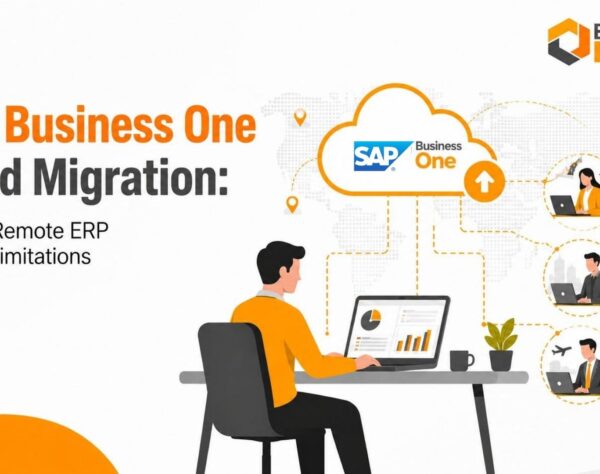
SAP B1 Cloud allows authorized users to access the ERP securely from approved locations. This reduces dependence on office infrastructure and helps operations continue during travel, office closures, or regional disruption.
Practical continuity benefits include:
- Finance teams processing transactions remotely
- Sales teams checking stock and credit limits
- Managers reviewing performance outside the office
- Multi-location teams using one central system
- Consultants supporting users without physical site access
This flexibility improves both operational continuity and responsiveness.
High Availability and Infrastructure Reliability
High availability aims to prevent infrastructure failures from interrupting business operations.
Cloud platforms may include redundant servers, storage, networking, and power systems. Building the same level of resilience on-premise often requires major investment and expertise.
As transaction volumes grow, cloud resources can also scale more efficiently. This is valuable for manufacturers, wholesalers, and distributors with seasonal demand or expansion.
ERP reliability should be measured through more than server uptime. Important indicators include:
- Application response times
- Database performance
- Backup success rates
- Recovery test results
- Integration availability
- Capacity utilization
- Security and system monitoring
Better Business Resilience
Business resilience is the ability to continue operating despite unexpected disruption.
SAP B1 Cloud Migration supports resilience by reducing dependence on individual servers, office locations, and manual recovery processes. Automated backups, remote access, scalable infrastructure, and structured disaster recovery help organizations maintain essential operations during disruption.
Whether responding to office closure, hardware failure, rapid expansion, cyber disruption, or local infrastructure problems, cloud migration helps businesses:
- Serve customers
- Support employees
- Maintain cash flow
- Protect data
- Meet compliance obligations
- Sustain supply chain activity
Successful migration begins with business risk rather than server replacement. Organizations should identify critical processes, dependencies, recovery priorities, and acceptable downtime before designing the cloud architecture.
SAP Business One Cloud Migration Benefits for Business Continuity
Business continuity is the ability to keep essential operations running during disruption and restore them quickly with minimal business impact. SAP B1 Cloud Migration strengthens continuity by reducing dependence on local infrastructure and enabling secure ERP access.
The business continuity benefits include:
| Benefit | Business Continuity Impact |
|---|---|
| 1. Continued access to business data | Finance, sales, purchasing, inventory, production, and management teams can continue working from authorized locations even when the main office experiences a power or network disruption. |
| 2. Stronger multi-location collaboration | Branches, warehouses, manufacturing plants, and remote users work within the same SAP Business One environment. This improves data consistency and reduces dependence on separate systems or delayed data synchronization. |
| 3. Greater supply chain continuity | Purchasing teams can manage supplier orders, warehouse staff retain inventory visibility, production teams receive updated material requirements, and logistics teams maintain delivery schedules. Keeping these connected processes available reduces delays, emergency purchases, and customer disruption. |
| 4. More resilient customer service | Sales and support teams can access order history, stock availability, delivery commitments, outstanding invoices, and customer records. They can respond with current information instead of waiting for local systems to be restored. |
| 5. Faster management decisions | During disruption, executives need visibility into cash flow, receivables, inventory, sales, production, and operational bottlenecks. Secure cloud access allows leaders to make timely decisions remotely. |
| 6. Quicker business recovery | Automated backups and structured recovery procedures can restore essential ERP services faster than rebuilding local infrastructure. The objective is not only to restore a server. It is to restore the processes that generate revenue, serve customers, support employees, and maintain compliance. |
By combining accessibility, resilient infrastructure, automated recovery, and operational flexibility, SAP B1 Cloud Migration creates a stronger foundation for long-term business continuity.
Planning a Successful SAP B1 Cloud Migration
Successful cloud migration requires more than moving SAP Business One to another hosting environment. A structured plan reduces risk, shortens disruption, and improves the likelihood of business value.
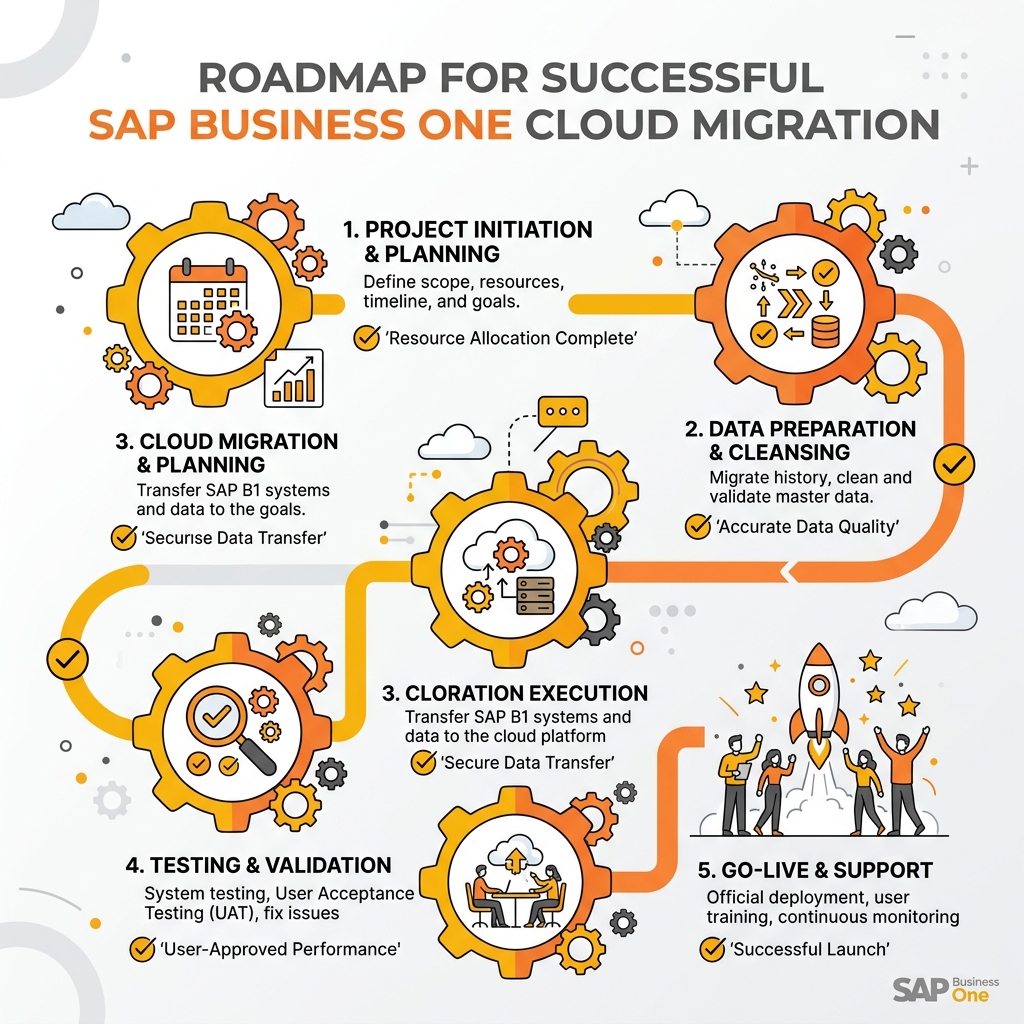
A detailed checklist covering technical analysis, database checks, process testing, and data validation helps prevent transition failures.
1. Assess the Current ERP Environment
Begin with a readiness assessment covering:
- SAP Business One version and database platform
- Database health and size
- Users, licenses, and authorizations
- Integrations and interfaces
- Add-ons and customizations
- Reports and print layouts
- Existing infrastructure
- Security and compliance requirements
- Backup and recovery arrangements
- Business continuity objectives
This assessment identifies risks before migration begins.
2. Select the Right Migration Strategy
Some businesses may choose a straightforward lift-and-shift approach. Others may combine migration with an SAP Business One upgrade, integration modernization, security improvement, or process optimization.
The strategy should reflect long-term business goals, not only infrastructure needs.
3. Prepare and Validate Data
Data quality affects migration success. Before go-live, organizations should:
- Remove obsolete records
- Validate master data
- Resolve duplicate information
- Archive unnecessary files
- Confirm document and attachment requirements
- Perform verified backups
Well-prepared data reduces migration complexity and supports performance.
4. Test Critical Business Processes
Testing should go beyond confirming that users can log in. The migration team should validate:
- Finance transactions and period controls
- Sales, purchasing, and inventory movements
- Manufacturing and production processes
- Approval workflows
- Reports and dashboards
- Printing and document layouts
- Integrations and add-ons
- Remote access and performance
- Backup and recovery procedures
Thorough testing identifies issues before go-live and improves user confidence.
5. Train Users and Plan Go-Live
Employees should understand how to access the cloud environment securely, follow security practices, and complete daily tasks after migration.
A detailed go-live plan should define:
- Migration window and downtime
- Final backup responsibilities
- Validation ownership
- Communication procedures
- Rollback criteria
- User support channels
- Post-launch escalation paths
6. Monitor After Go-Live
Migration does not end on deployment day. Teams should continuously monitor performance, access, integrations, backups, reports, capacity, and system health.
A structured post-implementation review should confirm whether the new environment delivers the expected continuity and security improvements. It should also identify opportunities.
SAP B1 Cloud Migration should be managed as a business transformation initiative, not a simple infrastructure project. Organizations that combine planning, testing, user readiness, and support are more likely to achieve lower risk and stronger long-term performance.
Why Choose Emerging Alliance for SAP Business One Cloud Migration
A successful SAP B1 Cloud Migration requires continuity expertise, planning, and an approach that protects operations during transition.
Emerging Alliance supports SAP Business One cloud migration through a structured methodology focused on risk reduction, resilience, security, and long-term performance. Work begins with assessing the existing ERP environment, infrastructure, integrations, add-ons, database health, security requirements, and recovery objectives.
The migration lifecycle can include:
- Readiness assessment
- Cloud architecture planning
- Data preparation and migration
- Add-on and integration validation
- Security and access design
- Business process testing
- User enablement
- Go-live support
- Post-implementation monitoring and optimization
Each stage is designed to reduce disruption while protecting critical business processes.
With experience supporting manufacturers, distributors, service businesses, and SMEs, Emerging Alliance focuses on the operational outcomes behind the technology. Every migration should support users, transactions, and continuity requirements.
Whether the objective is improved availability, stronger disaster recovery, secure remote work, infrastructure modernization, or future expansion, Emerging Alliance helps businesses build a scalable SAP Business One cloud environment aligned with continuity needs.
Planning your SAP B1 Cloud Migration? Contact Emerging Alliance for a readiness assessment covering infrastructure risk, dependencies, recovery objectives, and cloud strategy for your organization.
Conclusion
SAP B1 Cloud Migration goes beyond infrastructure modernization. It can reduce downtime risk, strengthen security, improve disaster recovery, enable secure access, and create a more resilient ERP environment.
For businesses that rely on SAP Business One for finance, inventory, purchasing, manufacturing, sales, warehousing, and customer service, cloud migration protects productivity, service, compliance, and revenue.
The strongest results come from careful planning. A successful migration combines readiness assessment, tested backups, security governance, process validation, user preparation, and support.
As operating expectations continue to evolve, organizations with a resilient cloud ERP foundation will be better prepared to respond to disruption, support growth, and maintain stability.
Ready to reduce business risk with SAP B1 Cloud Migration? Speak with Emerging Alliance about a cloud migration roadmap that improves continuity and prepares your ERP for growth.
Frequently Asked Questions
Protect Your Business Before Downtime Happens
Schedule Your Free SAP Business One Cloud Migration Demo with Emerging Alliance and get a personalized cloud migration roadmap.