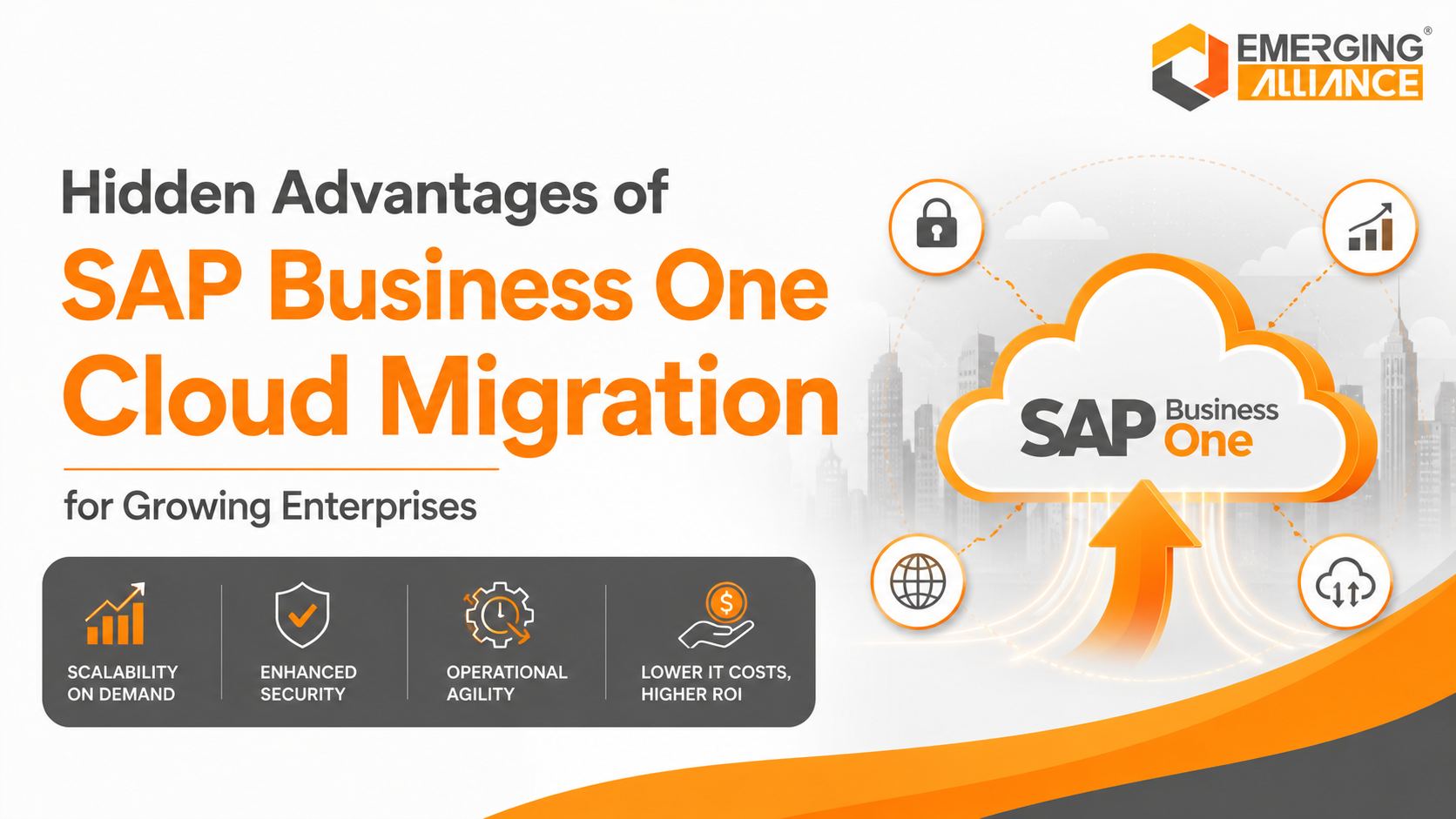
Hidden Advantages of SAP Business One Cloud Migration for Growing Enterprises
SAP Business One Cloud Migration for stronger scalability, agility, and long-term operational efficiency
SAP Business One Cloud Migration moves an existing SAP Business One environment from locally managed infrastructure to a centrally hosted cloud landscape. For a growing enterprise, the business case extends beyond server replacement: the migration can improve scalability, remote access, resilience, infrastructure management, and readiness for future integrations—provided the hosting architecture, security controls, service levels, and migration plan are designed correctly.
As transaction volumes, locations, users, integrations, and compliance obligations increase, on-premise infrastructure can become expensive and difficult to scale. A well-planned cloud migration gives the business a more adaptable ERP foundation without forcing it to replace SAP Business One or redesign every core process at once.
What SAP Business One Cloud Migration Means
SAP Business One Cloud Migration is the controlled transfer of the SAP Business One application, company databases, extensions, integrations, security configuration, and operating environment to hosted cloud infrastructure. SAP documentation describes cloud landscapes that support remote access, centralized management, shared resources, lower maintenance requirements, and elastic scaling as companies and user counts grow.
Cloud migration does not automatically guarantee lower cost, stronger security, or zero downtime. Those outcomes depend on the selected provider, data-center region, architecture, licensing model, recovery design, network quality, compatibility testing, and operating procedures.
Why Growing Enterprises Move SAP Business One to the Cloud
Growing companies typically consider cloud migration when infrastructure management begins to slow expansion, increase risk, or absorb too much internal IT capacity.
Rising Operational Complexity
New branches, warehouses, companies, users, and transaction volumes place additional demand on the ERP environment. Cloud resources can be expanded more rapidly than physical infrastructure when capacity planning and service limits are defined correctly.
Increasing Infrastructure Cost
On-premise SAP Business One requires expenditure on servers, storage, operating systems, backup systems, power, cooling, maintenance, monitoring, and periodic hardware replacement. A hosted model shifts much of this burden into recurring operating expenditure, although total cost must still include migration, networking, support, security, and add-on management.
Remote and Multi-Location Access
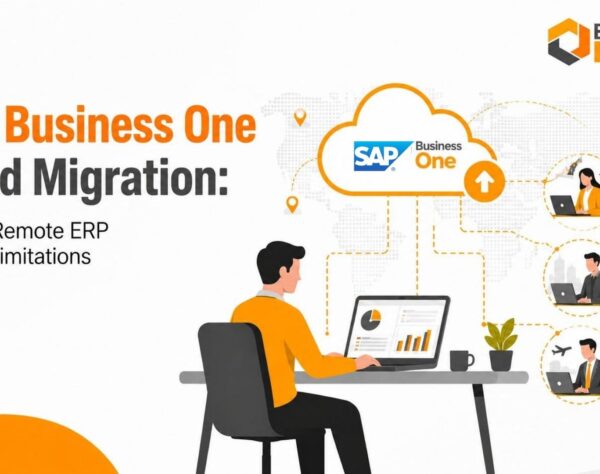
A cloud landscape can centralize access for finance, sales, service, warehouse, and management teams across locations. Secure external access may use browser access, remote desktop services, Citrix, the SAP Business One Web client, or other approved architecture based on the version and deployment model.
Business Continuity Pressure
A single server room, local backup, or site dependency can create a concentration of risk. A cloud design can improve resilience through redundant infrastructure, monitored backups, high-availability components, and tested recovery procedures. These capabilities must be verified in the provider’s SLA and recovery plan.
Limited Internal IT Capacity
When internal IT spends substantial time maintaining ERP infrastructure, fewer resources remain for analytics, automation, user adoption, integration, and process improvement. Cloud hosting can reduce routine infrastructure administration and clarify operational responsibility.
Ten Hidden Advantages of SAP Business One Cloud Migration
1. Elastic Capacity for Growth
Compute, memory, storage, and user capacity can be adjusted as demand changes. This supports seasonal peaks, new entities, acquisitions, and higher transaction volumes without a full hardware refresh.
2. Faster Expansion into New Locations
A centrally hosted ERP environment can reduce the infrastructure setup required for new branches or warehouses. New sites still need reliable connectivity, identity controls, device policies, and user provisioning.
3. More Predictable Infrastructure Planning
Recurring hosting and support charges can make infrastructure expenditure easier to forecast. The correct comparison is total cost of ownership, not hosting price alone.
4. Stronger Recovery Readiness
Automated backups, redundancy, replication, and recovery tooling can shorten recovery times. Businesses should contractually define recovery time objective, recovery point objective, backup retention, restoration testing, and escalation procedures.
5. Centralized Security Governance
Cloud hosting can centralize identity management, authentication, certificates, firewall policies, monitoring, patching, and access control. Security remains a shared responsibility and requires governance across the entire landscape.
6. Reduced Hardware Dependency
The business becomes less dependent on aging local servers, data-center space, and hardware procurement cycles. This can reduce unplanned replacement risk and local infrastructure constraints.
7. Simplified Infrastructure Maintenance
Operating-system maintenance, resource monitoring, backup operations, and platform administration can be standardized under a managed service. SAP application upgrades, add-ons, and integrations still require testing and change control.
8. Consistent Multi-Location Collaboration
Teams can work against the same ERP database and near real-time business information rather than distributing spreadsheets or maintaining disconnected local systems.
9. Improved Performance Management
Cloud monitoring can provide clearer visibility into resource utilization, database behavior, session load, storage growth, and response times. Performance improvement is not automatic; it depends on sizing, latency, database health, code quality, and integration design.
10. A Better Foundation for Automation and Analytics
A scalable, centrally managed ERP landscape can make it easier to connect business intelligence, workflow automation, APIs, integration platforms, and selected AI-enabled services. Cloud migration is an enabler, not an AI strategy by itself.
SAP Business One Cloud and On-Premise Comparison
| Decision Area | Cloud-Hosted SAP Business One | On-Premise SAP Business One |
| Infrastructure ownership | Provider or managed-service responsibility, subject to contract | Customer-owned or customer-managed hardware |
| Scalability | Resources can usually be adjusted faster | Expansion may require hardware procurement and installation |
| Remote access | Designed around centrally hosted access methods | Requires separately configured secure external access |
| Cost model | Primarily recurring operating cost plus migration and support | Capital expenditure plus maintenance and internal operating cost |
| Control | Shared across customer, partner, and hosting provider | Greater direct infrastructure control |
| Recovery | Can use redundant architecture and managed backup services | Depends on the customer’s backup and disaster-recovery investment |
| Maintenance | Infrastructure tasks can be managed centrally | Customer IT manages more of the technology stack |
| Connectivity dependency | High; internet and WAN quality directly affect access | Lower for users located on the same local network |
| Customization compatibility | Requires validation against the target landscape | May offer greater freedom for legacy local dependencies |
| Best fit | Growing, distributed, or capacity-constrained organizations | Organizations requiring direct infrastructure control or with strict local constraints |
Signs Your SAP Business One Environment Is Ready for Migration
A migration assessment is justified when several of the following conditions are present:
- ERP performance degrades during reporting, month-end closing, or transaction peaks.
- Server replacement, storage expansion, or operating-system refresh is approaching.
- Remote users depend on unstable VPNs or inconsistent access methods.
- Backup restoration has not been tested recently or recovery objectives are undefined.
- New locations require faster provisioning and centralized access.
- Internal IT spends excessive time on infrastructure rather than business improvement.
- Current add-ons and integrations need modernization or formal compatibility review.
- The business requires stronger monitoring, security governance, or service accountability.
SAP Business One Cloud Migration Cost Drivers
The cost of SAP B1 Cloud Migration depends on the existing environment and the target operating model. A reliable estimate should include the full migration lifecycle.
- Cloud hosting capacity, data-center region, bandwidth, availability, and storage
- Database size, historical data volume, and backup retention
- Number of users, companies, branches, and environments
- SAP Business One version and database platform
- Customizations, add-ons, reports, APIs, and third-party integrations
- Data cleanup, archival, validation, and reconciliation
- Security controls, identity management, certificates, monitoring, and compliance
- Test environments, user acceptance testing, training, cutover, and rollback planning
- Post-go-live support, performance tuning, upgrades, and service management
A low hosting quote can become expensive when migration services, support boundaries, recovery capabilities, data egress, integration changes, and after-hours support are excluded. Ask for a three-year total-cost model with assumptions stated explicitly.
SAP Business One Cloud Migration Roadmap
1. Discovery and Readiness Assessment
Document the current SAP version, database, infrastructure, companies, users, add-ons, interfaces, reports, security controls, network dependencies, performance issues, and business constraints.
2. Target Architecture and Business Case
Define hosting model, sizing, region, access method, availability, backup, recovery objectives, security responsibilities, support model, cost assumptions, and expected outcomes.
3. Data and Compatibility Preparation
Clean master data, archive obsolete records where appropriate, validate financial balances, confirm add-on support, remediate legacy integrations, and document reconciliation controls.
4. Pilot Migration and Technical Testing
Run a representative migration in a non-production environment. Test logins, authorizations, transactions, reports, printing, email, integrations, add-ons, browser or remote access, performance, backup, and restore.
5. User Acceptance and Cutover Planning
Complete process-based UAT, obtain business sign-off, freeze changes, schedule downtime, prepare communications, document rollback criteria, and assign decision owners.
6. Production Migration and Validation
Execute the approved runbook, migrate and validate data, reconcile financial and inventory totals, verify interfaces, confirm user access, and monitor high-risk processes.
7. Hypercare and Continuous Optimization
Track performance, incidents, adoption, costs, recovery controls, and capacity. Use post-go-live findings to improve workflows, reports, permissions, and infrastructure sizing.
Security and Compliance Checks Before Migration
A secure cloud deployment requires controls across SAP Business One, the database, operating systems, network, identity platform, endpoint devices, and provider operations. SAP guidance emphasizes company-wide security policy, legitimate-user access, strong database authentication, and a comprehensive backup strategy.
- Confirm encryption in transit and at rest, including certificate management.
- Enable strong authentication and two-factor authentication where supported and appropriate.
- Apply least-privilege roles for users, administrators, service accounts, and support teams.
- Document data location, regulatory requirements, retention, deletion, and audit logging.
- Validate firewall rules, external access architecture, endpoint controls, and session policies.
- Define vulnerability management, patch responsibility, incident response, and notification timelines.
- Contract recovery objectives, backup frequency, retention, restoration testing, and evidence reporting.
- Review provider certifications and controls relevant to the organization’s industry and jurisdictions.
KPIs for Measuring Migration Success
Post-migration measurement should compare a documented baseline with agreed target outcomes. Recommended KPIs include:
- System availability and unplanned downtime
- Average login, transaction, report, and batch-processing response times
- Recovery time objective and recovery point objective test results
- Monthly infrastructure and support cost versus the pre-migration baseline
- Backup success rate and verified restoration success rate
- High-priority incidents, recurring support tickets, and mean time to resolution
- User adoption, remote-access success rate, and productivity feedback
- Capacity utilization, database growth, and forecast accuracy
- Integration failure rate and reconciliation exceptions
- Business benefits realized, such as faster branch onboarding or shorter reporting cycles
How to Select an SAP Business One Cloud Migration Partner
The right partner should be able to explain both the technical migration and the future operating model. Evaluate providers against evidence, not broad claims.
- Demonstrated SAP Business One migration experience with comparable database size and complexity
- Clear responsibility matrix covering SAP, the partner, the hosting provider, and the customer
- Compatibility process for add-ons, integrations, reports, printers, email, and custom development
- Documented migration runbook, rollback plan, testing scope, and reconciliation controls
- Transparent SLA for availability, support, backup, recovery, incident response, and escalation
- Security architecture, data residency, audit evidence, and compliance support
- Three-year total-cost model with exclusions, assumptions, and scaling charges
- Post-go-live monitoring, optimization, functional support, and upgrade capability
Why Emerging Alliance for SAP Business One Cloud Migration
Emerging Alliance approaches SAP Business One Cloud Migration as an ERP modernization and business-continuity program—not merely a server relocation. The engagement can cover current-state assessment, target architecture, migration planning, compatibility validation, data controls, testing, cutover, user readiness, performance optimization, and post-go-live support.
This business-focused approach helps growing enterprises protect critical operations while building a scalable SAP Business One environment for additional users, locations, integrations, reporting, and process automation.
SAP Business One Cloud Migration for Sustainable Growth
SAP Business One Cloud Migration can reduce infrastructure constraints, improve remote accessibility, strengthen recovery readiness, simplify technology operations, and create a more scalable ERP foundation. The value, however, depends on disciplined planning, realistic cost analysis, verified compatibility, tested security controls, and measurable service commitments.
Before selecting a cloud environment, assess the current SAP Business One landscape, identify operational risks, define target outcomes, and compare deployment options using total cost, recovery capability, security responsibility, performance, and support quality.
Frequently Asked Questions
How do I know whether my SAP Business One system is ready for cloud migration?
Begin with a readiness assessment covering SAP version, database platform and size, user count, companies, add-ons, integrations, reports, printers, email services, network performance, security controls, backup health, and business-critical processes. The assessment should identify compatibility gaps, target architecture, expected downtime, recovery requirements, cost drivers, and a tested migration sequence.
Which business processes are most at risk during migration?
Finance posting, inventory movements, sales, purchasing, production, banking, reporting, interfaces, scheduled jobs, printing, and email can be affected if dependencies are missed. Risk is reduced through process-based testing, financial and inventory reconciliation, interface validation, user acceptance testing, a controlled cutover window, rollback criteria, and named business owners for final approval.
How can data integrity be protected during SAP B1 Cloud Migration?
Use data profiling, cleanup, controlled exports, checksums where appropriate, multiple test migrations, record-count comparisons, master-data validation, opening-balance checks, general-ledger reconciliation, inventory valuation checks, document sampling, and signed business validation. The migration runbook should define who approves each control and what happens when a reconciliation difference appears.
Will SAP Business One add-ons and customizations work in the cloud?
Many supported add-ons and extensions can operate in a cloud landscape, but compatibility must never be assumed. Review the vendor’s supported versions, database requirements, installation method, service dependencies, file paths, local hardware connections, APIs, licensing, and remote-access behavior. Unsupported legacy components may require upgrades, redesign, replacement, or a hybrid integration approach.
What hidden costs should be included in the migration budget?
Include assessment, target architecture, migration services, data cleanup, test environments, add-on remediation, integration changes, security controls, bandwidth, identity services, user training, cutover support, rollback preparation, after-hours work, backup retention, disaster recovery, monitoring, post-go-live support, data egress, and future capacity growth. Compare three-year total cost rather than monthly hosting price.
How long does SAP Business One Cloud Migration take?
Timelines vary by database size, number of companies, users, integrations, add-ons, custom reports, data quality, compliance requirements, and permitted downtime. A relatively standard environment may be completed in weeks, while a complex multi-company landscape can require several months. The credible estimate is the output of discovery and pilot migration—not a generic duration.
What should be included in the hosting provider SLA?
The SLA should state availability, planned maintenance, support hours, response and resolution targets, escalation, backup frequency, retention, restoration testing, recovery time objective, recovery point objective, security incident notification, data location, capacity limits, performance monitoring, audit evidence, exit support, data return, and responsibility for SAP, database, operating system, and network layers.
How can downtime be minimized during migration?
Reduce downtime through data cleanup, rehearsal migrations, optimized transfer methods, a change freeze, pre-provisioned users, pre-tested integrations, parallel technical preparation, a detailed cutover checklist, clear decision authority, and an approved rollback plan. Schedule the final migration around business-critical calendars such as month-end, payroll, production, dispatch, or regulatory reporting.
Which KPIs prove that the cloud migration succeeded?
Track availability, login and transaction response time, report duration, backup success, tested restoration time, recovery objective compliance, incident volume, mean time to resolution, integration failures, support cost, infrastructure cost, user satisfaction, remote-access success, capacity utilization, and business outcomes such as faster branch onboarding or shorter period-end reporting.
Does moving SAP Business One to the cloud automatically make it more secure?
No. Cloud hosting can provide strong security capabilities, but security depends on architecture, configuration, identity controls, provider operations, customer governance, endpoint protection, patching, monitoring, backup design, and incident response. Treat security as a shared responsibility and verify controls contractually and technically before production migration.
Book an SAP Business One Cloud Migration Readiness Assessment with Emerging Alliance to evaluate your infrastructure, database, add-ons, integrations, security requirements, migration risks, and recommended roadmap.