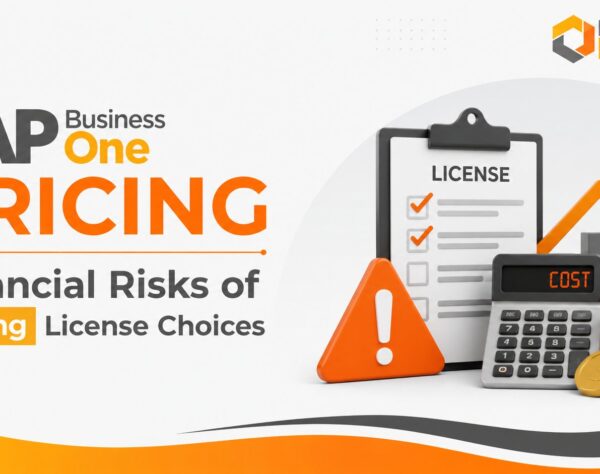
SAP B1 Pricing Risks That Can Impact Long-Term Business Value
SAP B1 Pricing considerations that reduce financial risk and implementation surprises
Investing in an ERP system is not simply a software purchase. It is a long-term operating decision that can influence cash flow, productivity, compliance, reporting, scalability, and business resilience. That is why SAP B1 Pricing should never be evaluated only through the initial license quotation.
The complete investment may include software licenses, implementation services, infrastructure, data migration, integrations, localization, training, support, upgrades, add-ons, internal project resources, and future expansion.
When these elements are not evaluated together, businesses can face budget overruns, delayed deployment, reduced implementation scope, and lower-than-expected ERP returns.
For CEOs, CFOs, CIOs, finance leaders, IT managers, and operations heads, the central question is not simply:
How much does SAP Business One cost?
The more useful question is:
What will SAP Business One cost to implement, operate, support, and scale over its useful life?
This guide explains the most common SAP B1 Pricing risks and provides a practical framework for building a more accurate, growth-ready ERP budget.
What Determines SAP B1 Pricing?
SAP B1 Pricing is influenced by the number and type of users, deployment model, business complexity, implementation scope, integrations, customizations, data migration requirements, localization, training, support, and future expansion plans.
Exact pricing can vary by country, currency, SAP partner, industry requirements, deployment arrangement, and contractual structure. Businesses should therefore request a tailored cost assessment rather than rely on a generic pricing estimate.
Why SAP B1 Pricing Requires Strategic Evaluation
ERP pricing directly affects long-term business value.
A low initial quotation may appear attractive, but it can become expensive when essential activities are excluded or underestimated. Conversely, a properly scoped investment can reduce operational inefficiencies and support sustainable growth.
Pricing Goes Beyond Software Licenses
The SAP B1 License Cost is only one component of the overall investment.
A complete SAP Business One budget may include:
- Business process assessment
- Solution design and configuration
- Project management
- Data migration
- User training
- Reporting and dashboard requirements
- Third-party integrations
- Add-ons and industry-specific functionality
- Infrastructure or hosting
- Testing and user acceptance
- Support and maintenance
- Future upgrades and optimization
Businesses that compare only license prices may overlook the services required to make the system usable and valuable.
Total Cost of Ownership Matters More Than Entry Price
Total Cost of Ownership, or TCO, measures the full cost of acquiring, implementing, running, supporting, and improving the ERP system over time.
A useful SAP Business One TCO model should account for:
- Initial software or subscription costs
- Implementation and consulting
- Infrastructure or hosting
- Data migration and cleansing
- Integrations and add-ons
- Training and change management
- Support and maintenance
- Upgrade or enhancement costs
- Internal resource commitment
- Expansion into new users, entities, locations, or processes
Evaluating TCO helps decision-makers compare proposals more accurately and avoid selecting an option that appears inexpensive only because important costs have been deferred.
Pricing Should Reflect Future Growth
SAP Business One should support the business you are building, not only the business you operate today.
Consider a manufacturer with 40 ERP users, one plant, and two warehouses. Over the next three years, it plans to add another plant, expand its sales team, introduce e-commerce, and enter a new market.
A budget based only on current users may fail to account for:
- New licenses
- Additional warehouse processes
- More integrations
- Increased hosting or infrastructure capacity
- New compliance requirements
- Training for additional employees
- Intercompany or multi-entity requirements
- Reporting and consolidation needs
Forward-looking pricing helps reduce repeated redesign and unplanned expenditure during expansion.
Common SAP B1 Pricing Risks Businesses Overlook
Pricing risks often appear after the project begins, when changing scope becomes more expensive.
Choosing the Wrong License Mix
Different employees may require different levels of SAP Business One access.
For example:
- Finance users may need broad transactional and reporting capabilities.
- Sales users may require customer, quotation, and order functionality.
- Warehouse users may need inventory and goods movement access.
- Managers may mainly require approvals, dashboards, and reports.
- Shop-floor or field users may need specialized applications or limited access.
Purchasing the same type of license for every user may increase costs unnecessarily. However, under-licensing can restrict productivity or create compliance concerns.
A role-based licensing assessment should therefore map every user group to its actual responsibilities before licenses are finalized.
Underestimating Implementation Complexity
SAP Business One implementation cost depends heavily on operational complexity.
A single-location trading company with standardized processes may require less effort than a business with:
- Multiple plants or warehouses
- Batch or serial number traceability
- Complex production planning
- Quality-control workflows
- International operations
- Multi-currency transactions
- Detailed approval structures
- Industry-specific compliance
- Legacy systems that must remain integrated
Implementation complexity affects consulting effort, testing cycles, project governance, training, and deployment duration.
A quotation based on incomplete requirements may not remain accurate once detailed discovery begins.
Treating Every Process as a Customization Requirement
Customization can be valuable when it solves a genuine business requirement. It becomes a pricing risk when used to reproduce every legacy process without questioning whether that process should continue.
Excessive customization can increase:
- Development expenditure
- Testing requirements
- Implementation time
- Support dependency
- Upgrade complexity
- Long-term maintenance
Before approving custom development, businesses should determine whether the requirement can be addressed through standard configuration, process redesign, reporting, workflow tools, or an established SAP Business One add-on.
Ignoring Integration Costs
ERP systems rarely operate in isolation.
SAP Business One may need to exchange data with:
- CRM software
- Payroll or HRMS platforms
- Banking systems
- E-commerce stores
- Warehouse applications
- Shipping providers
- Business intelligence tools
- Manufacturing equipment
- Government or tax platforms
- Customer and supplier portals
Integration pricing should cover more than the initial connection. Businesses should also consider interface monitoring, error handling, security, vendor changes, testing, and ongoing maintenance.
Overlooking Data Migration Effort
Data migration is often underestimated because it appears to be a technical import exercise.
In practice, the process may involve:
- Removing duplicate records
- Standardizing item and customer codes
- Correcting incomplete master data
- Verifying tax information
- Reconciling opening balances
- Mapping legacy fields
- Deciding how much historical data to retain
- Testing migrated records
- Obtaining business-user approval
Poor-quality data can delay go-live and create operational problems after deployment.
Excluding Training and Change Management
A technically successful ERP implementation can still fail to produce business value when users do not understand or adopt the new processes.
Training costs may include:
- Role-based sessions
- Department workshops
- Process documentation
- Super-user development
- Refresher training
- New-employee onboarding
- Post-go-live assistance
Training should be treated as a core project investment, not an optional activity.
Failing to Define Support Scope
Support arrangements vary.
A proposal may include limited post-go-live assistance but exclude ongoing functional support, technical troubleshooting, report changes, user administration, performance reviews, or enhancement requests.
Before comparing support costs, businesses should clarify:
- Support hours and response targets
- Included and excluded services
- Functional versus technical coverage
- Remote and onsite support
- Escalation procedures
- Additional consulting rates
- System-health reviews
- Enhancement handling
Assuming All Cloud Costs Are Included
Cloud ERP pricing can simplify infrastructure planning, but the term “cloud” does not automatically mean every service is included.
Depending on the provider and contract, businesses may still need to evaluate:
- Hosting capacity
- Database requirements
- Backup and recovery
- Security responsibilities
- Monitoring
- Remote access
- Support
- Upgrades
- Additional environments
- Data transfer
- Contract renewal terms
The scope of the cloud service should be documented clearly.
Hidden Costs That Can Reduce ERP ROI
Some costs do not appear as individual line items but still affect the financial outcome of the project.
Project Delays
Delays can extend consulting effort, postpone expected benefits, and increase internal resource costs.
Common causes include:
- Unclear requirements
- Slow approvals
- Scope changes
- Poor data readiness
- Limited process-owner availability
- Inadequate testing
- Weak project governance
A realistic project plan should assign owners, deadlines, dependencies, and decision rights.
Rework
Rework occurs when processes, configurations, reports, or integrations must be redesigned after development or testing.
It is often caused by incomplete discovery or limited stakeholder involvement.
Early validation workshops and structured sign-offs can reduce this risk.
Internal Employee Time
Employees involved in the project must attend workshops, clean data, test processes, validate reports, support training, and help manage change.
This effort has a real cost, even when it is not shown in the partner quotation.
An accurate implementation budget should account for internal project participation.
Business Disruption
Go-live can temporarily affect transaction speed, reporting, customer service, warehouse activity, or financial closing.
Cutover planning, rehearsals, phased deployment, contingency procedures, and post-go-live support help limit disruption.
Compliance and Localization
Country- and industry-specific requirements may introduce additional costs.
Examples include:
- GST or VAT configurations
- Electronic invoicing
- Audit trails
- Tax reporting
- Batch and serial traceability
- Pharmaceutical controls
- Document retention
- Local statutory reports
These requirements should be identified before scope and pricing are finalized.
Long-Term Maintenance
ERP needs evolve as the business changes.
Future expenditure may include:
- Additional reports
- New dashboards
- Workflow changes
- Integration updates
- Security improvements
- Database tuning
- Add-on maintenance
- User administration
- New branch or entity rollouts
A sustainable ERP budget should provide for continuous optimization rather than treat go-live as the end of the project.
How to Build an Accurate SAP B1 Budget
A reliable SAP Business One budget should combine current requirements, future plans, commercial assumptions, and risk provisions.
1. Conduct a Business Requirements Assessment
Document the processes the ERP must support across finance, sales, purchasing, inventory, production, service, compliance, and reporting.
Identify:
- Current process bottlenecks
- Required functionality
- Number and type of users
- Locations and legal entities
- Transaction volumes
- Reporting needs
- Integration requirements
- Data sources
- Compliance obligations
- Growth plans
This reduces ambiguity during proposal comparison.
2. Build a Role-Based Licensing Plan
Map user roles to required system functions.
| User group | Typical requirement |
|---|---|
| Finance | Accounting, controls, reconciliation and reporting |
| Sales | Leads, quotations, orders and customer activity |
| Procurement | Suppliers, purchase orders and approvals |
| Warehouse | Inventory receipts, transfers and issues |
| Operations | Planning, production and process monitoring |
| Management | Dashboards, analytics and approvals |
The final license recommendation should be validated by an authorized SAP Business One partner against current commercial and contractual rules.
3. Separate Essential Scope From Future Scope
Classify requirements into:
- Required for go-live
- Required shortly after go-live
- Valuable but non-critical
- Future-phase enhancements
This prevents the first phase from becoming unnecessarily complex.
4. Define Integration and Data Scope
Document every integration, data source, record type, historical period, interface owner, and expected transaction flow.
This allows the implementation partner to estimate the work more accurately.
5. Compare Proposals on the Same Basis
When reviewing SAP ERP Pricing proposals, confirm whether each one includes the same:
- Number and type of licenses
- Modules and add-ons
- Implementation activities
- Data migration scope
- Integrations
- Training
- Project management
- Testing
- Go-live support
- Hosting or infrastructure
- Maintenance and support
- Taxes and third-party charges
A cheaper proposal may simply contain more exclusions.
6. Include Internal Resources
Assign internal process owners, executive sponsors, project coordinators, subject-matter experts, and super users.
Estimate the time they will dedicate to the implementation.
7. Add a Contingency Reserve
A contingency provision can help manage unavoidable changes related to data, compliance, testing, interfaces, or newly discovered requirements.
The reserve should be governed carefully and should not replace proper scope definition.
Cloud vs On-Premise SAP B1 Pricing Considerations
Cloud and on-premise deployments distribute costs differently. Neither model is automatically more cost-effective for every business.
| Pricing factor | Cloud deployment | On-premise deployment |
|---|---|---|
| Initial investment | Often lower for infrastructure | Usually higher due to servers and setup |
| Cost model | Recurring operating expenditure | Greater capital expenditure |
| Infrastructure | Operated by a hosting or service provider | Owned or managed by the business |
| Scalability | Capacity can often be expanded more quickly | May require additional hardware |
| IT workload | Lower infrastructure burden in many models | Greater internal infrastructure responsibility |
| Maintenance | Depends on contract scope | Managed internally or through a provider |
| Security | Shared responsibility must be clarified | Greater direct control and responsibility |
| Upgrades | Responsibility varies by agreement | Must be planned and managed |
| Long-term cost | Recurring fees require lifecycle analysis | Refresh, staffing and maintenance costs apply |
| Control | Depends on hosting arrangement | Greater direct infrastructure control |
The right deployment model depends on cash-flow strategy, IT capability, data requirements, availability expectations, security policies, growth plans, and preferred level of control.
SAP B1 Budget Planning Checklist
Before approving the investment, verify that:
- Business requirements are documented.
- User roles and license needs are mapped.
- Implementation scope is clearly defined.
- Exclusions and assumptions are recorded.
- Data migration responsibilities are assigned.
- Integrations are identified and estimated.
- Add-ons are included where necessary.
- Infrastructure or hosting scope is understood.
- Localization and compliance needs are covered.
- Training and change management are budgeted.
- Internal project resources are available.
- Support scope and service levels are clear.
- Future users, branches and entities are considered.
- Upgrade and enhancement responsibilities are understood.
- A controlled contingency reserve is available.
Best Practices for Reducing SAP B1 Pricing Risks
Define Business Outcomes First
Begin with measurable operational objectives, such as reducing manual reconciliation, improving inventory accuracy, accelerating financial closing, or supporting additional locations.
This keeps pricing discussions connected to business value.
Avoid Unnecessary Customization
Use standard SAP Business One capabilities wherever they meet the requirement. Customize only when the business benefit justifies the additional lifecycle cost.
Use a Phased Implementation
Prioritize the processes required to establish control and operational continuity. Add advanced capabilities in later phases where appropriate.
Calculate Three- to Five-Year TCO
Compare the full cost of licensing, implementation, infrastructure, support, integrations, training, maintenance, and expansion over a common period.
Review Licensing Regularly
Business roles change. Periodic licensing reviews can help identify inactive users, changing access needs, new departments, and future capacity requirements.
Use Clear Change-Control Procedures
Any new requirement should be documented, estimated, approved, and added to the implementation plan before work begins.
Select a Partner Based on Scope Quality
Evaluate partners on discovery quality, industry knowledge, implementation methodology, pricing transparency, support capability, and long-term optimization—not simply the lowest quotation.
Conclusion
SAP B1 Pricing should be assessed as a lifecycle investment rather than a one-time software expense.
Licensing, implementation complexity, data migration, integrations, training, deployment, support, compliance, internal resources, and future expansion all influence the actual cost and value of SAP Business One.
Businesses that define requirements early, compare proposals consistently, calculate TCO, limit unnecessary customization, and plan for growth are better positioned to control financial risk and improve ERP ROI.
A well-structured pricing strategy does more than prevent implementation surprises. It protects the long-term operational and financial value of the ERP investment.
Frequently Asked Questions
1. What is included in SAP B1 Pricing?
SAP B1 Pricing may include software licenses or subscriptions, implementation, configuration, data migration, integrations, training, hosting, support, maintenance, add-ons, and future enhancements. The exact scope depends on user numbers, deployment choice, country, industry requirements, business complexity, and the commercial proposal provided by the SAP partner.
2. How much does SAP Business One cost?
There is no single universal SAP Business One price. Cost varies according to license type, number of users, deployment model, implementation scope, integrations, customizations, localization, hosting, and support. A requirements assessment is needed before a reliable SAP Business One pricing estimate can be prepared.
3. What affects SAP Business One implementation cost?
Implementation cost is influenced by process complexity, locations, legal entities, modules, transaction volumes, data quality, integrations, reports, add-ons, training, compliance needs, testing, and project duration. Companies with standardized processes typically require less implementation effort than organizations with complex or highly customized operations.
4. How should a company calculate SAP Business One TCO?
Calculate licensing or subscription costs, implementation, infrastructure, hosting, migration, integrations, training, support, maintenance, upgrades, internal project time, and future expansion over a consistent three- to five-year period. This produces a more realistic comparison than evaluating the initial software quotation alone.
5. Is SAP Business One cloud cheaper than on-premise?
Cloud deployment often reduces upfront infrastructure investment, but recurring hosting and service fees must be evaluated over time. On-premise deployment generally requires greater initial capital, internal IT resources, hardware maintenance, and future refresh costs. The lower-cost option depends on the company’s scale, policies, and operating model.
6. How can businesses control SAP B1 License Cost?
Businesses can control license costs by mapping access to actual job roles, avoiding unnecessary full-access licenses, planning for future users, monitoring utilization, and reviewing licensing when roles or departments change. License recommendations should be validated against current SAP commercial terms by an authorized partner.
7. Are SAP Business One customizations expensive?
Customization costs depend on complexity, development effort, testing, documentation, support, and future upgrade impact. Businesses should first evaluate standard configuration, process redesign, workflows, reports, and proven add-ons. Custom development is most appropriate when it addresses a clear requirement with measurable operational value.
8. What hidden costs should be included in an SAP B1 budget?
Commonly missed costs include data cleansing, internal employee time, project delays, change requests, additional testing, compliance localization, third-party integration maintenance, training, post-go-live support, hosting growth, add-on renewals, and future system enhancements. These costs should be assessed before final budget approval.
9. How often should SAP Business One licensing be reviewed?
Licensing should be reviewed during annual planning and whenever the company adds users, opens locations, restructures roles, acquires a business, changes processes, or introduces new applications. Regular reviews help align access with operational needs and reduce the risk of unused or inappropriate licenses.
10. Why is an SAP Business One partner important for pricing?
An experienced SAP Business One partner can translate operational requirements into an appropriate license mix, implementation scope, deployment plan, and support model. A structured partner assessment can also reveal exclusions, dependencies, integration costs, and future requirements that may not be visible in a basic software quotation.
Plan Your SAP Business One Investment With Greater Clarity
Emerging Alliance can help your organization evaluate SAP B1 Pricing, assess license requirements, define implementation scope, compare cloud and on-premise options, and create a cost-conscious ERP roadmap.
Request a personalized SAP Business One pricing consultation to develop a licensing and implementation strategy aligned with your operational requirements and growth plans.