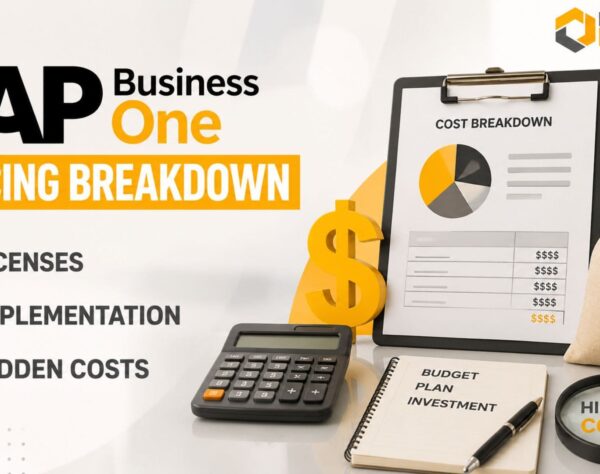
SAP Business One Pricing Guide for Hidden Costs and Budget Planning
Quick Answer
SAP Business One Pricing includes considerably more than the cost of software licenses. A complete ERP budget may cover user licensing, implementation, deployment, database requirements, data migration, customization, integrations, training, infrastructure, testing, support, maintenance, and future expansion.
The final investment depends on the number and type of users, deployment model, business complexity, locations, industry processes, reporting needs, and required integrations. Companies should therefore assess SAP Business One through a multi-year Total Cost of Ownership model rather than comparing license quotations alone.
Careful budget planning helps prevent scope disputes, unexpected costs, delayed implementation, weak adoption, and avoidable changes after go-live.
Why SAP Business One Pricing Requires Careful Planning
SAP Business One Pricing varies because every company has different users, processes, systems, data, and growth requirements. A generic price estimate rarely provides enough information to support an accurate ERP investment decision.
SAP Business One is designed for small and midsized businesses that need integrated control over finance, purchasing, inventory, sales, customer management, production, service, and reporting. However, the effort required to configure and deploy these capabilities differs considerably between organizations.
For example, a single-location distributor using standard finance, purchasing, sales, and inventory processes may need a relatively straightforward implementation. A manufacturer operating several plants may require production planning, material requirements planning, batch tracking, quality processes, warehouse automation, machine integration, and advanced reporting.
Both companies may have a similar number of users, but their SAP Business One implementation costs will be different.
An effective pricing evaluation must answer four questions:
Pricing Evaluation: 4 Critical Questions
Addressing these questions before signing a proposal improves financial visibility and reduces the risk of discovering missing requirements during implementation.
Main SAP Business One Pricing Components
The principal SAP Business One Pricing components include user licenses, deployment, technical architecture, implementation services, integrations, industry requirements, and continuing support.
Each component should appear separately in the commercial proposal so decision-makers can distinguish software costs from professional services and recurring expenditure.
User Licensing
The number and type of users directly influence SAP Business One license cost.
Professional users generally require broad access across multiple business functions. Limited users require narrower access connected with defined responsibilities, such as finance, logistics, sales, or customer management.
The correct license mix depends on what each employee must view, create, approve, update, and report. Assigning every employee a broad license can create unnecessary expenditure. Assigning insufficient access can restrict adoption and force employees to depend on other users.
Before requesting pricing, create a user-license matrix that records:
This exercise helps the implementation partner recommend an appropriate licensing structure and identify potential requirements for add-ons, indirect access, or third-party applications.
Cloud and On-Premise Deployment
SAP Business One cloud pricing and on-premise pricing follow different expenditure models.
Cloud deployment generally converts more of the investment into recurring operating expenditure. It can reduce the need for internally managed servers while supporting remote access, backups, monitoring, and environment administration.
However, businesses should confirm what the cloud subscription includes. Hosting, storage, database services, security, backup, disaster recovery, support, upgrades, and additional environments may not always be packaged identically.
On-premise deployment usually requires higher upfront capital expenditure. Businesses may need servers, networking, operating systems, database infrastructure, backup systems, security tools, disaster recovery, and internal technical resources.
On-premise environments may provide greater control, but they also create continuing administration responsibilities.
Companies should not compare these options only by first-year cost. A five-year Total Cost of Ownership calculation provides a more meaningful financial comparison.
Database and Technical Architecture
Database and technical architecture influence infrastructure, administration, reporting, performance, add-on compatibility, and implementation planning.
SAP Business One environments may be designed around SAP HANA or Microsoft SQL Server, depending on current product availability, commercial terms, technical requirements, and partner guidance.
SAP HANA provides in-memory processing and analytical capabilities that can support real-time reporting and data-intensive operations. Microsoft SQL Server may suit companies with an established Microsoft technology environment and appropriate internal expertise.
The choice should consider:
- Transaction volumes
- Reporting and analytical requirements
- Infrastructure capacity
- Existing technical skills
- Add-on compatibility
- Backup and recovery needs
- Future data growth
- Administration and support
Database selection should therefore be treated as an architectural decision, not simply a licensing comparison.
Implementation Services
SAP Business One implementation cost covers the professional work required to turn standard software into an operational business system.
Typical implementation services include:
Implementation Scope Items
Implementation cost rises as project scope becomes broader or more complex.
A single-company implementation using standard processes requires less consulting effort than a multi-company deployment involving several locations, currencies, approval structures, manufacturing processes, integrations, and custom reporting.
Clear scope definition is one of the strongest controls against budget overruns.
Customization and Integrations
Customizations and integrations can improve operational fit, but they also increase design, development, testing, documentation, and support costs.
Common integrations include:
- Customer relationship management platforms
- E-commerce systems
- Payroll applications
- Banking platforms
- Barcode and warehouse systems
- Shipping providers
- Payment gateways
- Business intelligence tools
- Regulatory applications
- Mobile solutions
Every requirement should be classified as:
- Essential for go-live
- Suitable for a later phase
- Unnecessary or replaceable through process change
Companies should first consider standard functionality, configuration, process standardization, or established add-ons before commissioning custom development.
Excessive customization can create upgrade complexity and continuing dependency on specialist support.
Industry-Specific Requirements
Industry requirements affect SAP Business One Pricing because different sectors need different processes, controls, and integrations.
Sector-Specific Configuration Scope
Manufacturers
Manufacturers may require bills of materials, production orders, material requirements planning, batch or serial tracking, subcontracting, quality processes, shop-floor integration, and production reporting.
Distributors
Distributors may prioritize warehouse automation, barcode scanning, landed-cost calculations, order fulfilment, route planning, and logistics integrations.
Retail Businesses
Retail businesses may require point-of-sale integration, store-level inventory, pricing controls, and omnichannel visibility.
Service Companies
Service companies may need project costing, resource planning, contracts, service calls, and milestone billing.
Documenting industry requirements before commercial discussions enables partners to include the required configuration, add-ons, reports, testing, and training in the original estimate.
Hidden SAP Business One Costs Buyers Often Miss
SAP Business One hidden costs are usually expenses that were overlooked, underestimated, or assumed to be included. They do not necessarily represent unexpected supplier charges.
Identifying them during planning helps companies build a more realistic budget.
Data Cleansing and Migration
Data migration involves much more than importing spreadsheets.
Existing customer, supplier, item, financial, inventory, and production records may contain duplicates, incomplete fields, inconsistent descriptions, incorrect tax data, inactive records, or unreliable balances.
Migration may require:
- Data extraction
- Cleansing
- Mapping
- Transformation
- Trial migration
- Validation
- Financial reconciliation
- Final cutover
Migrating several years of transaction history usually requires more effort than migrating master data and opening balances.
Poor-quality data can delay implementation, weaken reporting, and reduce user confidence after go-live. Internal data owners should therefore be assigned before migration begins.
Employee Time and Internal Resources
Internal employee effort is frequently absent from ERP budgets.
Department leaders, finance teams, IT personnel, process owners, and super users must participate in workshops, prepare data, validate processes, test transactions, review reports, attend training, and support deployment.
This creates an opportunity cost because employees spend time away from their regular duties.
Businesses may also need temporary staff, overtime, or workload redistribution during critical project stages. These internal costs should be included in the financial plan.
Training and Change Management
Software does not create business value unless employees use it correctly.
Training should cover realistic transactions, reports, approvals, exceptions, controls, and department-specific responsibilities. Different roles require different learning paths.
A complete training budget may include:
- Role-based sessions
- Administrator training
- Super-user development
- Practice environments
- User documentation
- Refresher sessions
- Post-go-live coaching
- New-employee onboarding
Inadequate training often leads to errors, spreadsheet workarounds, resistance, poor data quality, and increased support requests.
Infrastructure and Connectivity
Cloud deployment does not eliminate every infrastructure cost, while on-premise deployment requires more than purchasing a server.
On-premise requirements may include storage, networking, operating systems, database services, virtualization, cybersecurity, monitoring, backup, and disaster recovery.
Cloud projects may still require reliable internet connectivity, backup links, endpoint upgrades, identity management, security tools, printers, scanners, handheld devices, and network improvements.
A technical readiness assessment should be completed before the ERP budget is finalized.
Reports and Document Formats
Businesses frequently assume that every required report, invoice, label, dashboard, or statutory document is included as standard.
Some outputs may require configuration, custom development, an add-on, or external reporting tools.
Before approving scope, list all critical:
- Invoices and credit notes
- Purchase documents
- Labels and barcodes
- Management reports
- Bank files
- Statutory reports
- Customer-specific formats
- Operational dashboards
The implementation partner should identify which outputs are standard, configurable, customized, or excluded.
Testing and Parallel Operations
User acceptance testing requires time, test data, documented scenarios, issue correction, and retesting.
Some businesses also run the legacy and new systems in parallel for a limited period. This can reduce transition risk but increases employee workload and reconciliation effort.
Testing should have defined owners, schedules, acceptance criteria, and budget. Insufficient testing may allow configuration, data, integration, or reporting issues to reach the live environment.
Post-Go-Live Support
The weeks following go-live usually require intensive support.
Employees may need help processing exceptions, correcting transactions, understanding reports, refining procedures, and resolving integration issues.
Businesses should confirm:
- Hypercare duration
- Included support hours
- Response times
- Escalation procedures
- On-site or remote availability
- Additional service charges
- Transition to ongoing support
A structured stabilization period reduces operational disruption and helps users become productive more quickly.
Annual Maintenance and Support
SAP Business One is a continuing business platform rather than a one-time purchase.
Recurring expenditure may include maintenance, cloud subscriptions, hosting, partner support, database services, security monitoring, backups, add-on renewals, upgrades, and compliance-related changes.
Commercial structures vary, so buyers should request a clear annual cost schedule that separates mandatory recurring costs from optional services.
Future Users and Enhancements
Business growth can increase ERP expenditure.
New employees, branches, companies, warehouses, markets, or acquisitions may require additional licenses, storage, integrations, reports, devices, localizations, and support.
A three-to-five-year forecast should consider:
- Planned headcount
- New locations
- Transaction growth
- Additional legal entities
- Advanced reporting
- Automation projects
- New sales channels
- Regulatory requirements
This creates a more realistic long-term ownership estimate.
SAP Business One Budget Planning Framework
Effective SAP Business One budget planning separates initial costs, recurring expenditure, internal project resources, and future enhancements.
The following framework helps companies build a complete estimate.
Step 1: Define Business Outcomes
Begin with the operational and financial problems the ERP project must solve.
Examples include delayed financial closing, inaccurate inventory, manual approvals, weak production visibility, disconnected applications, poor traceability, and unreliable reporting.
Clear outcomes prevent unnecessary scope and create a basis for measuring ROI.
Step 2: Document Project Scope
Define the companies, locations, departments, modules, processes, users, integrations, reports, data, and deployment model included in the initial phase.
Record exclusions and future requirements separately.
A documented scope makes competing proposals easier to compare.
Step 3: Build a License Matrix
Map employees to required functions and access levels.
Include current users, managers, administrators, mobile users, temporary users, and expected hires.
Review the matrix with the SAP partner before purchasing licenses.
Step 4: Assess Data and Infrastructure
Evaluate data quality, historical volume, master records, opening balances, documents, and migration requirements.
Complete a technical assessment covering servers, cloud services, connectivity, devices, security, backup, and disaster recovery.
Step 5: Separate Standard and Custom Needs
Classify each requirement as standard functionality, configuration, process change, add-on, integration, or custom development.
This exposes major cost drivers and helps management challenge unnecessary customization.
Step 6: Budget Internal Resources
Estimate the time required from executives, project managers, process owners, finance teams, IT staff, super users, and employees.
Include temporary backfill or overtime where necessary.
Step 7: Add Training and Change Management
Budget for role-based training, documentation, practice, communication, super-user development, and post-go-live learning.
Training should be treated as an adoption investment rather than an optional expense.
Step 8: Create a Contingency Reserve
ERP projects can reveal data problems, missing reports, additional testing, integration changes, or minor scope adjustments.
Contingency should reflect project uncertainty. Complex multi-location implementations usually require a larger reserve than straightforward single-company projects.
Step 9: Forecast Recurring Costs
Prepare an annual schedule for subscriptions, maintenance, hosting, support, backups, security, database services, add-ons, and administration.
Step 10: Plan Future Phases
Separate first-phase requirements from planned enhancements such as warehouse automation, mobile applications, advanced analytics, production improvements, or e-commerce integration.
A phased roadmap protects the go-live schedule while preserving long-term direction.
SAP Business One Total Cost of Ownership
SAP Business One Total Cost of Ownership measures the complete cost of implementing, operating, supporting, and expanding the system over a defined period.
A practical five-year calculation is:
Five-Year TCO = Initial Costs + Five Years of Recurring Costs + Internal Project Costs + Planned Enhancements + Contingency
Initial Costs
Initial costs may include licenses, implementation, configuration, data migration, integrations, reports, training, infrastructure, devices, testing, project management, and go-live support.
Recurring Costs
Recurring costs may include maintenance, subscriptions, cloud hosting, technical support, database administration, cybersecurity, backups, monitoring, and add-on renewals.
Internal Costs
Internal costs include employee participation, process documentation, data preparation, testing, governance, workload coverage, and temporary productivity reduction.
Expansion Costs
Expansion costs may include new users, legal entities, branches, integrations, storage, modules, devices, and regulatory changes.
When comparing alternatives, use the same timeframe, assumptions, and scope. A lower first-year quotation may become more expensive if it excludes support, hosting, upgrades, reports, training, or capacity for future growth.
How to Compare SAP Business One Proposals
SAP Business One proposals should be compared on scope, assumptions, recurring costs, and expected outcomes—not only on the final price.
Request a written breakdown covering:
- License types and quantities
- Commercial and renewal terms
- Deployment and database architecture
- Included companies and locations
- Modules and processes
- Data-migration scope
- Reports and forms
- Integrations and add-ons
- Testing and training
- Project management
- Go-live support
- Annual recurring expenditure
- Customer responsibilities
- Exclusions
- Change-request rates
- Delivery milestones
- Acceptance criteria
A low quotation without detailed assumptions may exclude significant work that later appears as change requests or internal effort.
How to Control SAP Business One Costs
Businesses can control SAP B1 pricing without compromising project quality by managing scope, data, customization, resources, and governance.
Standardize Before Customizing
Simplify inconsistent processes and use standard functionality wherever practical.
Custom development should have a clear compliance, customer, control, or competitive justification.
Prioritize Essential Scope
Implement the functionality required for stable operations and measurable improvement.
Move lower-priority reports, dashboards, automations, and integrations to later phases.
Clean Data Early
Begin data assessment before implementation starts.
Removing duplicates, correcting master data, and assigning ownership reduces migration effort and prevents delays.
Develop Super Users
Internal super users strengthen testing, adoption, knowledge retention, and first-level support.
They reduce long-term dependency on consultants for routine operational questions.
Apply Formal Change Control
Every change should document its business value, cost, timeline effect, risk, and whether it can be deferred.
Measure Post-Go-Live Benefits
Track improvements such as faster financial closing, fewer inventory variances, reduced manual effort, stronger production planning, lower order errors, and improved reporting.
Benefit measurement helps management evaluate actual ERP ROI.
Why Partner Selection Affects Total Cost
The implementation partner influences scope accuracy, solution design, migration quality, adoption, support, and scalability.
A lower service estimate can become expensive when discovery is weak, important requirements are omitted, or the solution requires repeated correction.
A reliable SAP Business One implementation partner should provide:
- Transparent pricing assumptions
- Industry and process expertise
- Clear implementation methodology
- Realistic timelines
- Structured data migration
- Strong testing governance
- Role-based training
- Formal change control
- Dependable post-go-live support
- A future optimization roadmap
Emerging Alliance helps organizations assess SAP Business One Pricing as a complete business investment rather than an isolated software purchase.
Our consultants evaluate processes, users, deployment requirements, integrations, data, infrastructure, reporting, and growth plans before recommending an implementation approach.
This helps companies create a right-sized scope, improve budget visibility, reduce unnecessary customization, and establish a scalable ERP foundation.
SAP Business One Pricing Checklist
Before approving an ERP budget, confirm that it includes:
ERP Budget Cost Factors Checklist
A complete checklist improves proposal comparison and reduces unexpected expenditure.
Conclusion
SAP Business One Pricing includes more than licensing. A realistic budget must account for implementation, deployment, database architecture, data migration, integrations, customization, training, infrastructure, testing, support, maintenance, and future expansion.
Companies should begin with clearly defined business outcomes, document project scope, identify hidden costs, allocate internal resources, and compare cloud and on-premise options through a multi-year Total Cost of Ownership model.
The strongest ERP investment is not necessarily the proposal with the lowest initial price. It is the solution that provides clear scope, reliable implementation, strong user adoption, controlled recurring costs, and capacity for future growth.
Emerging Alliance can help your organization assess licensing, deployment, implementation scope, integrations, data readiness, infrastructure, and long-term costs. A structured pricing consultation provides the clarity needed to plan a realistic SAP Business One investment.
Frequently Asked Questions
Ready to See SAP Business One in Action?
Discover how SAP Business One can streamline your operations, improve visibility, and support business growth.
Book a FREE Personalized Demo with Emerging Alliance today.