SAP Business One Pricing: Financial Risks of Wrong License Choices
Quick Answer
Choosing the wrong SAP Business One licensing structure can increase ERP costs well beyond the initial software price.
Over-licensing can leave businesses paying for unused access, while under-licensing can create workflow restrictions, manual workarounds, implementation changes, and additional costs after go-live.
A sound SAP Business One Pricing decision should therefore consider:
- Actual user roles and responsibilities
- Required system access
- Implementation scope
- Add-ons and integrations
- Deployment and infrastructure
- Support requirements
- Future users and locations
- Total cost of ownership
The goal is not simply to secure the lowest license price. It is to choose a licensing and implementation structure that supports current operations while remaining financially sustainable as the business grows.
Why SAP Business One Pricing Goes Beyond License Cost
When businesses evaluate SAP Business One Pricing, the software license is only one component of the overall ERP investment.
A realistic budget may include:
- Software licensing
- Implementation
- Configuration or customization
- Data migration
- Add-ons
- Integrations
- Cloud hosting or infrastructure
- Training
- Support and maintenance
- Future users
- Additional locations
- System changes and upgrades
This distinction matters because a low initial quotation does not necessarily result in a lower long-term ERP cost.
For example, a business may reduce its initial budget by selecting fewer licenses or excluding important integrations. If those decisions create workflow limitations after go-live, the organization may later need additional licenses, consulting work, retraining, process redesign, or new add-ons.
For CEOs and CFOs, the priority is cost predictability and ROI.
For CIOs and IT leaders, the licensing structure must support technology requirements and expansion.
For operations teams, users need appropriate system access to complete their work efficiently.
The right pricing strategy aligns all three priorities.
Financial Risk 1: Over-Licensing and Unused Capacity
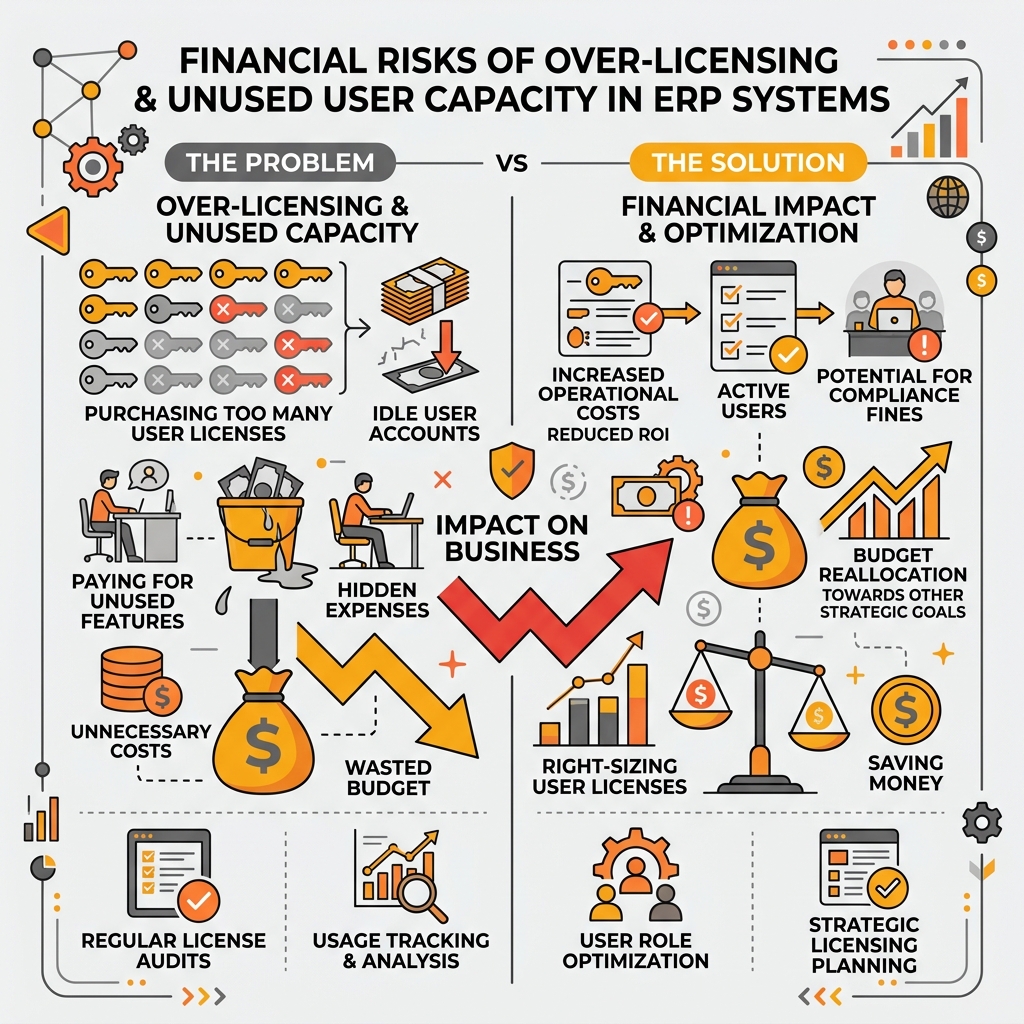
Over-licensing according to headcount rather than actual ERP user demand results in unused capacity and unnecessary expenditure.
Over-licensing occurs when an organization purchases more licenses or broader levels of access than employees actually require.
One common cause is licensing according to employee headcount rather than ERP usage.
A business may employ people across:
- Finance
- Sales
- Purchasing
- Inventory
- Warehousing
- Production
- Administration
- Management
- Field operations
However, not every employee requires the same level of SAP Business One access.
Headcount Does Not Equal ERP User Demand
Before purchasing licenses, determine what each employee actually needs to do in the system.
Ask:
- Who creates transactions?
- Who manages accounting activities?
- Who processes sales orders?
- Who manages purchasing?
- Who works with inventory or warehouse transactions?
- Who primarily reviews information or approvals?
- Which employees rarely require direct ERP access?
- Which processes are handled through integrated applications?
Consider a distribution company with 80 employees.
Purchasing equivalent ERP access for all 80 employees without analysing their responsibilities could create unnecessary expenditure.
Some employees may need extensive SAP Business One functionality, while others may only interact with specific workflows.
Licensing should therefore be based on actual system usage rather than organizational headcount.
Avoid Paying Too Early for Future Capacity
Growth planning is important, but businesses should distinguish between:
Planning for scalability and paying prematurely for unused capacity.
If additional employees, departments, or branches are expected in the future, management should understand how licensing can expand instead of automatically purchasing every future requirement during the initial implementation.
The objective is a commercially sensible licensing structure that supports today’s operations and provides a clear expansion path.
Financial Risk 2: Under-Licensing and Workflow Restrictions
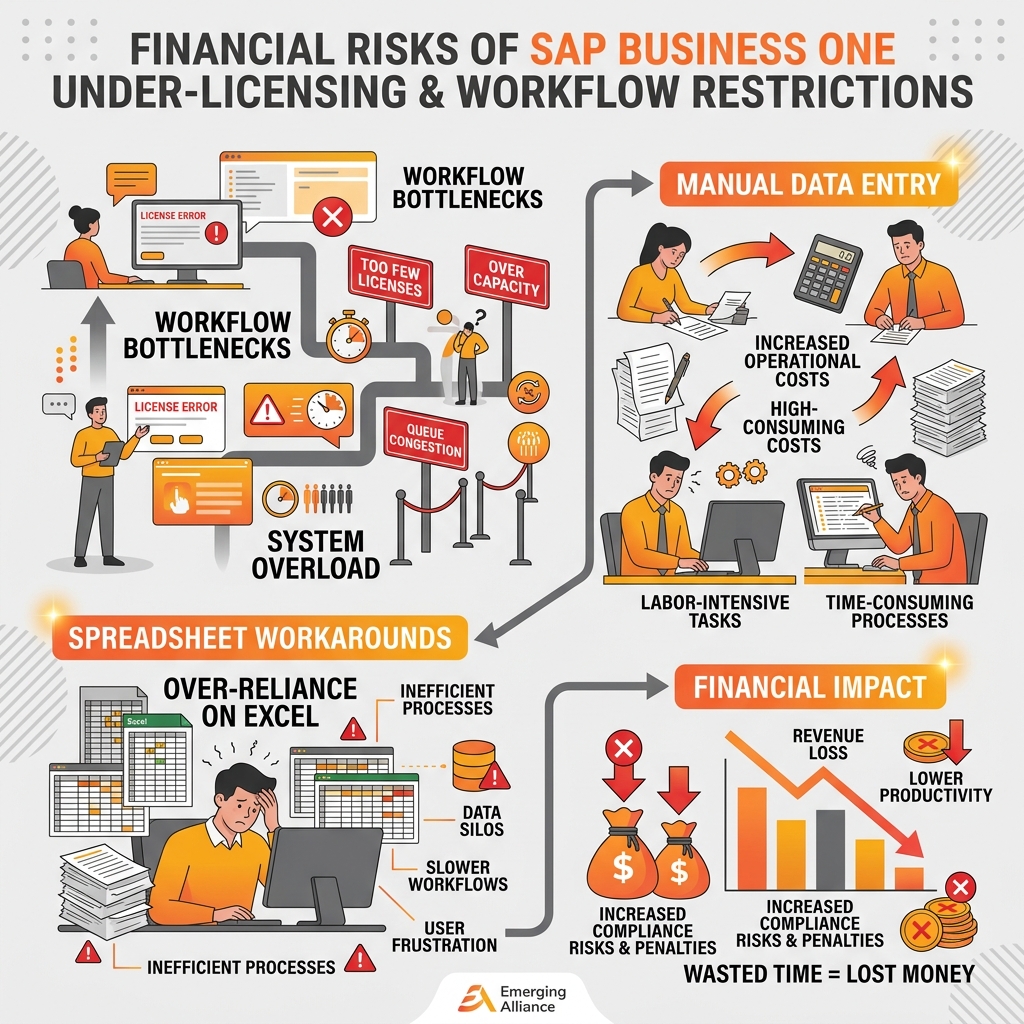
Under-licensing creates workflow restrictions, administrative bottlenecks, and offline workarounds that increase operational costs.
Reducing license expenditure too aggressively can create a different financial problem.
Under-licensing occurs when too few users receive access or when the selected access structure does not support the work employees need to perform.
The initial ERP quotation may look attractive.
The operating model may not.
For example, if production, purchasing, inventory, warehouse, and finance teams depend on SAP Business One but only a limited number of employees can directly perform the necessary transactions, teams may begin relying on:
- Spreadsheets
- Emails
- Shared reports
- Manual data entry
- Offline approvals
- Licensed colleagues to enter transactions on their behalf
These workarounds can generate hidden costs through:
- Duplicate data entry
- Slower transaction processing
- Additional administrative effort
- Delayed information
- Greater dependence on specific employees
- Rework after implementation
- Additional licensing changes
Low Initial Cost Can Produce Higher Operating Cost
Suppose several finance employees perform daily ERP activities, but the business limits system access simply to reduce the initial budget.
If the resulting workflow becomes impractical, the organization may need to revise licensing, redesign processes, retrain users, and use additional consulting resources.
The real cost is therefore not limited to another software license.
It can include operational disruption and lost productivity.
A better approach is to map business processes before finalizing the licensing structure.
Financial Risk 3: Selecting the Wrong User Licensing Structure
An important element of SAP Business One Pricing is determining how different employees will interact with the system.
Licensing should reflect business activities rather than job titles alone.
Two employees with similar titles may perform very different ERP tasks.
Likewise, employees in different departments may require similar system functionality.
Map Access to Business Activities
Review user requirements by process.
- Finance
Determine who needs access to accounting activities, transactions, reporting, approvals, and related financial processes. - Sales
Identify who creates or manages sales transactions, customer information, documents, and reports. - Purchasing
Determine who creates procurement transactions, manages purchasing activities, or participates only at specific approval stages. - Warehouse and inventory
Evaluate how employees perform inventory movements, receiving, picking, dispatch, barcode activities, and related operational processes. - Management
Identify whether managers need transactional access, reporting visibility, approvals, dashboards, or other capabilities.
The objective should not be maximum or minimum access.
It should be appropriate access.
Validate Current SAP Licensing Conditions
Businesses should not assume that licensing rules from another ERP system, previous SAP implementations, online discussions, or historical quotations still apply.
Before making a commercial decision, validate the licensing approach against:
- Current SAP commercial terms
- Applicable region
- Deployment arrangement
- User requirements
- Contract terms
- Proposed SAP Business One environment
Ask your SAP Business One partner to explain why each proposed user type or licensing requirement is necessary.
Financial Risk 4: Ignoring Add-Ons and Industry Requirements
A quotation focused only on the core SAP Business One license may not represent the complete solution cost.
Different industries often require additional capabilities.
-
Manufacturing
Potential requirements may include:- Production planning
- Shop-floor processes
- Barcode management
- Quality workflows
- Specialized reporting
- Manufacturing integrations
-
Pharmaceutical Businesses
Requirements may involve:- Batch management
- Expiry control
- Traceability
- Production workflows
- Quality processes
- Regulatory or reporting requirements
- Specialized integrations
-
Distribution Businesses
Potential requirements include:- Barcode scanning
- Warehouse workflows
- Logistics integrations
- Mobile processes
- Advanced reporting
-
Finance and Compliance
Depending on the country and operating environment, businesses may require:- E-invoicing
- Banking integrations
- Localization
- Tax-related workflows
- Reporting extensions
If these requirements are identified only after implementation begins, the original SAP Business One Pricing comparison may no longer reflect the true project cost.
Separate Essential and Optional Requirements
Before requesting commercial proposals, classify requirements into three categories.
- Essential Requirements
Functionality required for go-live and everyday business operations. - Industry Requirements
Capabilities driven by sector-specific, regulatory, customer, or operational requirements. - Optional Improvements
Functionality that could improve efficiency but can potentially be introduced later.
This approach helps prevent unnecessary initial expenditure without excluding capabilities that are essential for successful implementation.
When evaluating add-ons, consider more than purchase price.
Review:
- Implementation
- Integration
- Compatibility
- Support
- Maintenance
- Upgrade implications
The correct comparison is not simply one software quotation against another.
It is complete business scope against complete business scope.
Financial Risk 5: Evaluating Upfront Price Instead of Total Cost of Ownership
Total Cost of Ownership, or TCO, gives management a stronger basis for comparing ERP investments.
The principle is simple:
A lower initial cost does not always mean a lower total cost.
A realistic SAP Business One total cost of ownership model may include:
- Software licensing
- SAP Business One implementation cost
- Configuration
- Customization
- Required add-ons
- Cloud or infrastructure
- Integrations
- Support and maintenance
- User training
- Upgrades
- Additional users
- Additional departments
- New branches
- Expansion requirements
The exact cost structure varies according to business requirements, deployment, region, contract, solution design, and implementation scope.
TCO does not need to predict every future expense perfectly.
Its purpose is to prevent executives from approving an ERP investment based on an incomplete financial picture.
Compare Pricing Scenarios, Not Only Quotations
Consider two proposals.
Proposal A
Lower initial cost, but important integrations, future users, and required add-ons are excluded.
Proposal B
Higher initial investment, but the proposed scope more closely reflects expected business requirements.
If management compares only the first-year purchase cost, Proposal A may appear more economical.
A three- or five-year TCO evaluation may produce a very different result.
Executives should therefore ask:
- What user count has been assumed?
- Which capabilities are included?
- What has been excluded?
- Which integrations require separate expenditure?
- What deployment costs apply?
- What happens when additional users are required?
- What support is included?
- Which future requirements have already been considered?
A good SAP Business One Pricing proposal makes these assumptions visible before approval.
Financial Risk 6: Ignoring Future Growth and Scalability
ERP licensing should address current requirements without creating unnecessary barriers to expansion.
Business structures change.
Organizations may add:
- Employees
- Warehouses
- Departments
- Branches
- Production capacity
- Transactions
- Approval stages
- Business entities
Each change can affect ERP usage.
Businesses do not necessarily need to purchase all future licenses immediately.
However, they should understand how the licensing environment can expand.
Before finalizing SAP Business One licensing, ask:
- How many users are required today?
- Which roles are likely to increase?
- Which departments are expected to expand?
- Will new branches require ERP access?
- Could workflows become more complex?
- How will adding users affect future cost?
- Can the proposed environment scale without major restructuring?
Scalability is therefore not only a technology issue.
It is also a financial planning issue.
How to Evaluate SAP Business One Pricing Before You Buy
Use the following process before approving a SAP Business One proposal.
| Step | Evaluation Activity | Key Focus |
|---|---|---|
| 1. Map Business Roles | Identify employees who are expected to interact with SAP Business One. | Finance, sales, purchasing, warehouse, inventory, production, management, and other relevant functions. |
| 2. Define Actual ERP Usage | Document what each role needs to accomplish in terms of transactions, approvals, reports, and data. | Converts employee headcount into measurable ERP requirements based on frequency of use. |
| 3. Separate Essential and Optional Functionality | Identify what is required at go-live and what can potentially be introduced later. | Helps control the initial investment without compromising critical processes. |
| 4. Identify Add-On Requirements Early | Document requirements related to barcode solutions, manufacturing, warehouse, e-invoicing, mobility, and integrations. | Confirm whether each requirement is included or separately priced. |
| 5. Estimate Implementation Scope | Evaluate configuration, data migration, process design, testing, training, reporting, customization, and deployment. | SAP Business One implementation cost depends heavily on project scope, not simply software license count. |
| 6. Review Deployment and Infrastructure | Understand whether the solution requires cloud hosting, specific infrastructure, backups, security, or internal IT resources. | Keep infrastructure expenditure separate from software licensing for clearer cost analysis. |
| 7. Model Future Growth | Create realistic scenarios around additional employees, new departments, branches, warehouses, acquisitions, or operational expansion. | Assess how those expansion scenarios affect SAP Business One usage and cost. |
| 8. Build a Multi-Year TCO Model | Combine projected expenditure across licensing, implementation, add-ons, infrastructure, integrations, training, support, and expansion. | Where future requirements are uncertain, use multiple scenarios instead of relying on one fixed estimate. |
| 9. Compare Alternative Licensing Scenarios | Ask your partner to explain different structures where appropriate, comparing operational suitability and upfront costs. | Evaluate according to scalability, user requirements, expansion flexibility, and TCO. |
| 10. Validate the Final Proposal | Confirm what is included, what is excluded, why user requirements are proposed, recurring/one-time costs, and growth paths. | Provides CEOs, CFOs, CIOs, and IT leaders with a stronger foundation for investment approval. |
SAP Business One Pricing Checklist for Decision-Makers
Before signing a proposal, verify the following:
Why Work With Emerging Alliance for SAP Business One Pricing?
A useful SAP Business One pricing discussion should begin with business requirements rather than a license count.
Emerging Alliance can help organizations review:
- User responsibilities
- Business workflows
- SAP Business One requirements
- Implementation scope
- Add-ons
- Integrations
- Deployment considerations
- Future expansion
This helps management evaluate the broader ERP investment instead of relying on one headline software price.
CEOs and CFOs gain greater visibility into licensing, implementation, infrastructure, integrations, support, and expansion considerations.
CIOs and IT leaders can evaluate whether the proposed environment supports operational and technology requirements.
The resulting question becomes more useful than simply:
“What does SAP Business One cost?”
Instead, management can evaluate:
“What SAP Business One licensing and implementation structure best fits our business requirements and growth plans?”
Choose the Right SAP Business One Licensing Approach
The cheapest SAP Business One license is not automatically the lowest-cost ERP decision.
Over-licensing can create unnecessary expenditure.
Under-licensing can create workflow limitations and operating inefficiencies.
An unsuitable user structure can result in implementation changes, while incomplete solution planning can introduce additional costs later.
A stronger SAP Business One Pricing decision balances:
- Actual user requirements
- Business workflows
- Necessary functionality
- Implementation scope
- Add-ons
- Integrations
- Deployment
- Support
- Future growth
- Total cost of ownership
Frequently Asked Questions
Planning an SAP Business One implementation or reviewing a proposal?
Talk to Emerging Alliance to assess your user requirements, licensing assumptions, implementation scope, add-ons, integrations, and expected growth before making the investment decision.
Request a personalized SAP Business One consultation or product demonstration to identify a licensing approach aligned with your operational and financial requirements.