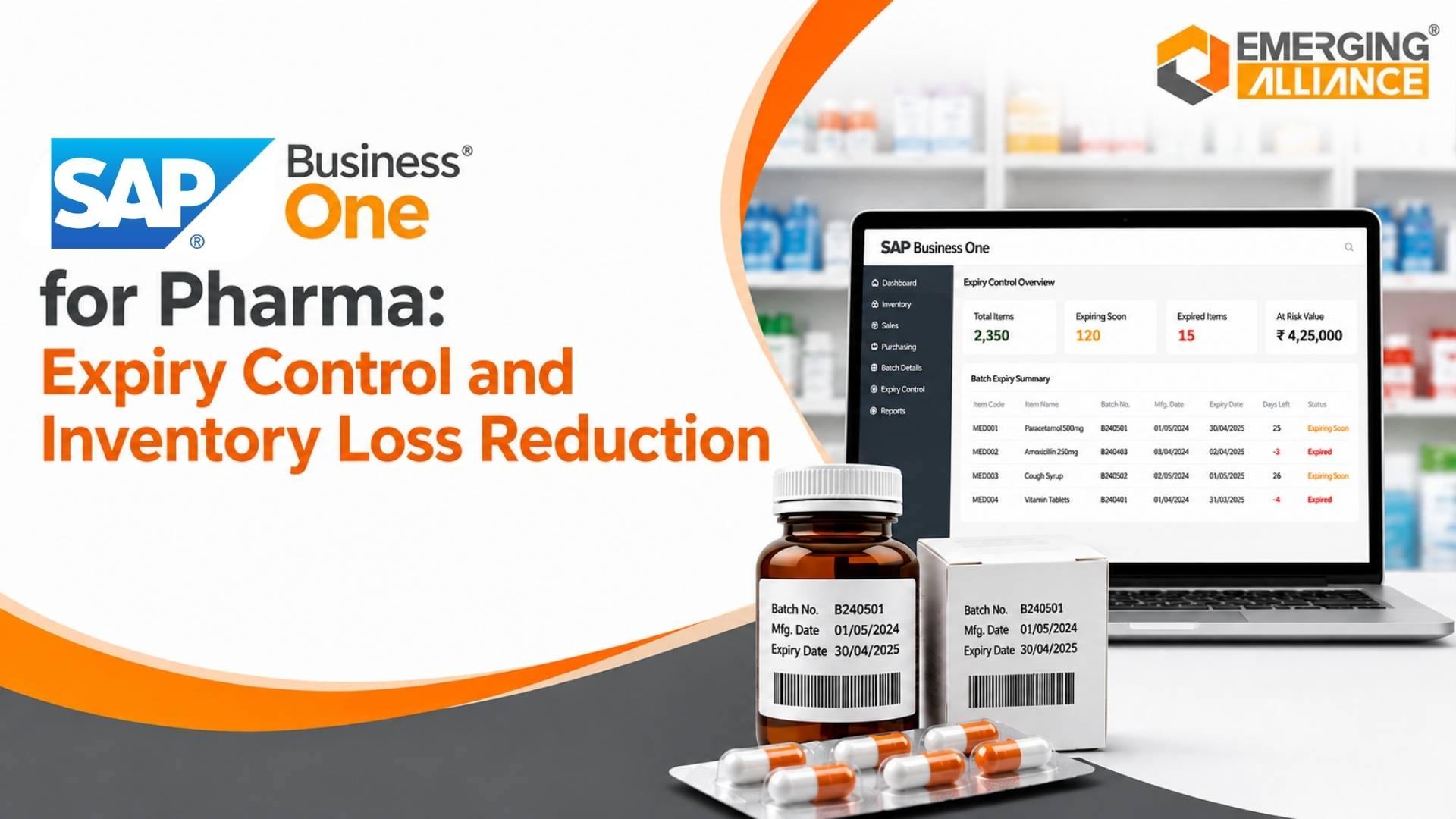
SAP Business One for Pharma: Expiry Control and Inventory Loss Reduction
Quick Answer
SAP Business One for Pharma can help pharmaceutical companies reduce avoidable expiry losses by connecting batch-level inventory visibility, expiration-date data, purchasing, warehouse transactions, sales, and financial information in one ERP environment. Pharma teams can identify near-expiry and slow-moving stock earlier, improve replenishment decisions, strengthen batch traceability, and support FEFO-oriented warehouse processes. Where stricter automation, quality, serialization, validation, or regulatory controls are required, pharma-specific configuration, integrations, or add-ons may be needed.
Why Pharma Inventory Expiry Becomes a Business Problem
Pharmaceutical inventory has a financial clock attached to it. Every batch has a limited commercial life, and the value of that stock can decline long before the printed expiry date. Distributors may reject products below an acceptable remaining shelf life, customers may prefer newer batches, and internal policies may restrict dispatch once a batch enters a defined near-expiry window. As a result, “available stock” is not always commercially usable stock.
Expired pharmaceutical inventory creates an obvious write-off, but near-expiry stock can be equally disruptive. It may require urgent redistribution, accelerated selling, controlled promotions, supplier discussions, or disposal planning. When teams discover the risk late, their options narrow. The business may hold excess stock in one warehouse while another location purchases the same product, creating unnecessary working-capital pressure.
Overstocking often begins with weak demand forecasting, spreadsheet-based purchasing, incomplete visibility across warehouses, or safety-stock rules that do not reflect actual movement. Manual inventory tracking makes the problem harder because batch quantities, expiry dates, open orders, returns, and transfers can sit in different files or systems. Decision-makers then see total stock without understanding which batches are ageing fastest.
Incorrect stock rotation adds another layer of loss. If warehouse teams pick the easiest pallet rather than the batch with the earliest acceptable expiry, newer inventory can leave first while older stock remains behind. That creates dead stock, additional storage costs, disposal costs, and margin erosion.
For pharma businesses, expiry control also intersects with traceability and compliance pressure. Management needs reliable records showing what batch was received, where it moved, and which transaction issued it. SAP Business One supports batch-managed items and can store batch information including expiration dates and warehouse-related location details.
Where Pharmaceutical Inventory Losses Begin
Procurement is a common starting point. Buyers may order too much because they cannot see stock across all warehouses, fail to consider existing near-expiry batches, or rely on historical averages that ignore current demand changes. Supplier minimum order quantities and lead times can intensify the problem when purchasing rules are not balanced against shelf life.
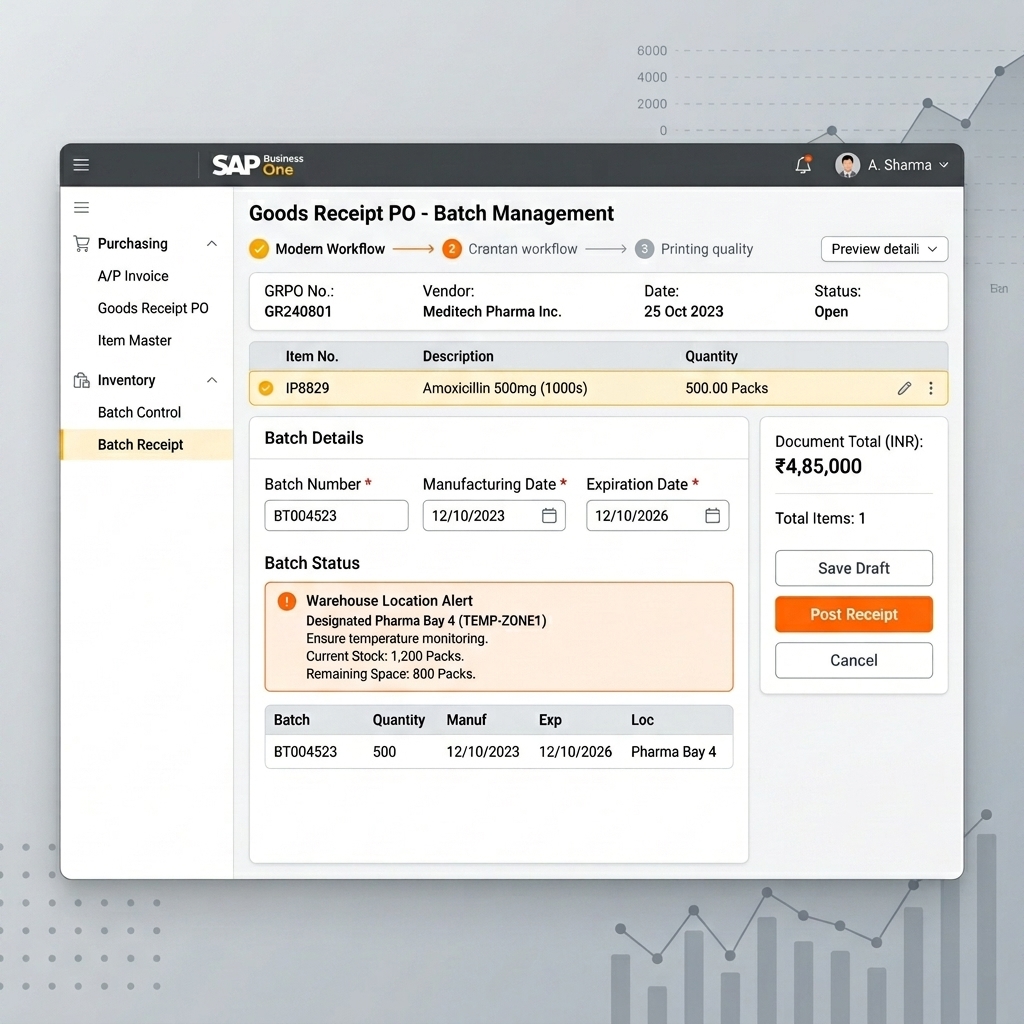
Goods receipt is another control point. Batch numbers and expiry dates must be captured accurately if downstream decisions are expected to use them. SAP Business One can require batch definition on inventory receipt and issue transactions when batch management is configured “On Every Transaction,” and its batch setup includes expiration date, manufacturing date, quantity, and location-related fields.
Where Pharmaceutical Inventory Losses Begin
Losses can then develop through poor batch allocation, warehouse storage, or stock transfers. A batch may remain in a low-demand location while another warehouse repeatedly replenishes the same SKU. During sales order processing and distribution, teams may select stock without considering remaining shelf life. Returns can re-enter inventory without sufficient review of batch status or resale window.
Disconnected systems allow procurement data, warehouse balances, sales demand, transfers, and batch information to remain fragmented. By the time finance recognizes the write-off, the operational opportunities to sell, transfer, consume, return, or otherwise manage the stock may already have disappeared.
SAP Business One for Pharma Expiry Control
SAP Business One for Pharma can provide a stronger operational foundation by linking inventory transactions with batch-level information.
Standard SAP Business One supports batch-managed inventory. Businesses can define batch numbers for relevant items, record quantities and attributes, capture expiration and manufacturing dates, maintain batch status, and associate batches with inventory transactions. SAP documentation also describes batch details, warehouse or bin-location allocation where enabled, and links between inventory documents and batch numbers.
Batch status can also support operational control. SAP Business One documents statuses including Released, Locked, and Not Accessible, with different transaction restrictions. These statuses can help distinguish stock available for normal transactions from batches requiring controlled handling, quality review, transfer, or other restricted processes. Exact transaction behavior should be validated during solution design because the permitted actions vary by status and process.
However, pharmaceutical requirements should not be oversimplified. Standard SAP Business One capabilities do not automatically equal a complete pharmaceutical compliance solution. Requirements for quality management, regulatory reporting, validation, electronic records, serialization, temperature monitoring, advanced warehouse execution, or country-specific controls may require process design, user-defined fields, reports, integrations, certified solutions, add-ons, or customizations.
A sound implementation therefore separates three layers: standard SAP Business One functionality, pharma-specific configuration, and additional extensions. The objective is to design expiry control around the company’s products, regulatory environment, warehouse model, customer shelf-life rules, and approval processes rather than assume one generic setup fits every pharmaceutical operation.
FEFO Inventory Management for Pharmaceutical Stock
First Expired, First Out, or FEFO, prioritizes stock according to expiry risk. It differs from FIFO, or First In, First Out, which prioritizes the stock received earliest. The oldest receipt is not always the earliest-expiring batch. A later delivery can have a shorter remaining shelf life because of manufacturing dates, supplier stock, import transit time, or batch-specific conditions.
That distinction matters in pharmaceutical inventory. FIFO may create orderly physical movement, but it can still leave an earlier-expiring batch behind. FEFO focuses the picking and dispatch decision on shelf life, subject to customer requirements, quality status, regulatory rules, and any minimum remaining shelf-life commitments.
Operationalizing FEFO starts with accurate batch and expiry capture. Warehouse users need to know which eligible batch expires first, and sales or dispatch teams need rules that prevent convenient but financially harmful batch selection. SAP Business One supports recording expiration dates for batches and selecting batches during inventory issue transactions. The batch selection process can also be sorted, with automatic selection following the currently defined table sort.
That capability can support a FEFO-oriented process, but standard batch functionality should not be described as automatic FEFO enforcement in every pharmaceutical scenario. The required workflow should be validated during solution design. Depending on warehouse complexity, picking automation, barcode scanning, customer shelf-life rules, approval logic, and exception handling, additional configuration or an add-on may be required to enforce FEFO consistently.
Detecting Near-Expiry and Slow-Moving Inventory
Expiry losses become harder to prevent as the remaining shelf-life window shrinks. Pharma companies therefore need to identify at-risk inventory before it becomes unsaleable, not after it reaches the write-off list.
A useful control model separates inventory into actionable categories: near-expiry batches, slow-moving products, non-moving inventory, ageing stock, blocked or restricted batches, and healthy stock. The exact thresholds should reflect product shelf life, customer requirements, market demand, and internal policy. A product with twelve months remaining may be healthy in one business and commercially risky in another.
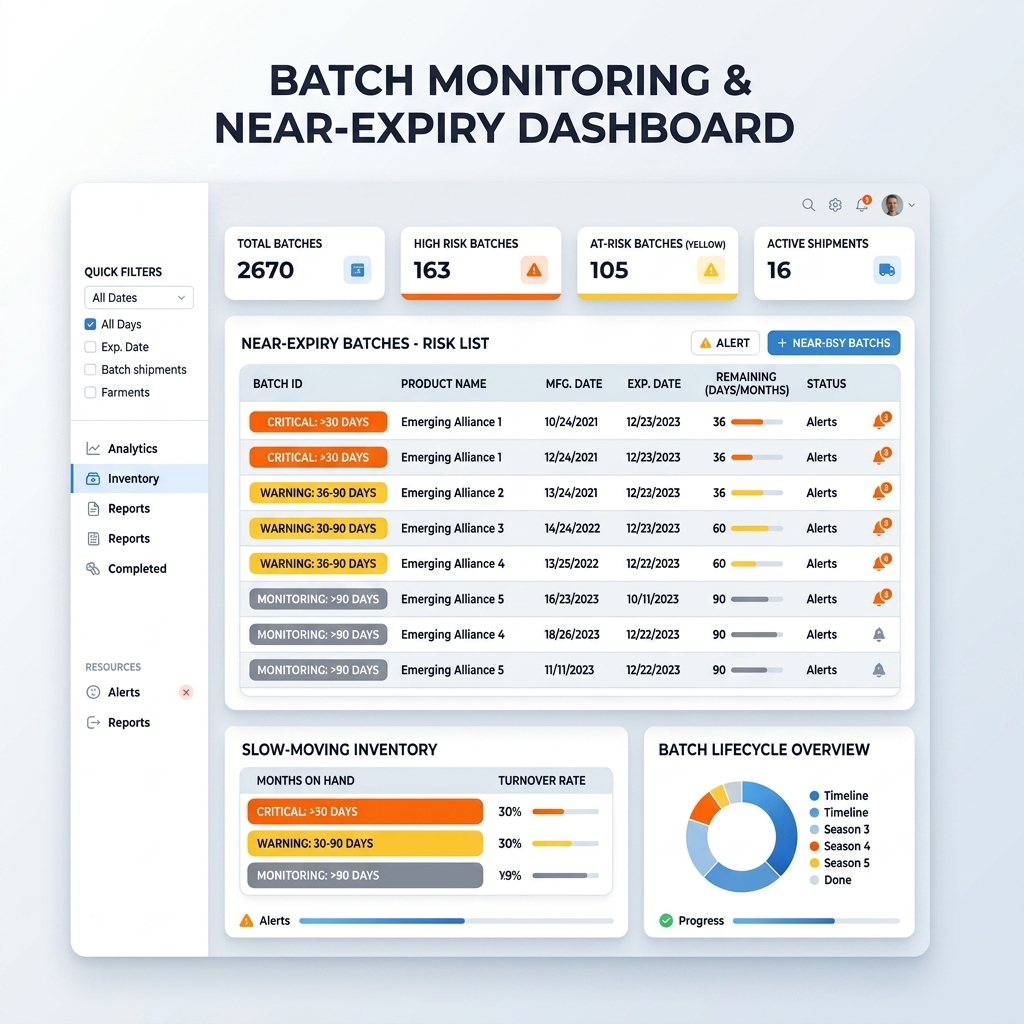
Batch Monitoring and Near Expiry Dashboard
SAP Business One provides batch information that can be searched and updated, including batch status and expiration-related details. Organizations can build reports, queries, dashboards, or alerts around relevant inventory data, while more specialized expiry dashboards or exception workflows may require configuration or add-ons.
The goal is exception-based management. Instead of asking managers to inspect thousands of inventory lines, the system should surface the batches requiring action. A near-expiry dashboard might show item, batch, warehouse, quantity, expiry date, remaining shelf life, recent movement, committed demand, and responsible owner. Stock ageing analysis can reveal products whose movement is too slow to consume available quantities before commercial expiry.
Early visibility expands management options. Sales teams can prioritize appropriate stock where commercially and legally suitable. Purchasing can reduce or postpone replenishment. Inventory teams can transfer stock from low-demand to higher-demand locations. Distribution teams can align allocations with regional consumption. Production planners can consider eligible materials where applicable. Management can evaluate controlled promotions or other approved actions before value is lost.
Reducing Pharmaceutical Inventory Write-Offs
An inventory write-off is the accounting endpoint of an operational problem. Once expired or otherwise unsaleable stock is written down, the business absorbs more than the original purchase or production cost. It may also carry storage, handling, administrative, return, and disposal costs.
Excess purchasing and forecasting errors frequently compound the loss. A buyer may reorder because total inventory is inaccurate, because stock is hidden across locations, or because usable and near-expiry stock are not clearly distinguished. Another order arrives, the ageing batch remains, and the eventual write-off grows.
Stronger inventory visibility changes the timing of decisions. Batch-level expiry information can help teams identify which quantities are at risk. Stock movement data can show whether available inventory is likely to sell or be consumed. Warehouse visibility can reveal redistribution opportunities. Integrated purchasing information can help buyers avoid replenishing an item that already has sufficient usable stock.
SAP Business One for Pharma should therefore be evaluated as a control system, not as a promise that write-offs will disappear. Some expiry is unavoidable because demand changes, product withdrawals, quality events, supplier constraints, or market conditions can occur. The practical objective is to reduce avoidable losses by identifying risk earlier, improving stock rotation, and aligning purchasing with real inventory conditions.
Better Purchasing and Demand Planning
Expiry control begins before stock reaches the warehouse. Procurement decisions determine how much shelf-life exposure enters the business, while demand planning determines whether that inventory can realistically move before it becomes commercially restricted.
Integrated ERP data can give purchasing teams a more complete decision context. Historical sales show prior demand. Current stock levels show what is physically available. Batch ageing reveals whether the available quantity is healthy or approaching expiry. Product movement indicates velocity. Open purchase and sales documents provide additional context for future supply and demand.
Reorder decisions should consider more than a minimum stock trigger. Buyers may need to evaluate safety stock, supplier lead times, order quantities, demand variability, seasonal patterns, warehouse balances, and remaining shelf life. A high safety-stock setting can protect service levels but also create expiry exposure if it ignores product velocity.
SAP Business One brings purchasing, inventory, sales, and financial transactions into a connected ERP environment. For pharma businesses, the implementation can extend that foundation with inventory reports, planning logic, alerts, or add-ons suited to batch ageing and expiry-sensitive procurement.
Spreadsheets can support analysis, but disconnected files create version-control problems and delay decisions. When purchasing teams work from integrated operational data, they can make replenishment choices with greater awareness of expiry risk, helping control overstocking without compromising availability.
Pharmaceutical Warehouse Control with SAP Business One
Warehouse accuracy is where expiry policy becomes physical execution.
A controlled process begins at receipt. Batch-managed products should be identified, batch numbers captured, and relevant expiry information recorded according to the configured process. SAP Business One’s batch setup supports batch quantity, expiration date, manufacturing date, status, and location-related information; where bin locations are enabled, batch quantities can be allocated to bins during receipt.
Warehouse locations then need disciplined movement. Stock transfers should preserve visibility of which batch moved from one location or warehouse to another. Picking should use defined batch-selection rules. Dispatch should confirm that the issued batch is appropriate for the order and remaining shelf-life requirements. Returns should be assessed before being restored to normal available inventory.
Inventory reconciliation is equally important. System quantities must reflect physical quantities if expiry dashboards and purchasing decisions are to be trusted. Cycle counting, inventory postings, and investigation of discrepancies should therefore be part of the control design.
ERP-driven warehouse control reduces the gaps where expiry risk hides. The technology matters, but consistent scanning, receiving, transfer, picking, return, and reconciliation procedures matter just as much.
From Manual Expiry Tracking to ERP-Driven Control
Manual expiry tracking often works when product volumes, warehouses, and transactions are limited. As operations scale, spreadsheets become difficult to synchronize with daily receipts, transfers, sales, and returns. ERP-driven control creates a shared transactional record and allows expiry management to become part of normal operations.
| Control Area | Manual Approach | ERP-Driven Approach |
|---|---|---|
| Batch visibility | Separate files or warehouse notes | Batch-linked inventory records |
| Expiry monitoring | Periodic spreadsheet review | Configured reports, queries, dashboards, or alerts |
| Stock rotation | Picker knowledge and manual checks | Structured batch selection and FEFO-oriented workflows |
| Reporting | Manual consolidation | Centralized operational reporting |
| Purchasing decisions | Static sheets and estimates | Current purchasing, sales, and inventory context |
| Warehouse control | Paper or isolated records | Transaction-linked receipts, transfers, picks, and issues |
| Traceability | Manual document search | Batch-linked transaction history |
| Inventory accuracy | Delayed reconciliation | More timely system stock with disciplined transactions |
| Management visibility | Retrospective summaries | Exception-focused operational visibility |
Business Impact of Better Expiry Control
Better expiry control can help reduce inventory write-offs by creating more time to act on ageing stock. It can improve working-capital utilization by limiting unnecessary replenishment and exposing inventory that should move before new stock is purchased. It can support better inventory accuracy by linking batch information with warehouse transactions.
Purchasing decisions can improve when buyers see stock position, movement, and ageing together. Dead stock can be reduced when slow-moving products are identified earlier and escalated. Warehouse efficiency can improve when receiving, storage, transfer, picking, and dispatch processes follow consistent batch rules rather than individual workarounds.
Traceability can also improve because batch-managed transactions create a stronger record of inventory movement. Operational control becomes more consistent when managers use common reports and exception lists. Finance gains better visibility into inventory exposure, while sales and distribution teams can make more informed allocation decisions.
These outcomes can support profitability, but they should not be presented as guaranteed ROI. Results depend on data quality, process discipline, product mix, demand behavior, configuration, user adoption, warehouse execution, and management action. SAP Business One for Pharma can provide greater visibility and control; the business still needs governance to convert that visibility into financial improvement.
Why Pharma Businesses Need an Integrated ERP Strategy
Expiry control should not operate as an isolated warehouse project because the causes and consequences extend across the business. Procurement creates incoming inventory exposure. Sales consumes stock. Distribution determines where products move. Finance measures working capital and write-offs. Production, where applicable, creates or consumes batch-managed materials. Warehousing executes the physical movements connecting them.
When these functions use disconnected systems, each team optimizes a partial picture. Purchasing may minimize unit cost through larger orders while increasing expiry exposure. Sales may promise stock without understanding batch restrictions. Warehouses may hold ageing inventory that another location could use. Finance may recognize the loss only after operational options have expired.
An integrated ERP strategy connects finance, procurement, inventory, warehousing, sales, distribution, and production data where applicable. SAP Business One can serve as the transactional foundation for these connected processes, with pharma-specific configuration and extensions added according to business requirements.
That means defining master-data standards, batch policies, expiry thresholds, FEFO rules, customer shelf-life requirements, warehouse procedures, purchasing controls, exception reports, ownership, and escalation paths. Technology then supports a control model that management can govern.
Why Choose Emerging Alliance for SAP Business One for Pharma
A pharmaceutical ERP project requires more than software installation. The implementation partner needs to understand how inventory risk moves through procurement, receiving, batch control, warehousing, sales, distribution, finance, and, where relevant, production.
Emerging Alliance can help pharma businesses begin with business process analysis: identifying where expiry losses originate, how batches are currently recorded, which teams rely on spreadsheets, where stock visibility breaks down, and which decisions need earlier information. This creates a practical basis for SAP Business One implementation rather than forcing existing problems into a new system.
The solution design can then address pharma-specific requirements such as batch and expiry management, inventory workflows, warehouse processes, reporting, approvals, and traceability needs. Standard SAP Business One functionality should be used where it fits. Where requirements exceed standard capabilities, appropriate add-on integration, configuration, reporting, or customization can be evaluated.
User training is critical because expiry control depends on transaction discipline. Receiving teams must capture correct batch information. Warehouse users must follow transfer and picking procedures. Buyers must interpret ageing and stock data. Managers need reports that highlight exceptions rather than create more noise.
Emerging Alliance can help organizations evaluate how SAP Business One for Pharma should fit their specific inventory model, warehouse structure, product portfolio, and operational priorities, creating a clearer path from expiry visibility to controlled action.
Conclusion
Pharmaceutical expiry loss is rarely caused by one warehouse mistake. It develops through disconnected purchasing decisions, incomplete batch visibility, weak stock rotation, delayed near-expiry detection, inaccurate inventory, and fragmented operational data.
SAP Business One for Pharma can support a more controlled approach by connecting batch information, expiry dates, inventory transactions, warehouse visibility, purchasing, sales, and financial data. With properly designed FEFO-oriented processes, teams can prioritize earlier-expiring eligible batches, improve inventory accuracy, identify slow-moving stock sooner, and make better decisions before inventory reaches the write-off stage.
The strongest business case is working-capital control. Inventory should convert into sales or productive use, not remain hidden until its value disappears. Better batch visibility and proactive expiry management can help reduce avoidable write-offs, improve stock utilization, and strengthen operational discipline.
Success still depends on correct configuration, reliable data, user adoption, and pharma-specific requirements. Standard SAP Business One capabilities should be combined with appropriate reports, workflows, integrations, add-ons, or customizations where necessary.
Frequently Asked Questions
Reduce Pharma Expiry Losses Before They Become Write-Offs
Struggling with near-expiry inventory, batch visibility, overstocking, or inefficient warehouse processes?
Talk to Emerging Alliance for an SAP Business One for Pharma consultation. Our team can assess your current inventory processes, identify expiry-control gaps, and explore how SAP Business One can improve batch visibility, stock rotation, purchasing control, warehouse efficiency, and pharmaceutical traceability.