Pharma ERP Software: Solving Compliance, Inventory & Growth Challenges
Quick Answer:
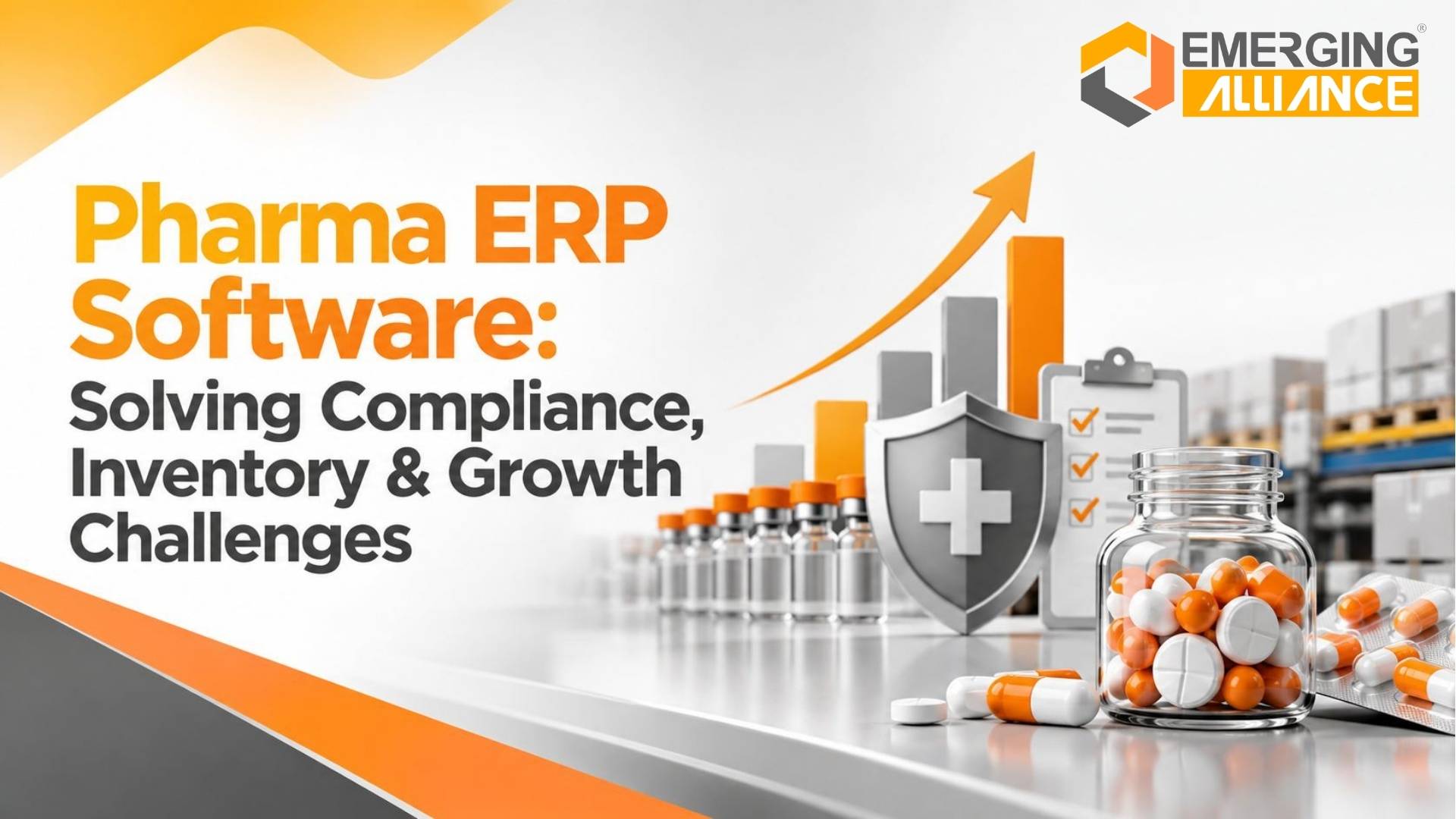
Pharma ERP software is an integrated business management system designed to connect pharmaceutical operations such as procurement, inventory, batch and lot tracking, manufacturing, warehousing, sales, finance, approvals, and reporting.
For growing pharmaceutical businesses, its primary value is not simply replacing spreadsheets. It is creating more consistent data, controlled workflows, stronger traceability, and better visibility across interconnected business processes.
A pharmaceutical ERP system can support batch tracking, expiry visibility, production planning, inventory control, financial integration, approval workflows, audit trails, and management reporting.
However, ERP software does not automatically guarantee regulatory compliance. Compliance depends on applicable regulations, internal procedures, system configuration, validation requirements, data quality, governance, and how the organization operates the system.
The key question for decision-makers is therefore:
Can the ERP support our actual pharmaceutical processes, controls, integrations, reporting requirements, and growth plans?
Why Pharmaceutical Companies Need Integrated ERP Software
Pharmaceutical operations become difficult to control when procurement, inventory, manufacturing, warehousing, sales, and finance work from separate applications or spreadsheets.
The issue is not simply having multiple systems. The larger problem is what happens when information moves between them.
Consider the dependencies:
Procurement → Inventory → Production → Warehouse → Sales → Finance
A purchasing decision depends on stock availability and production requirements. Production depends on material availability. Manufacturing changes inventory. Sales affect stock and receivables. Finance needs those transactions for valuation and reporting.
When these processes are disconnected, businesses may face:
- inventory discrepancies;
- duplicate data entry;
- delayed reconciliation;
- limited batch visibility;
- production planning problems;
- unnecessary purchasing;
- fragmented reporting;
- slower management decisions.
These problems often become more visible as the number of SKUs, batches, warehouses, users, suppliers, production orders, and transactions increases.
An ERP for pharmaceutical companies addresses this problem by connecting related transactions through defined processes and a shared information environment.
From fragmented processes to connected operations
The value chain can be understood simply:
Business problem → ERP capability → operational improvement → business outcome
For example, unreliable stock information can be addressed through integrated inventory records. Better inventory visibility can improve purchasing and production decisions, while connected transactions can reduce manual reconciliation.
ERP does not compensate for weak processes, inaccurate master data, poor governance, or inadequate implementation. Its value comes from aligning technology with well-defined business processes.
Pharmaceutical Inventory Management: Batch, Lot and Expiry Control
Inventory management in pharmaceutical businesses involves more than knowing the quantity available.
Teams may also need visibility into:
- batch or lot;
- warehouse or location;
- expiry date;
- stock movement;
- material availability;
- remaining shelf life;
- slow-moving stock;
- obsolete inventory.
A pharmaceutical inventory management system can connect receipts, storage, transfers, production consumption, and sales transactions to relevant batch or lot information.
Batch and lot traceability
Batch-wise records can make it easier to trace inventory movements through purchasing, warehousing, manufacturing, and sales.
This becomes particularly important when teams need to investigate where stock originated, how it moved, where it was consumed, or which transaction affected it.
Expiry visibility
Expiry information can support better purchasing and inventory planning.
Without adequate visibility, a company may purchase additional stock while existing batches are approaching expiry. This can increase the risk of obsolete inventory and unnecessary working-capital exposure.
FIFO and FEFO inventory policies
Depending on the product and business process, pharmaceutical companies may operate using FIFO, FEFO, or another defined inventory methodology.
The ERP should support the company’s established inventory policy rather than assuming that one methodology applies to every operation.
Multi-warehouse inventory visibility
Growing pharmaceutical businesses may also need stock visibility across several warehouses or facilities.
Before purchasing more material or committing stock to a customer, teams should be able to determine what is available across relevant locations.
The objective is therefore not simply warehouse automation. It is providing dependable inventory information to purchasing, production, sales, finance, and management.
Pharmaceutical ERP for Compliance and Traceability

The Three-Pillar Risk in Pharma: How compliance, batch inventory control, and business growth depend on a shared transactional backbone.
Pharmaceutical companies operate in environments where controlled information, authorization, traceability, and documentation can be important.
A pharmaceutical ERP system can support these processes through capabilities such as:
- batch and lot transaction histories;
- audit trails;
- role-based access;
- approval workflows;
- controlled business transactions;
- documentation;
- reporting;
- historical transaction retrieval.
Does pharmaceutical ERP software ensure regulatory compliance?
No. ERP software can support compliance-related processes, but implementing an ERP does not automatically make a pharmaceutical company compliant.
Compliance depends on the applicable jurisdiction, products, processes, regulations, validation requirements, operating procedures, internal controls, documentation, system configuration, and actual system usage.
During ERP evaluation, pharmaceutical companies should therefore examine questions such as:
How is information recorded?
Determine whether required information can be captured consistently within relevant processes.
Who can access or approve transactions?
Review permissions, responsibilities, and approval controls.
Can transaction history be retrieved?
Assess whether relevant records and changes can be traced when required.
What audit information is available?
Determine whether the proposed configuration provides the required level of transaction and change visibility.
How are required reports produced?
Evaluate whether information can be retrieved efficiently for internal, management, quality, or other applicable reporting requirements.
Where regulatory requirements apply, the proposed ERP architecture should be reviewed with appropriate quality, regulatory, legal, validation, and implementation specialists.
ERP should therefore be viewed as a supporting control environment, not a substitute for regulatory responsibility.
Pharma Manufacturing ERP for Production and Material Control
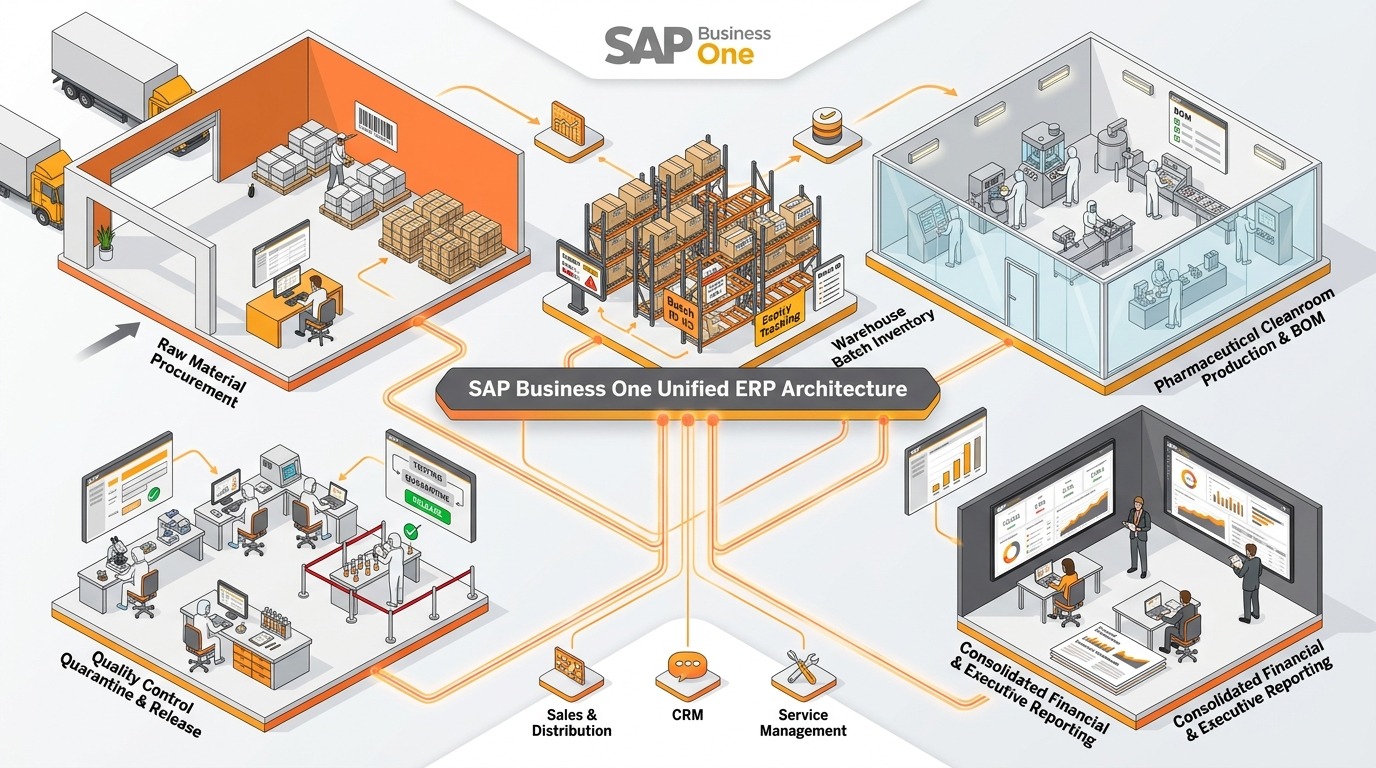
SAP Business One unified ERP architecture connecting procurement, batch inventory, cleanroom production, quality checkpoints, distribution, and financial reporting.
Manufacturing efficiency often depends on what happens before production begins.
If material availability is unclear, production planning becomes less reliable. Changes in production schedules can affect procurement requirements, while manufacturing activity changes inventory quantities and production costs.
The process can be viewed as:
Material Availability → Production Planning → Manufacturing → Inventory Update → Cost & Financial Visibility
A pharma manufacturing ERP can help connect these stages.
Production planning
Bills of materials and production orders can establish what needs to be manufactured and what materials are required.
Connecting production planning with current inventory information can help teams assess whether the required materials are available.
Material consumption
Materials consumed during production should be reflected accurately in inventory records.
This is important because consumption affects both available stock and manufacturing cost information.
Production and inventory integration
When production and inventory operate independently, manufacturing teams may work from one material position while warehouse records show another.
Connecting these transactions reduces the need to reconstruct production and inventory activity later.
Manufacturing visibility for management
Operations leaders may need visibility into:
- planned production;
- material requirements;
- material availability;
- production completion;
- inventory movement;
- production costs.
The objective is not simply adding more manufacturing features. It is creating a connected process where manufacturing activity produces consistent downstream information.
Pharmaceutical ERP and Financial Visibility
Every major pharmaceutical operational process eventually affects financial information.
Purchasing creates supplier obligations. Inventory receipts change stock records. Production affects material consumption and costs. Sales affect revenue and receivables.
When operational and financial systems are disconnected, finance teams may need to reconcile these transactions manually before management reports can be trusted.
An integrated pharmaceutical ERP environment can connect:
Purchasing → Inventory → Manufacturing → Sales → Accounts → Financial Reporting
For CFOs, this provides a closer connection between operational activity and financial information.
For CEOs and business owners, it can improve visibility into how operational decisions affect business performance.
ERP evaluation should therefore include reporting requirements from finance, operations, supply chain, manufacturing, and senior management.
The goal is not to create more reports. It is to shorten the distance between business activity and management insight.
ERP for Pharmaceutical Manufacturing and Business Growth
Growth increases operational complexity.
A pharmaceutical business may begin with relatively few products, warehouses, users, and transactions. Expansion can introduce:
- additional SKUs;
- higher transaction volumes;
- more warehouses or locations;
- additional users;
- new approval workflows;
- more integrations;
- complex manufacturing requirements;
- broader reporting needs.
Manual workarounds that functioned at a smaller scale may become difficult to control as these variables increase.
ERP for pharmaceutical manufacturing should therefore be evaluated not only against today’s problems but also against the organization’s realistic growth plans.
What should scalability assessment include?
Decision-makers should evaluate:
- expected user growth;
- future locations;
- transaction volumes;
- manufacturing complexity;
- warehouse requirements;
- reporting needs;
- external integrations;
- process changes;
- extension requirements.
Scalability does not mean an ERP guarantees business growth.
It means determining whether the technology architecture can support expected operational complexity without creating excessive manual work or unnecessary system limitations.
Standard ERP vs Pharmaceutical Industry Requirements
Not every pharmaceutical requirement should automatically become a customization.
During ERP planning, requirements should be classified into five categories:
| Requirement type | What it means |
|---|---|
| Standard functionality | Capability already provided by the ERP |
| Configuration | Existing functionality adjusted to defined business rules |
| Integration | ERP connected with another application or service |
| Customization | New or modified functionality developed for a specific requirement |
| Industry-specific extension | Additional functionality designed for specialized industry processes |
This distinction matters because unnecessary customization can increase implementation complexity, maintenance effort, and future upgrade requirements.
At the same time, under-scoping important pharmaceutical processes can leave operational gaps unresolved.
The better approach is:
Business requirement → Fit assessment → Standard capability first → Configuration → Integration → Customization where justified
Customization should exist because there is a documented business requirement, not simply because standard functionality was not adequately evaluated.
Pharmaceutical ERP Implementation: From Discovery to Go-Live
Successful ERP implementation begins with understanding the business rather than immediately configuring software.
A practical implementation sequence is:
Process Discovery → Requirements → Scope → Configuration → Integration → Data Migration → Testing → Training → Go-Live → Support
1. Process discovery
Document how procurement, inventory, manufacturing, warehousing, sales, finance, approvals, and reporting currently operate.
Identify process gaps and dependencies before designing the future system.
2. Scope definition
Define what the ERP implementation will and will not address.
Clear scope reduces confusion during configuration, integration, testing, and deployment.
3. Configuration and integration
Configure the ERP around approved business requirements and identify external systems that need to exchange information with it.
Integration requirements should be documented before development begins.
4. Data migration
Review master data and historical information before migration.
Poor-quality data transferred into a new ERP can reproduce existing operational problems.
5. Testing
Testing should cover realistic end-to-end business scenarios rather than isolated software functions.
For example, teams may test how a purchasing transaction ultimately affects inventory, manufacturing, approvals, and finance.
6. User training and change management
Users need to understand both the software and the new responsibilities associated with changed processes.
7. Go-live and support
Go-live planning should address:
- data readiness;
- user access;
- operational readiness;
- issue escalation;
- support ownership;
- integration monitoring.
Post-go-live support should also cover configuration changes, reporting, integrations, enhancements, and evolving business requirements.
What Determines Pharmaceutical ERP Cost?
There is no universal pharmaceutical ERP implementation price.
Investment depends on factors including:
- number of users;
- locations;
- modules and processes;
- manufacturing complexity;
- integrations;
- customization;
- industry extensions;
- data migration;
- training;
- implementation scope;
- ongoing support.
For this reason, pharmaceutical ERP cost should be estimated after requirement discovery rather than from a generic software price alone.
This also provides a more useful basis for evaluating total cost of ownership.
How to Choose ERP Software for a Pharmaceutical Business
ERP selection should begin with business fit, not a feature count.
Use the following evaluation framework.
Pharmaceutical process fit
Can the platform support the company’s actual procurement, inventory, manufacturing, warehouse, sales, and financial processes?
Batch and expiry management
Determine how the system handles batch or lot information, expiry dates, movements, warehouse visibility, and traceability requirements.
Manufacturing capability
Evaluate production planning, bills of materials, material consumption, production orders, inventory updates, and costing.
Compliance-related controls
Review permissions, approvals, transaction history, audit capabilities, documentation, and reporting against applicable requirements.
Financial integration
Determine how operational transactions flow into accounts payable, receivables, inventory valuation, costing, and financial reporting.
Integration architecture
Document required connections with warehouse applications, tax platforms, e-commerce systems, laboratory systems, or other business applications.
Data migration
Assess master-data quality and determine which historical information needs to be migrated.
Scalability
Evaluate future users, locations, transaction volumes, manufacturing requirements, integrations, and reporting complexity.
Implementation capability
Software capability alone is not enough.
The implementation team must be able to understand requirements, design appropriate processes, migrate data, configure integrations, test realistic scenarios, train users, and support the environment after go-live.
10 Signs Your Pharmaceutical Business May Need an ERP Evaluation
A formal ERP review may be appropriate when the business repeatedly experiences:
- frequent inventory discrepancies;
- manual management reporting;
- poor batch or expiry visibility;
- traceability gaps;
- disconnected business systems;
- increasing SKU complexity;
- production planning difficulties;
- limited management visibility;
- repeated spreadsheet or system reconciliation;
- growing integration requirements.
These signals do not automatically mean that a new ERP is required.
They indicate that the organization should determine whether its existing technology environment is creating measurable operational constraints.
Conclusion: Choosing Pharma ERP Software Based on Business Fit
For pharmaceutical businesses, ERP selection is ultimately a business-process and technology-fit decision.
Inventory, batch traceability, manufacturing, finance, reporting, compliance-related controls, and growth are interconnected. When these processes operate across disconnected systems, information can become fragmented and management teams may spend excessive time reconciling operations.
A suitable pharmaceutical ERP system can provide a connected environment for procurement, inventory, manufacturing, sales, finance, reporting, approvals, and traceability-related processes.
The critical factor is fit.
Some requirements may be supported through standard functionality. Others may require configuration, integration, industry-specific extensions, or justified customization.
Decision-makers should therefore evaluate ERP software against current operational problems, actual pharmaceutical processes, regulatory and control requirements, future complexity, implementation capability, and ongoing support.
Frequently Asked Questions About Pharma ERP Software
Explore Pharma ERP Software for Your Business
Facing compliance gaps, inventory discrepancies, batch and expiry challenges, or limited operational visibility? See how pharma ERP software can connect inventory, manufacturing, finance, and compliance processes.
Book a Pharma ERP Software demo to evaluate the right solution for your business.