SAP Business One Barcode: Preventing Damaged-Label Inventory Errors
Quick Answer
SAP Business One Barcode solutions can help businesses reduce inventory errors caused by damaged, faded, duplicated, or unreadable barcode labels. Barcode validation, item verification, quantity confirmation, and controlled inventory transactions reduce dependence on manual data entry and help maintain more reliable stock records.
However, barcode technology alone cannot eliminate every discrepancy. Businesses also need consistent label standards, accurate item-to-barcode mapping, appropriate batch and serial number controls, and a clear process for replacing damaged labels. When these controls work together with SAP Business One inventory workflows, businesses can improve transaction accuracy, strengthen traceability, and reduce avoidable inventory corrections.
Damaged Barcode Labels and the Risk of Inventory Errors
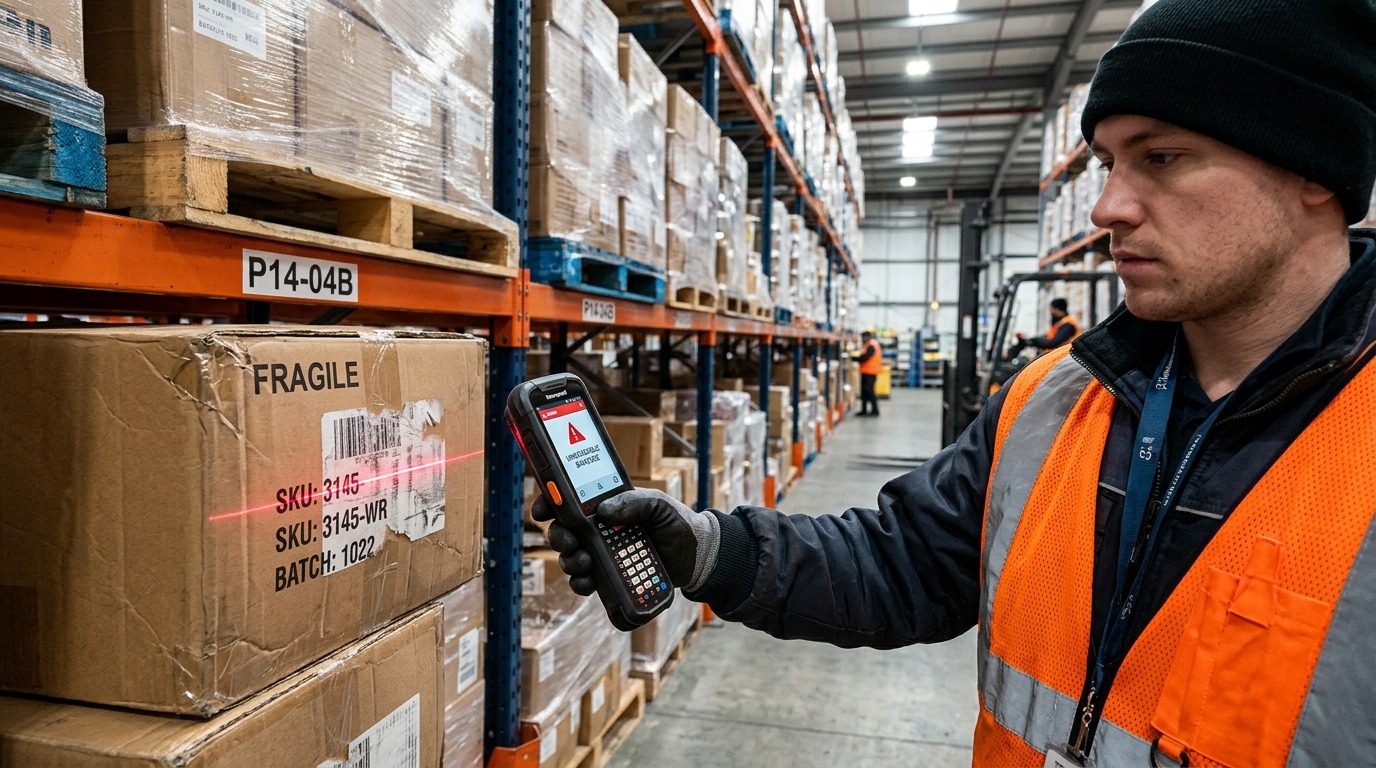
Unreadable or damaged barcode labels in warehouse aisles often lead to manual workarounds, increasing the risk of item mismatches and stock discrepancies in SAP Business One.
Barcode labels help warehouse employees identify products, record stock movements, and complete inventory transactions. When a label is damaged, faded, poorly printed, or unreadable, the identification process becomes less reliable. Employees may need to search for an item manually, enter its code, or use an alternative label without confirming whether it matches the correct product.
These workarounds can introduce errors into inventory records. An employee might select a similar item, enter the wrong quantity, scan a duplicate barcode, or associate a transaction with an incorrect batch or serial number. Even a small mistake can affect later warehouse, purchasing, production, and fulfillment activities.
The problem is not limited to the physical label. Inventory accuracy depends on the relationship between the product, its barcode, the master data, and the transaction recorded in the ERP system. If any part of this relationship is incorrect, a barcode-based process can still produce inaccurate results.
SAP Business One provides inventory and transaction-management capabilities that businesses can use as part of a controlled barcode workflow. Depending on the barcode solution and integration design, employees can verify item information and record supported transactions within connected processes.
The objective is to make every inventory movement easier to verify, trace, and reconcile. Damaged labels should trigger a controlled exception process rather than encourage unverified workarounds.
Common Causes of Barcode-Related Inventory Errors
Barcode-related discrepancies often originate from label quality, handling conditions, inaccurate data, or inconsistent warehouse procedures. Identifying the source helps businesses prevent recurring errors instead of correcting individual transactions repeatedly.
Damaged, Faded, or Unreadable Labels
Labels may become unreadable because of moisture, dust, abrasion, heat, chemical exposure, or repeated handling. Poor printing quality can also produce weak contrast, incomplete bars, or incorrect spacing.
When a scanner cannot read a label reliably, employees may attempt repeated scans or enter item information manually. If the fallback process does not require verification, an incorrect item or quantity can enter the inventory record.
Incorrect Barcode-to-Item Mapping
A readable barcode is not necessarily a correct barcode. If a label is attached to the wrong product, copied from another item, or linked to outdated master data, scanning it may identify the wrong inventory item.
Businesses should maintain clear rules for barcode assignment, label printing, replacement, and reuse. Where item codes, packaging units, batches, or serial numbers differ, those distinctions must be reflected accurately in the relevant data and process.
Duplicate or Uncontrolled Replacement Labels
Printing a replacement label without checking the original record can create duplicate identifiers or inconsistent labels. This becomes especially risky when several products look similar or when employees replace labels during busy receiving and dispatch periods.
A replacement process should confirm the product identity, verify the approved barcode, and prevent the creation of conflicting identifiers. The exact controls depend on whether the barcode represents an item, a specific package, a batch, or an individual serialized unit.
Manual Entry and Transaction Shortcuts
Manual entry may be necessary when a label is damaged, but uncontrolled manual entry creates additional opportunities for mistakes. Employees may choose a similar item code, mistype a quantity, overlook a unit-of-measure difference, or skip a verification step to keep operations moving.
A documented exception workflow helps employees continue working without compromising inventory accuracy. It should define who can approve a workaround, what information must be verified, and how the transaction is reviewed afterward.
Where Damaged Labels Affect SAP Business One Inventory Transactions
Damaged-label problems can affect multiple inventory touchpoints. A discrepancy introduced at one stage may remain unnoticed until another department relies on the incorrect record.
Goods Receipt and Incoming Inspection
During receiving, warehouse employees compare delivered products with purchase orders, delivery documents, and item records. If a supplier label is unreadable, an employee may select the wrong item or record an incorrect quantity.
A controlled barcode workflow should support product verification against the relevant purchasing and inventory information. If identification fails, the goods should follow an approved exception process before the transaction is completed.
Businesses should also distinguish between a supplier barcode and an internal barcode. The receiving process must establish which identifier is accepted and how it maps to the company’s item master.
Putaway and Warehouse Transfers
After receiving, inventory may move between storage locations, bins, production areas, or warehouses. Damaged labels can make it difficult to confirm which item is being moved and where it should be recorded.
A barcode-enabled process can support item and location verification when the selected solution is configured for those functions. Employees should confirm the intended source and destination and follow the appropriate transaction procedure.
Where warehouse locations are managed through additional software or a specialized integration, the process should make clear which system records the movement and how the resulting information is synchronized.
Production Material Issues and Finished Goods
Manufacturing operations depend on accurate identification of raw materials, components, work in progress, and finished goods. An unreadable label can result in an incorrect material issue or a finished product being recorded against the wrong item.
These errors may affect material availability, production reporting, costing, and traceability. For businesses managing batches or serial numbers, incorrect identification can also complicate quality investigations and product recalls.
Barcode controls should therefore support the relevant production and inventory procedures without assuming that every barcode application automatically covers all manufacturing transactions.
Picking, Packing, and Dispatch
During order fulfillment, employees must identify the correct product and quantity before dispatch. Similar-looking products, damaged labels, and mixed storage locations can increase the risk of picking errors.
Barcode verification can help compare the selected item with the order information when supported by the integration. Exceptions should be resolved before packing or dispatch rather than discovered after delivery.
Stock Counts and Inventory Reconciliation
During cycle counts and physical inventory checks, unreadable or duplicated labels can make it difficult to match physical stock with system records. Employees may count the same item twice, overlook a package, or assign a quantity to the wrong item.
A consistent identification and exception process helps reduce these risks. When differences remain, the business should investigate the cause and follow its approved inventory adjustment procedure instead of treating every discrepancy as an isolated counting mistake.
How SAP Business One Barcode Controls Improve Inventory Accuracy
The value of SAP Business One barcode integration depends on how the solution connects product identification with inventory processes. Businesses should evaluate the controls provided by the selected barcode application, mobile interface, hardware, and integration.
Verify the Item Before Recording a Transaction
The barcode workflow should identify the intended item and display sufficient information for the employee to verify it. Depending on the application, this may include the item code, description, unit of measure, warehouse, or other relevant details.
Verification is especially important when products have similar descriptions or packaging. A successful scan should not be treated as proof that the correct product has been selected unless the barcode mapping and transaction rules support that conclusion.
Confirm Quantities and Units of Measure
Incorrect quantities can create stock discrepancies even when the item is identified correctly. The workflow should help employees confirm the quantity being received, moved, picked, or issued.
Businesses should also review how the solution handles units of measure, packs, cartons, and individual units. A barcode representing a carton must not be interpreted as a single unit unless the configured mapping and transaction process explicitly support that interpretation.
Apply Batch and Serial Number Controls
Businesses that require traceability need to identify the correct batch or serial number during the relevant transaction. A barcode solution may support this through encoded information, database lookups, or additional scanning steps.
The design must match the organization’s inventory policies and the capabilities of its chosen application. Businesses should confirm how the process handles missing, invalid, duplicate, or unexpected batch and serial information.
Record Transactions Through Controlled Workflows
Barcode integration can reduce repeated data entry by transferring verified information into supported SAP Business One transactions. This can help improve consistency and reduce avoidable typing errors.
However, integration does not automatically guarantee real-time updates or complete coverage of every transaction type. Businesses should verify which processes are supported, how errors are reported, and whether failed transactions require manual review.
Maintain Traceability and Auditability
A reliable process should make it possible to investigate how a discrepancy occurred. Depending on the application and configuration, useful records may include the item, quantity, transaction reference, warehouse, batch or serial number, user, and transaction time.
These details help teams identify recurring label problems, review exceptions, and determine whether an error originated in labeling, master data, scanning, or transaction processing.
Handling Damaged and Unreadable Barcode Labels
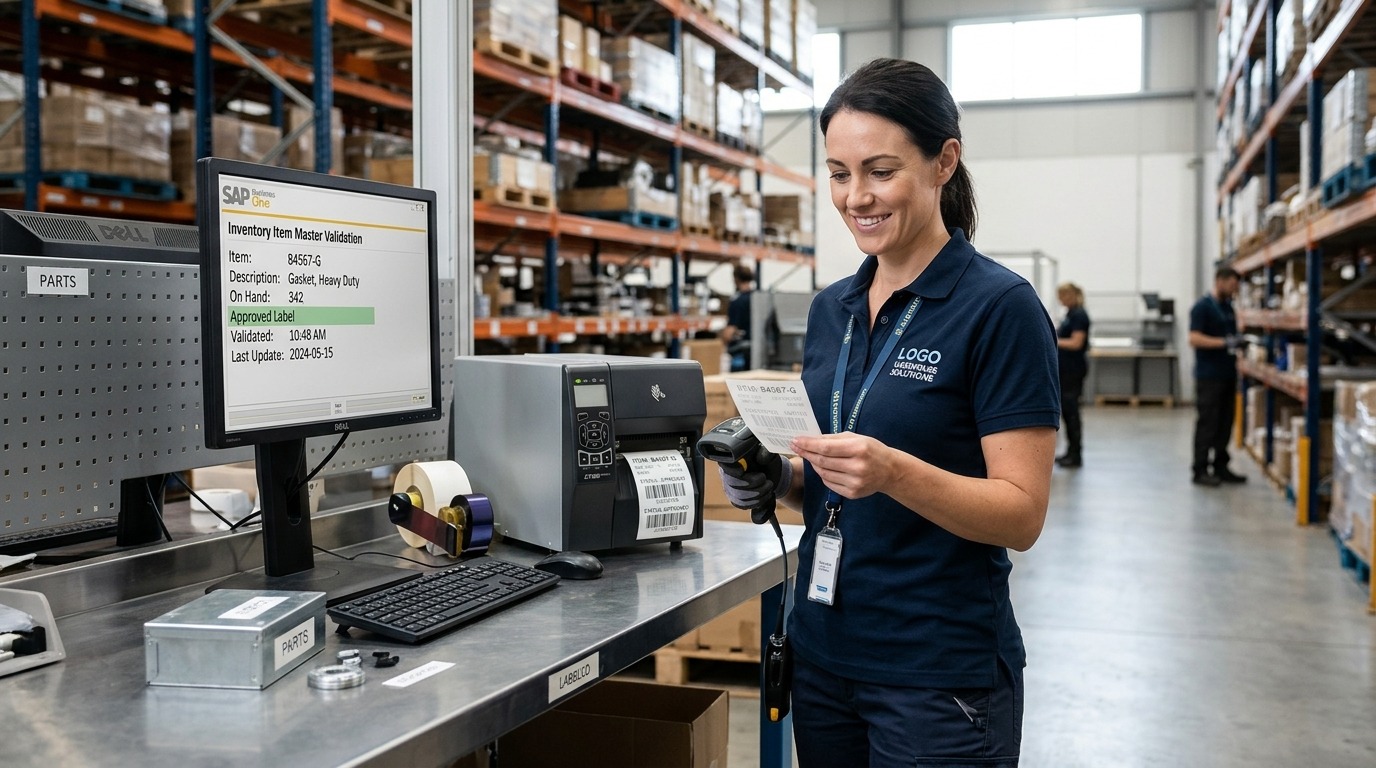
Controlled barcode replacement: Confirming product master data and printing authorized replacement labels prevents duplicate identifiers and keeps SAP Business One inventory records accurate.
A damaged label should trigger a defined exception workflow. The objective is to maintain operational continuity without allowing uncertain identification to become an inaccurate inventory transaction.
Step 1: Stop and Verify the Product
If a barcode cannot be read, the employee should confirm the product using approved identifiers and supporting documentation. Depending on the situation, this may involve checking the item code, description, supplier documentation, packaging details, batch, or serial number.
If the product cannot be identified confidently, it should follow the organization’s hold or escalation procedure rather than being recorded against a guessed item.
Step 2: Confirm the Correct Master Data
Before creating or printing a replacement label, the employee or authorized supervisor should verify that the product information and barcode mapping are correct.
This check helps prevent a damaged label from being replaced with an incorrect or duplicate identifier. Where the barcode belongs to a specific batch, serial number, or package, the replacement procedure must preserve that relationship.
Step 3: Print and Apply an Approved Replacement
Replacement labels should be generated through an approved process using verified information. Businesses should define who can print replacements, which label templates are permitted, and how the old label is handled.
Labels should be positioned and printed to remain readable under the expected storage and handling conditions. The replacement should be checked before the product returns to the normal workflow.
Step 4: Record the Exception Where Required
Businesses may need to record why the label was replaced, who approved the action, and which item or package was affected. The level of documentation should reflect operational risk, traceability requirements, and internal policy.
Where the selected barcode application supports exception records, these should be configured to match the business process. Otherwise, an approved alternative procedure may be required.
Step 5: Verify the Next Transaction
After replacement, the employee should scan the new label and confirm that it identifies the correct product. The subsequent transaction should also be checked for quantity, warehouse, and any relevant batch or serial information.
This final verification helps ensure that label replacement resolves the identification problem rather than simply creating another label.
Preventing Inventory Errors Through Label Quality and Validation
Resolving damaged labels is important, but prevention reduces the number of exceptions employees need to manage. Businesses should treat label quality as part of inventory control rather than as a separate printing task.
Establish Consistent Label Standards
Define appropriate label materials, print quality, barcode dimensions, contrast, placement, and replacement criteria. Requirements should reflect the environment in which products are stored, transported, and handled.
For example, labels exposed to moisture, abrasion, temperature changes, or chemicals may require different materials from labels used in a clean, controlled warehouse.
Validate Barcode Mapping Before Use
Every barcode should map to the intended item or identifier. Businesses should test new labels and changes to item master data before using them in operational transactions.
Controls should also address duplicate codes, obsolete labels, supplier barcode mapping, and packaging variations. These checks help prevent readable but incorrect labels from introducing inventory discrepancies.
Define Responsibilities for Label Management
Employees should know who can create, approve, print, replace, and deactivate labels. Without clear ownership, teams may create inconsistent workarounds or continue using obsolete identifiers.
Warehouse staff, inventory controllers, IT teams, and process owners should understand their responsibilities. Training should cover normal scanning procedures as well as damaged-label exceptions.
Monitor Recurring Errors
Repeated label failures can indicate a larger process issue. Businesses should review exception patterns, manual-entry frequency, stock adjustments, and recurring item identification problems where the necessary records are available.
The aim is to identify preventable causes, such as unsuitable label materials, incorrect master data, poor printer settings, or inadequate employee training. Correcting the underlying cause is more effective than repeatedly resolving the same symptom.
Business Impact of Barcode-Related Inventory Discrepancies
Inventory errors can affect more than warehouse productivity. Incorrect records may influence purchasing decisions, production schedules, customer commitments, inventory valuation, and management reporting.
When stock information is unreliable, purchasing teams may order items that are already available or overlook shortages that require attention. Production teams may experience delays if components cannot be located or if the system shows inaccurate availability. Fulfillment teams may pick the wrong product or discover discrepancies late in the dispatch process.
Errors involving batches or serial numbers can create additional challenges. Businesses may spend more time tracing affected products, reviewing transaction histories, or investigating quality and compliance concerns.
Manual corrections also consume employee time. Staff may need to recount stock, investigate transaction histories, obtain approvals, and reconcile differences between physical inventory and system records. Repeated corrections can make it harder for managers to distinguish genuine demand changes from process errors.
For executives, the central issue is operational confidence. Inventory information supports decisions across purchasing, production, finance, and customer service. Barcode controls can contribute to more reliable records, but the results depend on data quality, process design, employee adoption, and ongoing monitoring.
Businesses should evaluate improvements using operational measures appropriate to their environment. Examples include the frequency of barcode exceptions, inventory adjustment trends, picking accuracy, time spent correcting transactions, and the rate of repeated label failures. Establishing a baseline before implementation makes it easier to determine whether the solution is improving the process.
Evaluating SAP Business One Barcode Integration Requirements
Selecting a barcode solution requires more than comparing scanners or label printers. Businesses should evaluate how the proposed system supports their actual inventory workflows and how it connects with SAP Business One.
Map the Inventory Processes First
Identify where barcode identification is required: goods receipt, putaway, warehouse transfers, production issues, finished goods, picking, dispatch, or stock counts. Document where damaged labels occur and which workarounds employees currently use.
This process map helps distinguish problems that require better labels from those that need master-data corrections, workflow changes, or integration improvements.
Confirm Functional and Integration Coverage
Ask the solution provider which SAP Business One transactions are supported and how information moves between the barcode application and the ERP system. Confirm whether the proposed design supports the required warehouses, units of measure, batches, serial numbers, and approval procedures.
Clarify how failed scans, duplicate identifiers, rejected transactions, connectivity interruptions, and synchronization errors are handled. Do not assume that every product provides identical capabilities or updates SAP Business One in real time.
Review Hardware and Operating Conditions
Scanner selection should reflect the barcode types, scanning distance, mobility requirements, and warehouse environment. Label printers and materials should also suit the conditions in which products will be stored and transported.
Businesses should test representative labels and products before finalizing the design. Testing should include damaged labels, similar item codes, different packaging units, and common exception scenarios.
Plan Testing, Training, and Ongoing Support
Before deployment, test normal transactions and exceptions using representative business scenarios. Confirm that the process records the correct item, quantity, warehouse, and traceability information and that errors can be identified and resolved.
Train employees on scanning, label replacement, verification, and escalation. After deployment, review recurring exceptions and maintain a process for updating barcode mappings, label templates, and integration rules when business requirements change.
Conclusion: Improving Inventory Reliability Through Barcode Controls
Damaged barcode labels can create inventory errors when employees cannot reliably identify products and resort to unverified manual workarounds. These problems may affect receiving, warehouse movements, production, order fulfillment, physical counts, and traceability.
SAP Business One barcode integration can help businesses strengthen inventory control when it connects accurate product identification with verified transactions and clearly defined exception procedures. Label standards, correct barcode mapping, quantity validation, batch and serial number controls, and appropriate transaction records are all important parts of the solution.
The priority should be to identify where label failures occur, understand how they affect inventory records, and select controls that fit the organization’s actual workflows. A carefully designed process can reduce avoidable corrections and help employees maintain more dependable inventory information.
Frequently Asked Questions
Evaluate SAP Business One Barcode Solutions for Better Inventory Accuracy
Damaged labels and manual-entry workarounds can cause inventory errors and unreliable stock records. The right barcode workflow can improve label validation, inventory accuracy, and SAP Business One integration.
Request a consultation to evaluate your barcode requirements.