Is SAP Business One HRMS the Right Fit for Your Workforce?
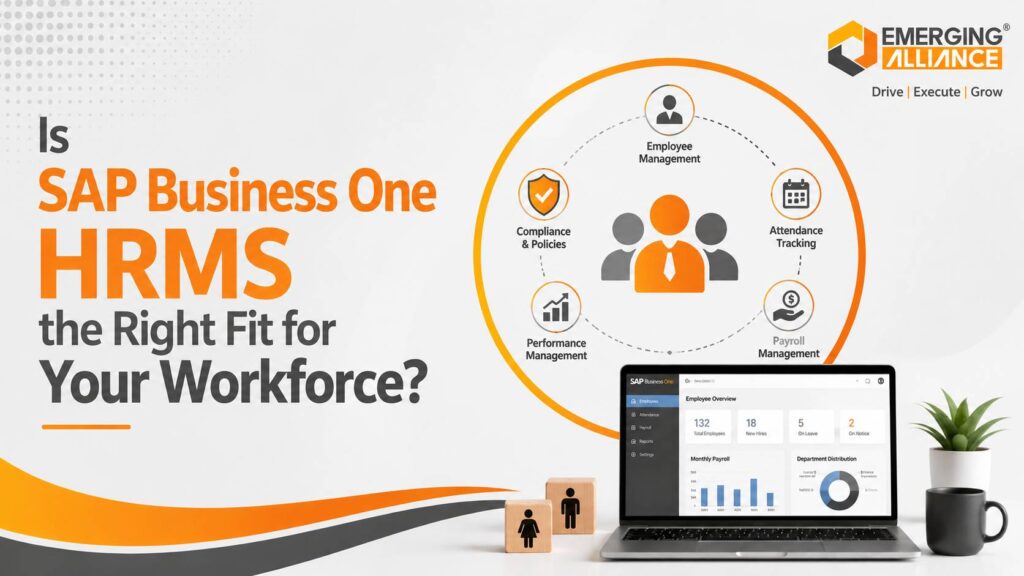
SAP Business One HRMS supporting smarter workforce planning and compliance
Workforce management has become a strategic business priority. Growing organizations must manage recruitment, attendance, leave, payroll, performance, compliance, employee records, and workforce costs without increasing administrative complexity.
When these activities depend on spreadsheets, emails, biometric exports, and disconnected payroll applications, HR teams spend more time correcting data than supporting employees or business growth. Managers also struggle to obtain reliable answers about absenteeism, overtime, staffing requirements, labour costs, and employee productivity. SAP Business One HRMS can be a strong fit for organizations that already use SAP Business One and need a more connected way to manage HR, attendance, payroll, and workforce information. The exact capabilities depend on the HRMS or payroll solution selected, its localization, and the implementation scope.
For the right organization, an integrated HRMS for SAP Business One can reduce repetitive work, improve workforce visibility, strengthen statutory controls, and provide a scalable foundation for digital HR transformation.
Direct Answer: Is SAP Business One HRMS Right for Your Business?
SAP Business One HRMS may be the right fit when your organization:
- Already uses or plans to use SAP Business One
- Manages a growing or multi-location workforce
- Depends heavily on spreadsheets for HR administration
- Experiences attendance, leave, or payroll reconciliation issues
- Requires better statutory reporting and audit readiness
- Needs employee data connected with finance or operations
- Wants real-time workforce analytics
- Requires a scalable HR platform without maintaining several disconnected systems
However, the solution should be evaluated carefully if your organization requires highly specialized global payroll, complex union rules, advanced enterprise talent management, or country-specific functionality that is not available in the selected HRMS add-on.
What Is SAP Business One HRMS?
SAP Business One HRMS generally refers to a human resource management solution integrated with SAP Business One. Depending on the selected product and configuration, it may support employee administration, attendance, leave, payroll, performance, recruitment, employee self-service, and workforce reporting.
It extends the value of SAP Business One by connecting workforce processes with broader business operations.
Instead of maintaining different employee records in HR, finance, payroll, and operations systems, organizations can establish a more consistent flow of workforce information.
Typical SAP Business One HRMS Capabilities
A well-configured SAP B1 HRMS solution may include:
- Employee master data
- Organization and department structures
- Recruitment and onboarding workflows
- Attendance and shift management
- Leave requests and approvals
- Payroll preparation or payroll integration
- Statutory deductions and reporting
- Employee document management
- Performance reviews
- Training and certification records
- Employee self-service
- Manager self-service
- Workforce dashboards and reports
Not every solution includes every capability. Businesses should confirm the functional scope, country localization, compliance coverage, and integration model before selecting a product.
SAP Business One HRMS Integration
Integration is one of the primary reasons businesses evaluate SAP Business One HR Software.
Employee-related data can support processes such as:
- Payroll accounting
- Departmental cost allocation
- Project costing
- Employee expense processing
- Labour cost analysis
- Workforce budgeting
- Financial reporting
- Operational resource planning
For example, a manufacturing company can connect shift attendance and overtime data with payroll preparation and labour-cost reporting. A professional services company may use employee and project information to improve resource planning and project profitability analysis.
The objective is not simply to store employee records. It is to create a reliable information flow between HR, finance, and operations.
Signs Your Business Needs SAP Business One HRMS
Growing Workforce Complexity
Workforce complexity increases as organizations add employees, branches, departments, shifts, policies, and approval levels.
A process that worked for 30 employees may become difficult to control at 150 employees. Managers may follow different leave policies, HR teams may maintain multiple spreadsheets, and payroll teams may receive inconsistent attendance information.
SAP Business One Human Resource Management can introduce standardized workflows and centralized records across the organization.
Manual HR and Payroll Administration
Repeated data entry is a clear sign that HR processes need modernization.
Common examples include:
- Entering employee details into multiple systems
- Transferring attendance data manually into payroll
- Calculating overtime using spreadsheets
- Emailing payslips individually
- Tracking employee documents manually
- Preparing statutory reports from different data sources
These activities increase processing time and create opportunities for error.
HR automation reduces repetitive work and allows HR professionals to focus on workforce planning, employee engagement, and performance improvement.
Attendance and Leave Discrepancies
Attendance and leave management directly affect payroll accuracy and employee trust.
Manual or disconnected processes can cause:
- Incorrect working-day calculations
- Unrecorded leave
- Overtime disputes
- Shift allowance errors
- Delayed manager approvals
- Payroll corrections
- Inconsistent leave balances
An integrated workflow can capture attendance, apply approved leave, validate exceptions, and provide reliable inputs for payroll processing.
Statutory Compliance Pressure
Payroll and employment compliance vary by country, state, industry, and workforce category. Regulatory requirements can also change over time.
Businesses may need to manage:
- Statutory deductions
- Tax-related payroll records
- Social security or retirement contributions
- Employee registers
- Wage and attendance records
- Leave documentation
- Payroll audit trails
- Government filings
A compliance-focused SAP Business One Payroll or HRMS implementation can improve record accuracy and reporting. However, businesses should verify that the selected solution supports their applicable jurisdiction and current statutory requirements.
Limited Workforce Visibility
Business leaders require more than employee headcount.
They need timely answers to questions such as:
- Which departments have rising overtime costs?
- Where are absenteeism levels increasing?
- Which roles are difficult to fill?
- What is the cost of employee turnover?
- Which branches are understaffed?
- How long does onboarding take?
- Are labour costs increasing faster than revenue?
- Which certifications are approaching expiry?
Without workforce analytics, management decisions often depend on outdated reports or assumptions.
Fragmented Employee Data
Employee information may be distributed across spreadsheets, payroll tools, attendance machines, email inboxes, and paper documents.
This fragmentation can lead to:
- Duplicate employee records
- Inconsistent contact details
- Missing documents
- Weak access control
- Delayed reporting
- Version conflicts
- Poor audit readiness
Centralized employee lifecycle management creates a more reliable source of workforce data.
Excessive HR Administrative Work
An HR team may be busy without being productive.
When HR professionals spend most of their time handling attendance corrections, leave balances, payroll clarifications, document requests, and routine approvals, they have limited capacity for strategic work.
An HRMS can automate transactional activities and redirect HR capacity towards:
- Workforce planning
- Talent retention
- Employee development
- Succession planning
- Policy improvement
- Performance management
- Organizational design
Lack of Actionable HR Analytics
Basic employee lists do not provide enough insight for modern workforce decisions.
SAP Business One HRMS reporting can help organizations monitor:
- Headcount
- Employee turnover
- Absenteeism
- Overtime
- Labour costs
- Leave utilization
- Recruitment cycle time
- Payroll variance
- Training completion
- Performance trends
These metrics help leaders understand both workforce capacity and workforce cost.
Key Benefits of SAP Business One HRMS
Smarter Workforce Planning
Workforce planning connects business demand with the people required to deliver it.
With better workforce data, managers can:
- Forecast staffing requirements
- Identify capacity shortages
- Compare headcount with workload
- Plan recruitment more effectively
- Track workforce costs
- Allocate employees across shifts or locations
- Prepare for expansion
For example, a distribution business can compare seasonal order volumes with warehouse staffing levels. A healthcare organization can monitor shift coverage and certification requirements before assigning employees.
HR Process Automation
SAP B1 HRMS can automate routine workflows such as:
- Employee onboarding
- Leave applications
- Approval routing
- Attendance validation
- Payroll input preparation
- Document expiry alerts
- Probation confirmations
- Employee notifications
- Manager approvals
- Exit formalities
Automation improves speed and consistency while reducing dependency on email and spreadsheets.
Payroll Integration and Accuracy
Payroll depends on accurate employee, attendance, leave, overtime, allowance, deduction, and tax data.
When payroll operates separately from HR and attendance, teams must reconcile these inputs manually.
Integrating SAP Business One Payroll with HRMS and attendance processes can:
- Reduce duplicate data entry
- Improve payroll accuracy
- Shorten processing cycles
- Strengthen approval controls
- Improve financial posting
- Reduce payroll corrections
- Provide clearer audit trails
The specific payroll functionality will depend on the selected solution and local statutory configuration.
Stronger Statutory Compliance
A well-designed HRMS improves compliance through controlled records, standardized workflows, alerts, and reports.
It can support:
- Complete employee documentation
- Consistent policy application
- Statutory payroll calculations
- Record retention
- Role-based approvals
- Compliance reporting
- Audit histories
- Document-expiry monitoring
Technology does not replace legal or payroll expertise, but it can make compliance processes more systematic and traceable.
Employee Self-Service
Employee self-service reduces routine HR requests by allowing authorized employees to:
- Apply for leave
- View leave balances
- Download payslips
- Update selected personal details
- Access HR policies
- Submit documents
- Track requests
- Review attendance information
Manager self-service can also support approvals, team attendance reviews, workforce reports, and performance activities.
These capabilities improve employee experience while reducing administrative workload.
Better Workforce Decisions
Workforce analytics can reveal patterns that traditional reports miss.
For example:
- Rising overtime may indicate understaffing or poor scheduling
- Frequent payroll corrections may indicate weak attendance integration
- High absenteeism in one department may indicate a management or workload issue
- Long onboarding times may delay operational productivity
- Increasing labour costs without output growth may require process review
These insights allow leaders to address workforce issues before they affect customers, margins, or growth.
Higher HR Productivity
HR automation reduces the effort required for repetitive transactions.
This allows the HR team to contribute more actively to:
- Employee retention
- Leadership development
- Skills planning
- Performance improvement
- Workforce forecasting
- Policy development
- Change management
The business value is not only lower administrative effort. It is a stronger strategic contribution from the HR function.
Scalable Workforce Management
A growing company needs HR processes that remain manageable as headcount, branches, and operational complexity increase.
SAP Business One HRMS can provide a scalable framework for:
- Larger employee populations
- Multiple locations
- New departments
- Different shifts
- Expanding approval structures
- Growing reporting requirements
- Additional workforce policies
Scalability depends on proper solution selection, system architecture, and implementation planning.
SAP Business One HRMS Suitability Checklist
SAP Business One HRMS is likely to be a strong fit when most of the following statements are true:
- Your organization already uses SAP Business One
- HR data is maintained across multiple spreadsheets
- Attendance and payroll require manual reconciliation
- Managers lack real-time workforce information
- Employee requests depend heavily on email
- Payroll corrections occur regularly
- Statutory reporting takes significant manual effort
- You operate across several departments or locations
- HR administrative workload is increasing
- Workforce decisions are made without reliable analytics
- You expect employee numbers to grow
- You want HR, finance, and operational data to work together
A structured workforce assessment can identify which capabilities should be included in the initial implementation and which can be introduced later.
Best Practices for Successful HRMS Implementation
Define Measurable HR Objectives
Start with business outcomes rather than software features.
Possible objectives include:
- Reduce payroll processing time
- Improve attendance accuracy
- Shorten leave approval cycles
- Reduce employee-data duplication
- Improve statutory reporting
- Increase employee self-service adoption
- Improve workforce cost visibility
- Reduce HR administrative hours
These objectives provide a basis for scope, configuration, and performance measurement.
Standardize HR Workflows
Automating an inefficient process will not make it efficient.
Before implementation, document and review:
- Employee onboarding
- Attendance corrections
- Leave approvals
- Payroll validation
- Employee transfers
- Salary revisions
- Performance reviews
- Employee exits
Remove unnecessary approvals and establish consistent rules before configuring workflows.
Clean Employee Master Data
Data quality has a direct impact on payroll, reporting, and employee trust.
Before migration:
- Remove duplicate records
- Validate employee identifiers
- Standardize department names
- Confirm reporting structures
- Review salary and bank details
- Update statutory information
- Check leave balances
- Identify missing documents
Data ownership should also be clearly assigned.
Confirm Localization and Compliance Scope
Do not assume that every HRMS or payroll product supports every legal requirement.
Validate:
- Country and state payroll rules
- Applicable statutory deductions
- Required reports
- Employee categories
- Shift and overtime rules
- Leave policies
- Data-retention requirements
- Future regulatory updates
This is especially important for multi-country or multi-entity organizations.
Integrate Attendance, Leave, and Payroll
Attendance, leave, shifts, overtime, and payroll should operate as a connected process wherever possible.
Integration reduces reconciliation work and ensures that approved workforce transactions reach payroll accurately.
Exception workflows should also be defined for missed punches, retroactive leave, overtime approvals, and payroll corrections.
Train HR Teams, Managers, and Employees
Different user groups require different training.
HR teams need process and system training. Managers need approval and reporting guidance. Employees need simple instructions for self-service activities.
Role-based training increases adoption and reduces support requests after deployment.
Monitor HR KPIs
Track operational and strategic indicators such as:
- Payroll accuracy
- Payroll processing time
- Attendance exceptions
- Leave approval time
- Overtime cost
- Employee onboarding time
- HR request volume
- Self-service adoption
- Employee turnover
- Administrative hours saved
Measure performance before and after implementation to demonstrate business value.
Continuously Optimize the HRMS
HR policies, workforce structures, compliance requirements, and business priorities change.
Schedule periodic reviews to evaluate:
- Workflow performance
- User adoption
- Payroll exceptions
- Data quality
- Reporting requirements
- Compliance updates
- Integration issues
- New automation opportunities
Continuous optimization helps preserve long-term value.
Why Choose Emerging Alliance for SAP Business One HRMS?
Successful HRMS implementation requires more than configuring employee fields and approval workflows. It requires an understanding of HR, payroll, finance, compliance, operational processes, and SAP Business One integration.
Emerging Alliance supports organizations with:
- SAP Business One consulting expertise
- HRMS and payroll process assessment
- Industry-specific workforce planning
- Attendance and leave integration
- Payroll and financial integration
- Employee data migration
- Compliance-focused configuration
- Workflow design and automation
- User training and change enablement
- Reporting and workforce analytics
- Ongoing support and optimization
The implementation approach begins with understanding current HR challenges, workforce structure, statutory requirements, and business priorities.
This helps ensure that the selected SAP Business One HRMS solution supports measurable operational outcomes rather than simply replacing existing spreadsheets.
Building a Smarter Workforce Management Strategy
SAP Business One HRMS can be the right fit for growing businesses that need to connect workforce information with finance and operations.
It can help reduce manual HR administration, improve payroll inputs, strengthen workforce visibility, support compliance processes, and provide a scalable foundation for employee management.
However, organizations should evaluate the exact functionality, localization, payroll scope, integration capability, reporting requirements, and partner expertise before making a decision.
The best HRMS is not necessarily the solution with the longest feature list. It is the solution that aligns with your workforce structure, compliance obligations, operational priorities, and growth plans.
Frequently Asked Questions
Is HRMS included in standard SAP Business One?
SAP Business One includes basic employee-related functionality, but comprehensive HRMS, payroll, attendance, and self-service capabilities commonly require an integrated add-on or localized solution. Scope varies by provider and country.
Which businesses should consider SAP Business One HRMS?
It is suitable for growing SMEs, multi-location organizations, and companies in manufacturing, distribution, retail, healthcare, and services that want more integrated HR, payroll, finance, and workforce processes.
Does SAP Business One HRMS support payroll?
Many SAP Business One HRMS solutions include payroll or integrate with a payroll application. Businesses should verify statutory localization, deduction rules, reporting, and financial integration before selection.
Can SAP Business One HRMS integrate with attendance devices?
Many HRMS solutions can integrate with biometric, card-based, mobile, or other attendance systems. Compatibility depends on the HRMS product, attendance device, API availability, and implementation scope.
How does SAP Business One HRMS improve workforce planning?
It consolidates workforce data such as headcount, attendance, overtime, employee costs, skills, and availability. Managers can use these insights to forecast staffing needs and allocate resources more effectively.
Does employee self-service reduce HR workload?
Yes. Employee self-service can reduce routine requests by allowing employees to view payslips, apply for leave, update selected details, access documents, and track HR requests without direct HR intervention.
How long does an SAP Business One HRMS implementation take?
Implementation duration depends on employee count, locations, payroll complexity, integrations, data quality, localization, workflows, and project scope. A workforce assessment is required to establish a reliable timeline.
Ready to Evaluate SAP Business One HRMS?
Emerging Alliance can help you assess your current HR processes, identify automation opportunities, and define the right SAP Business One HRMS roadmap.
Contact Emerging Alliance for a personalized HRMS consultation, workforce process assessment, and live demonstration. Discover how integrated HR automation can improve workforce planning, payroll accuracy, statutory control, and long-term business scalability.