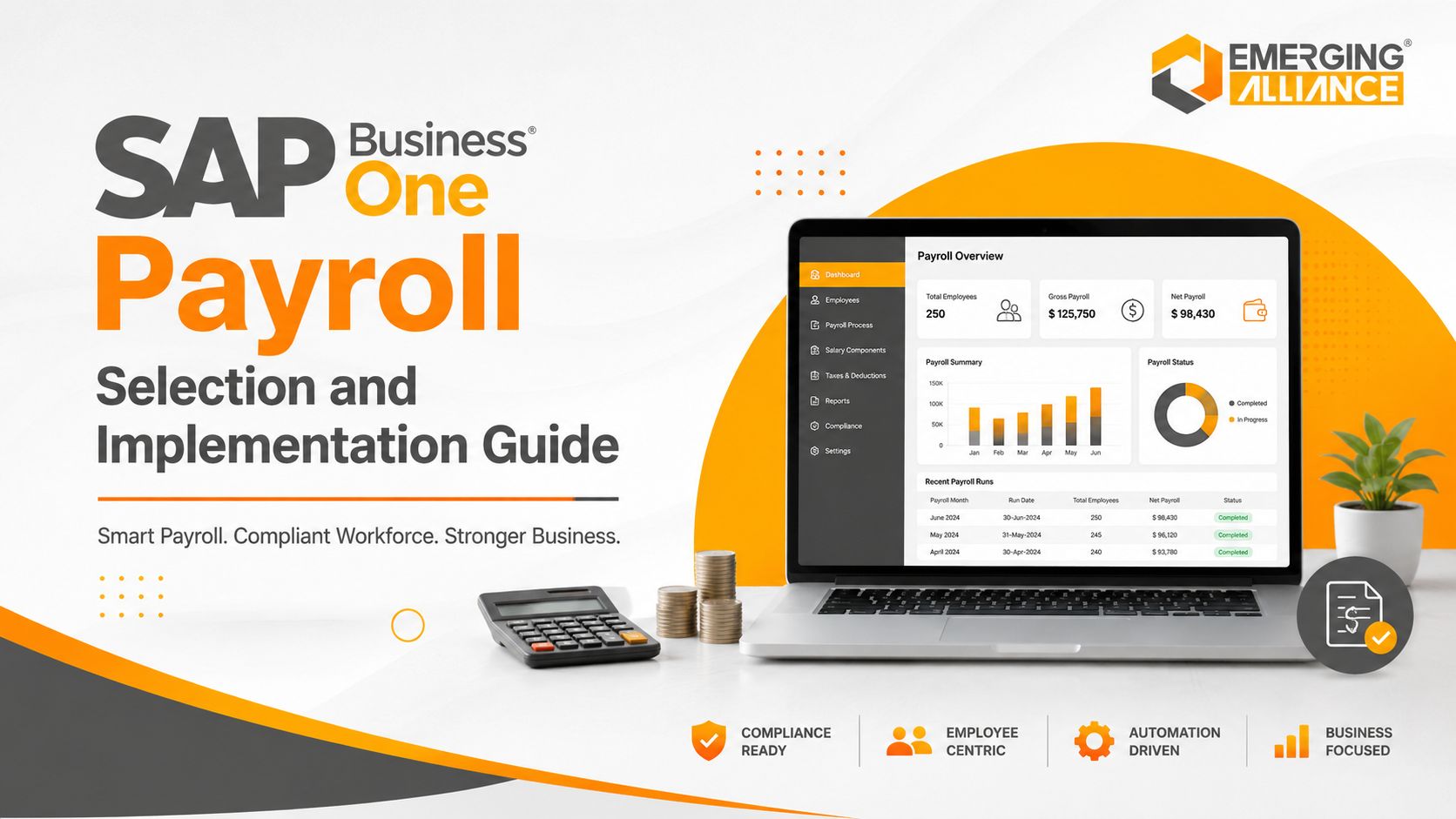
SAP Business One Payroll Selection and Implementation Guide
SAP Business One Payroll for Efficient Automation and Future Growth
SAP Business One Payroll generally refers to a payroll add-on or integrated payroll solution connected to SAP Business One. SAP Business One itself provides employee master data, salary-cost analysis, reporting, accounting, cost-centre, and extensibility capabilities. The payroll add-on supplies country-specific calculations, attendance and leave integration, statutory processing, payslips, approvals, and payroll posting.
Payroll is one of the most business-critical processes in a growing organization. Yet many businesses still depend on spreadsheets, disconnected attendance tools, or standalone payroll applications. That fragmentation creates duplicate employee records, delayed processing, inconsistent deductions, weak audit trails, and repeated reconciliation between HR and finance.
A properly selected SAP Business One payroll add-on connects payroll activity with employee records, attendance, leave, finance, general ledger accounts, departments, and cost centres. The result is a controlled payroll process with fewer manual handoffs and better visibility into workforce costs.
Why Growing Businesses Need Integrated Payroll
An integrated payroll environment reduces data movement between systems and gives HR and finance teams a consistent basis for payroll processing, accounting, reporting, and review.
Increasing Payroll Complexity
- Variable earnings, incentives, bonuses, and reimbursements
- Overtime, shifts, attendance, and leave adjustments
- Loans, deductions, benefits, and arrears
- Department, branch, project, and cost-centre allocation
- Country-specific statutory calculations and reporting
As headcount and policy complexity increase, spreadsheet-based payroll becomes harder to control and more dependent on individual knowledge.
Manual Calculation and Reconciliation Risk
- Incorrect salary or overtime calculations
- Duplicate or missing employee entries
- Incorrect deductions or tax treatment
- Mismatch between payroll totals and finance postings
- Repeated correction cycles before salary release
Rule-based calculation and controlled data integration reduce avoidable errors, but accuracy still depends on clean master data, tested configuration, and approved payroll policies.
Payroll Compliance and Audit Readiness
- Maintain payroll history and change traceability
- Generate statutory and management reports
- Apply approved earnings and deduction rules
- Restrict access to sensitive employee information
- Retain supporting records for audit review
Compliance capabilities must be validated for the specific country and payroll add-on. Buyers should not assume that one configuration covers every legal requirement.
Faster Payroll Cycles
- Attendance and leave import
- Gross-to-net calculation
- Exception identification
- Approval routing
- Payslip generation
- Payroll journal preparation
Automation shortens repetitive work and allows payroll teams to focus on exceptions, controls, and employee queries.
Workforce Cost Visibility
- Total payroll cost
- Department and branch cost
- Overtime and allowance trends
- Payroll status and exceptions
- Cost-centre and project allocation
Integrated reporting supports budgeting and workforce planning, provided payroll data is posted and mapped consistently.
SAP Business One Payroll Selection Criteria
The right solution is not simply the add-on with the longest feature list. It is the solution that matches the company’s legal environment, payroll policies, transaction volumes, controls, reporting needs, and future operating model.
1. Country and Statutory Coverage
Confirm that the add-on supports the countries, states, tax rules, social-security requirements, filings, payslip formats, and update process relevant to your workforce. Ask who maintains legislative changes and how quickly updates are released.
2. SAP Business One Integration Depth
Validate how employee data, payroll results, cost centres, projects, branches, and journal entries move between the payroll solution and SAP Business One. Distinguish real-time integration from file-based imports and manual posting.
3. Payroll Rule Flexibility
Check whether authorized users can configure earnings, deductions, arrears, overtime, shifts, benefits, loans, reimbursements, final settlements, and approval rules without excessive custom development.
4. Attendance, Leave, and HR Integration
Confirm supported attendance devices, leave workflows, calendars, shifts, and exception handling. Clarify whether these functions are included, optional, or delivered through another connected product.
5. Security and Segregation of Duties
Evaluate role-based access, payroll confidentiality, maker-checker approvals, audit logs, password controls, database access, and separation between HR maintenance, payroll processing, and finance posting.
6. Reporting and Reconciliation
Require payroll registers, variance reports, exception reports, statutory outputs, employee history, department analysis, and reconciliation between net pay, liabilities, bank files, and general ledger postings.
7. Scalability and Supportability
Assess employee volume, multi-branch support, multiple payroll groups, performance at period end, upgrade compatibility, support response times, documentation, and partner capability.
8. User Experience and Employee Access
Review payroll dashboards, exception handling, approvals, payslip distribution, employee self-service, mobile access, and training requirements. Verify which features are standard and which need additional licensing.
9. Total Cost of Ownership
Compare implementation, licenses or subscription, localization, integrations, custom reports, attendance devices, upgrades, statutory updates, support, hosting, and future enhancements—not only the initial software price.
SAP Business One Payroll Implementation Process
A payroll implementation succeeds when process design, data quality, controls, testing, and user readiness receive as much attention as software configuration.
1. Discovery and Requirement Assessment
- Current payroll calendar and cutoff dates
- Salary structures and employee groups
- Attendance, leave, shift, and overtime rules
- Statutory obligations
- Approval roles and segregation of duties
- Reporting, bank, and finance requirements
The output should be an approved requirement document, scope boundary, responsibility matrix, and implementation plan.
2. Solution and Control Design
- Payroll groups and periods
- Earnings and deductions
- Calculation rules and rounding
- Approvals and exception handling
- Cost-centre, branch, and project mapping
- Payroll-to-GL posting design
Design decisions should prioritize standard configuration and clear controls before custom development.
3. Data Cleansing and Migration
- Employee master records
- Salary and bank information
- Opening balances and year-to-date values
- Leave and loan balances
- Historical payroll data where required
- Department, branch, project, and cost-centre assignments
Sensitive payroll data should be transferred securely, reconciled, access-controlled, and approved by authorized business owners.
4. Configuration and Integration
- Payroll rules and calendars
- Attendance and leave interfaces
- Employee master synchronization
- Bank payment files
- Payroll journal entries
- Reports and payslips
Every interface should include ownership, validation, error handling, and reconciliation procedures.
5. Testing and Parallel Payroll
- Unit testing for each pay component
- Integration testing across HR, attendance, payroll, and finance
- Exception and negative testing
- User acceptance testing
- Parallel payroll against the current system
- Gross-to-net and payroll-to-GL reconciliation
A parallel payroll is one of the strongest controls before go-live. Differences should be investigated, documented, and approved rather than accepted informally.
6. Training and Cutover
- Role-based training
- Payroll calendar and cutoff communication
- Opening data approval
- User access and authorization checks
- Go-live support plan
- Fallback and issue-escalation procedure
Training should cover normal processing, corrections, reversals, exceptions, reporting, and period-end controls.
7. Go-Live and Stabilization
- Payroll calculation accuracy
- Attendance and leave exceptions
- Bank and payslip output
- GL posting and reconciliation
- Employee queries
- System performance and support response
Post-go-live support should include issue tracking, root-cause correction, documentation updates, and controlled optimization.
Key Payroll Controls Before Go-Live
| Control Area | Required Validation |
| Employee data | Active employees, bank data, tax identifiers, departments, and salary structures approved |
| Gross-to-net | All earnings, deductions, arrears, overtime, benefits, and rounding tested |
| Attendance and leave | Cutoffs, missing punches, unpaid leave, shifts, holidays, and overrides validated |
| Statutory processing | Country-specific calculations, reports, forms, and update responsibility confirmed |
| Finance integration | Liability, expense, bank, cost-centre, project, and branch postings reconciled |
| Security | Role access, payroll confidentiality, approvals, audit trail, and segregation of duties tested |
| Operational readiness | Payroll calendar, support contacts, issue escalation, backups, and fallback documented |
Business Benefits of Payroll Automation
Faster Processing
Automated imports, calculations, approvals, payslips, and journal preparation reduce repetitive work and shorten the payroll cycle.
Improved Accuracy
Configured rules apply calculations consistently, while validation reports help payroll teams identify exceptions before payment.
Lower Administrative Effort
HR and finance spend less time re-entering information, consolidating spreadsheets, and reconciling disconnected systems.
Centralized Employee and Cost Data
A connected design improves consistency between employee records, payroll results, departments, cost centres, and accounting.
Better Management Reporting
Payroll analysis can support budgeting, overtime control, workforce planning, and department-level cost review.
Stronger Auditability
Approvals, payroll history, reports, access controls, and posting references create a clearer evidence trail.
Improved Employee Experience
Timely payments, accurate payslips, controlled access, and faster issue resolution strengthen employee confidence.
Common Implementation Risks and Mitigation
| Risk | Business Impact | Mitigation |
| Unclear Scope | Payroll, HR, attendance, employee self-service, statutory filing, bank integration, and finance posting are not clearly separated. | Define the exact scope, product components, exclusions, interfaces, owners, and acceptance criteria before configuration. |
| Poor Data Quality | Duplicate, incomplete, or inaccurate employee records produce incorrect payroll results. | Cleanse data, assign business owners, reconcile totals, and obtain formal approval before migration. |
| Excessive Customization | The project copies every legacy workaround into the new platform. | Challenge outdated processes and use standard configuration unless a legal or material business requirement justifies customization. |
| Insufficient Testing | Only standard salary cases are tested. | Test joiners, leavers, arrears, unpaid leave, overtime, bonuses, loans, reversals, retroactive changes, and statutory exceptions. |
| Weak Security Design | Too many users can view or change sensitive payroll information. | Implement role-based access, maker-checker controls, audit logs, and segregation of duties. |
| No Statutory Update Plan | The business assumes compliance updates happen automatically. | Document whether the vendor, partner, or internal team owns legislative monitoring, testing, deployment, and communication. |
| Inadequate User Training | Payroll users depend on the implementation team for routine processing. | Provide role-based training, operating procedures, exception guides, and supervised trial runs. |
SAP Business One Payroll vs Standalone Payroll
| Criteria | Standalone or Disconnected Payroll | SAP Business One–Integrated Payroll |
| Employee data | Separate records and repeated updates | Shared or synchronized employee master data |
| Attendance and leave | Manual files or limited interfaces | Integrated or controlled interface, subject to solution scope |
| Finance posting | Manual journal creation and reconciliation | Configured payroll journal integration |
| Cost allocation | Manual consolidation | Department, branch, project, or cost-centre mapping |
| Reporting | Payroll-only reports | Payroll plus ERP financial and operational context |
| Controls | Dependent on separate application | Combined payroll controls and SAP Business One authorization design |
| Scalability | May require more manual consolidation as the business grows | Supports a more integrated operating model when properly designed |
The integrated model offers stronger cross-functional visibility, but it does not remove the need to validate localization, interfaces, data security, statutory maintenance, and partner support.
Why Emerging Alliance
Payroll transformation requires both SAP Business One knowledge and disciplined payroll process design. Emerging Alliance supports organizations from requirement discovery through configuration, migration, integration, testing, training, go-live, and stabilization.
- Business-led payroll and process assessment
- SAP Business One integration and accounting design
- Employee and payroll data cleansing support
- Configuration aligned with salary, attendance, leave, and approval policies
- Parallel payroll, reconciliation, and user acceptance testing
- Role-based training and post-go-live support
- Controlled customization focused on maintainability and scale
Any claims about statutory coverage, implementation timelines, measurable savings, or industry experience should be supported on the published page with specific evidence, customer references, or clearly qualified language.
Conclusion
Selecting an SAP Business One payroll solution is a business-control decision, not only a software purchase. The strongest solution will fit the company’s payroll rules, statutory environment, integration needs, security model, reporting requirements, and growth plans.
Implementation quality is equally important. Clean data, approved configuration, parallel payroll, reconciliation, role-based access, user training, and a defined statutory update process determine whether payroll automation delivers reliable results.
For businesses replacing spreadsheets or disconnected payroll applications, an integrated SAP Business One payroll add-on can create a more controlled connection between HR, payroll, finance, and workforce-cost reporting.
Frequently Asked Questions
Is payroll a standard module in SAP Business One?
SAP Business One includes Human Resources functions for maintaining employee information, absences, salary-cost analysis, and reporting. Full payroll processing is commonly delivered through a country-specific payroll add-on or integrated HRMS solution. The exact scope varies by country, product, version, and partner, so buyers should confirm what is native, integrated, optional, or customized.
How do I choose the right SAP Business One payroll add-on?
Start with statutory coverage, payroll complexity, SAP Business One integration depth, attendance and leave requirements, security, reporting, scalability, support, and total cost of ownership. Require a demonstration using your actual salary components and exception cases. Also verify who maintains legal updates and how payroll journals are reconciled with SAP Business One.
What should be prepared before implementation?
Prepare approved salary structures, earnings and deductions, employee categories, attendance and leave rules, overtime policies, statutory requirements, payroll calendars, approval roles, cost-centre mappings, bank requirements, and opening balances. Employee data should be cleansed and formally approved before migration. Clear scope and ownership reduce delays and rework.
Can SAP Business One payroll integrate with attendance and leave systems?
Yes, depending on the selected add-on and interface design. Integration may be real time, scheduled, API based, or file based. Confirm supported attendance devices, shifts, calendars, leave types, missing-punch handling, overtime approvals, cutoff rules, and error reconciliation before selecting the solution.
How long does implementation take?
There is no reliable universal timeline. Duration depends on countries, employee volume, salary-rule complexity, data quality, integrations, customization, testing cycles, and business availability. A credible partner should estimate the project only after discovery and should include configuration, migration, parallel payroll, training, cutover, and stabilization in the plan.
Why is parallel payroll important?
Parallel payroll compares results from the current system with the new solution before go-live. It helps identify differences in gross pay, deductions, taxes, benefits, overtime, net pay, liabilities, and finance postings. Differences must be investigated and approved so that the first live payroll is not used as the primary test.
How does integrated payroll improve accounting accuracy?
A configured integration can post payroll expenses and liabilities to the correct general ledger accounts, branches, projects, and cost centres. It reduces manual journals and reconciliation effort. However, accuracy depends on approved account mappings, posting rules, employee assignments, exception reports, and payroll-to-GL reconciliation.
How does the solution support payroll compliance?
Compliance support depends on country localization and the selected payroll product. Evaluate statutory calculations, reports, forms, update frequency, audit trails, access controls, data retention, and the responsibility for legislative changes. No payroll system removes the employer’s obligation to review configuration, updates, and filing accuracy.
What security controls should be required?
Require role-based access, payroll confidentiality, maker-checker approvals, audit logs, password and authentication controls, segregation of duties, secure data transfer, backups, and restricted database access. Payroll administrators, HR users, finance users, and system administrators should have different permissions based on their responsibilities.
What affects the total cost of SAP Business One payroll?
Total cost may include add-on licenses or subscription, implementation, localization, data migration, attendance integration, employee self-service, custom reports, bank interfaces, hosting, support, statutory updates, upgrades, and future expansion. Compare a multi-year cost model rather than selecting only on the initial software price.
Ready to Simplify Payroll Management?
Book a Payroll Readiness Consultation
Speak with Emerging Alliance to assess your payroll requirements, SAP Business One integration, statutory scope, data readiness, and implementation roadmap. The consultation can help identify the right payroll architecture before licensing or configuration decisions are made.