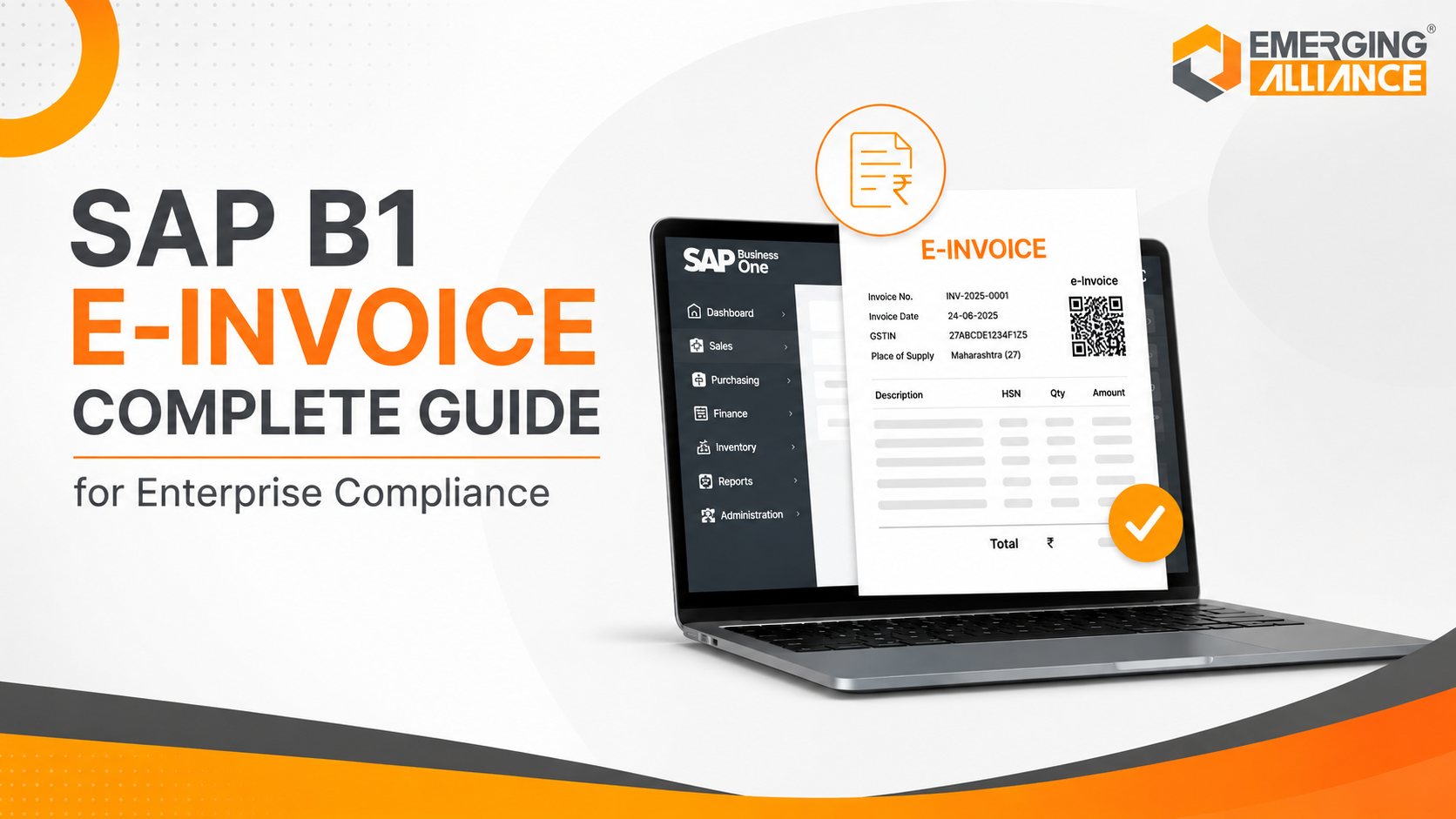
SAP B1 E-Invoice Complete Guide for Enterprise Compliance
SAP B1 E-Invoice Complete Guide for Enterprise Compliance
Quick Answer
SAP B1 E-Invoice helps enterprises automate invoice creation, validate transaction data, apply configured tax rules, support country-specific e-invoicing processes, and maintain traceable financial records within SAP Business One. It reduces repetitive finance work, lowers the risk of invoice errors, improves audit readiness, accelerates billing, and gives management better visibility into invoice and receivables performance.
Why Enterprise Compliance Demands Digital E-Invoicing
Electronic invoicing is not simply the conversion of a paper invoice into a PDF. In many jurisdictions, it involves generating structured invoice data, applying prescribed tax rules, validating mandatory information, and transmitting the invoice to a government platform, authorized provider, or business network.
This regulatory shift creates several challenges for enterprises.
Increasing statutory complexity
E-invoicing requirements differ by country. Some markets follow a clearance model, where an invoice must be validated before or shortly after it is issued. Others use post-audit or real-time reporting models. Data formats, tax fields, document types, submission timelines, and acknowledgement processes can also vary. A business operating across multiple regions therefore needs a flexible system rather than a single generic workflow.
Higher risks from manual processing
Manual invoicing increases dependence on individual employees and disconnected controls. Common problems include incorrect GST or VAT treatment, missing customer tax identification numbers, duplicate invoice creation, invalid product or service classification, delayed internal approval, mismatched accounting records, incomplete compliance evidence, and slow document retrieval during audits. These issues do more than create administrative work. They can interrupt billing, delay collections, affect tax reporting, and reduce management confidence in financial data.
Greater demand for transaction transparency
Executives need to know whether invoices have been created, approved, submitted, accepted, rejected, cancelled, or paid. Without integrated invoice status information, finance teams often spend time reconciling multiple portals, spreadsheets, emails, and ERP reports. Digital invoicing improves transparency by establishing a consistent transaction trail from invoice creation through statutory processing and accounting.
Stronger business continuity requirements
When invoicing fails, revenue collection can slow immediately. A scalable e-invoicing process therefore needs exception handling, monitoring, user accountability, integration resilience, and timely support. SAP Business One provides the operational foundation for this control by connecting sales, purchasing, inventory, business-partner data, taxation, accounting, and reporting. When electronic invoicing is configured around this integrated data model, compliance becomes part of the business workflow instead of a separate manual activity.
Compliance note: E-invoicing obligations must be assessed by country, transaction type, business turnover, tax registration, and effective date. Organizations should verify current requirements through the relevant tax authority and qualified compliance advisers.
Understanding SAP B1 E-Invoice
SAP B1 E-Invoice refers to an electronic invoicing process built around SAP Business One data and workflows. Its purpose is to convert approved commercial transactions into compliant electronic invoice records while maintaining integration with financial accounting and operational reporting.
The exact design depends on several factors: SAP Business One version and localization, country-specific statutory rules, required electronic document protocol, applicable invoice types, integration with a government portal or authorized service provider, internal approval and exception workflows, and archiving or reporting requirements.
SAP Business One supports localized financial and tax capabilities for individual countries. For India, SAP documents electronic billing functionality within SAP Business One 10.0 and provides specific guidance for GST and electronic billing processes.
What happens inside the process?
A typical SAP Business One electronic invoicing process draws data from customer or business-partner master records, GSTIN or VAT tax identifiers, item/service classifications, pricing, discounts, tax codes, company branch details, invoice dates, and payment terms. The solution validates required fields and prepares the invoice data in the prescribed structure. Where statutory submission is required, data is transferred through the configured integration channel. The response—such as an IRN, signed invoice, QR code, or rejection message—is recorded against the transaction.
Business value beyond invoice creation
The primary advantage is not merely faster document generation. The greater value comes from linking invoice compliance with the underlying ERP transaction. This connection helps ensure that sales and finance use the same source data, tax calculations follow configured rules, accounting entries match the invoice, exceptions remain visible, and audit evidence can be retrieved. SAP B1 E-Invoice therefore functions as part of a broader finance automation and compliance framework.
How SAP B1 E-Invoice Works
The workflow varies by jurisdiction, but most SAP Business One e-invoicing implementations follow the stages below.
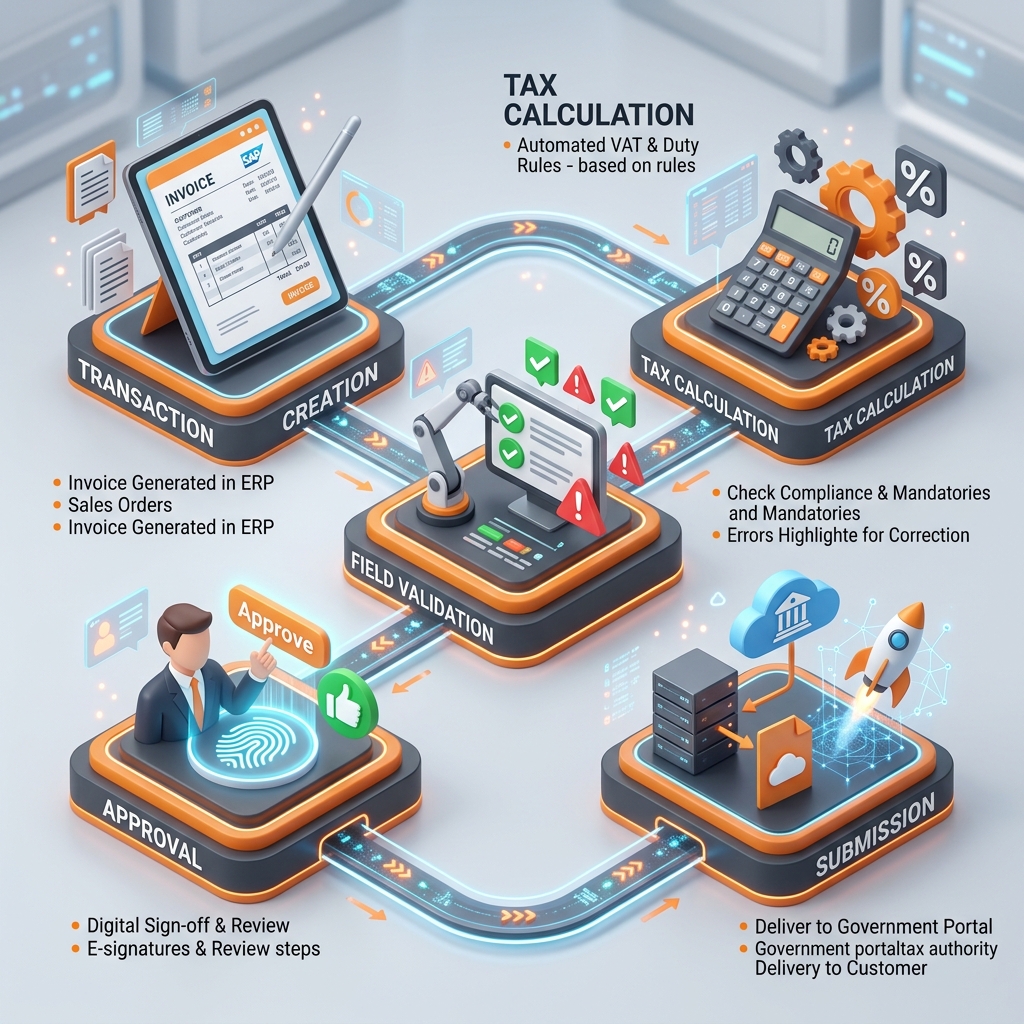
SAP Business One E-Invoicing Workflow lifecycle overview.
Key Capabilities of SAP B1 E-Invoice
The business value of SAP B1 E-Invoice comes from the combination of ERP integration, validation, compliance processing, and operational control.
Automated invoice generation
Invoices are created from SAP Business One transaction and master data rather than being re-entered into a separate portal.
Business value: Reduced duplicate entry, more consistent invoice content, faster billing, lower administrative effort, and improved transaction accuracy.
Configurable GST and VAT processing
SAP Business One supports localized country tax rules, applying them based on business partner status, item, location, and document type.
Business value: More consistent tax calculations, reduced manual tax adjustments, and better alignment between invoicing and accounting.
Mandatory-data validation
The system validates required customer, supplier, item, tax, branch, and invoice fields before submission.
Business value: Fewer portal rejections, reduced correction cycles, and lower workload for billing teams.
Electronic submission integration
SAP Business One connects to statutory platforms or business networks through localized APIs, middleware, or authorized service provider interfaces.
Business value: Reduced portal dependency, faster statutory processing, and improved transaction control.
Compliance response tracking
Acknowledgements, reference numbers, signed data, and validation errors are automatically recorded against the source ERP invoice transaction.
Business value: Clear visibility into document status, faster exception resolution, and stronger compliance logs.
Approval workflows
Rule-based controls restrict invoice submission based on document value, margins, departments, or customer categories.
Business value: Stronger internal controls, reduced billing errors, and improved financial accountability.
Integrated finance management
Invoice transactions link directly to accounts receivable, tax postings, customer balances, and the general ledger.
Business value: Consistent accounting records, reduced manual GL reconciliation, and faster closes.
Electronic document monitoring
Provides status monitoring and transaction history records within SAP Business One electronic document frameworks.
Business value: Centralized dashboard for pending/failed bills, and structured error tracking.
Audit-ready transaction history
Preserves transaction details, internal approvals, submission logs, and statutory platform acknowledgements.
Business value: Faster document retrieval during audits and reduced reliance on physical document folders.
Role-based access
System permissions restrict who can create, edit, approve, or report on invoice transactions.
Business value: Stronger financial governance, reduced risk of unauthorized changes, and improved segregation of duties.
Dashboards and reporting
Fulfillment status, pending approvals, collections, and billing trends are visible through standard reports or connected dashboards.
Business value: Better management visibility and faster collections intervention.
Automated alerts
Sends alerts for pending approvals, validation exceptions, failed submissions, or overdue balances.
Business value: Reduced process delays and faster exception resolution.
Manual Invoicing Versus SAP B1 E-Invoice
The actual improvement depends on implementation scope, master-data quality, integration reliability, user adoption, and country-specific compliance design.
| Process area | Manual or disconnected invoicing | SAP B1 E-Invoice approach |
|---|---|---|
| Data entry | Repeated across ERP, spreadsheets, and portals | Uses SAP Business One transaction data |
| Tax calculation | Higher dependence on manual checks | Uses configured tax rules |
| Mandatory fields | Often checked after an error occurs | Validated before submission where configured |
| Approvals | Email- or paper-based | Rule-based digital workflow |
| Statutory submission | Manual portal upload | Integrated submission where supported |
| Status tracking | Spread across emails and portals | Centralized transaction visibility |
| Error handling | Reactive and person-dependent | Structured exception workflow |
| Accounting | May require duplicate posting or reconciliation | Connected with financial records |
| Audit evidence | Collected from multiple sources | Linked transaction and response history |
| Scalability | Becomes difficult at higher volumes | Designed for standardized processing |
Business Benefits of SAP B1 E-Invoice
Implementing SAP B1 E-Invoice transforms financial workflows and compliance security.
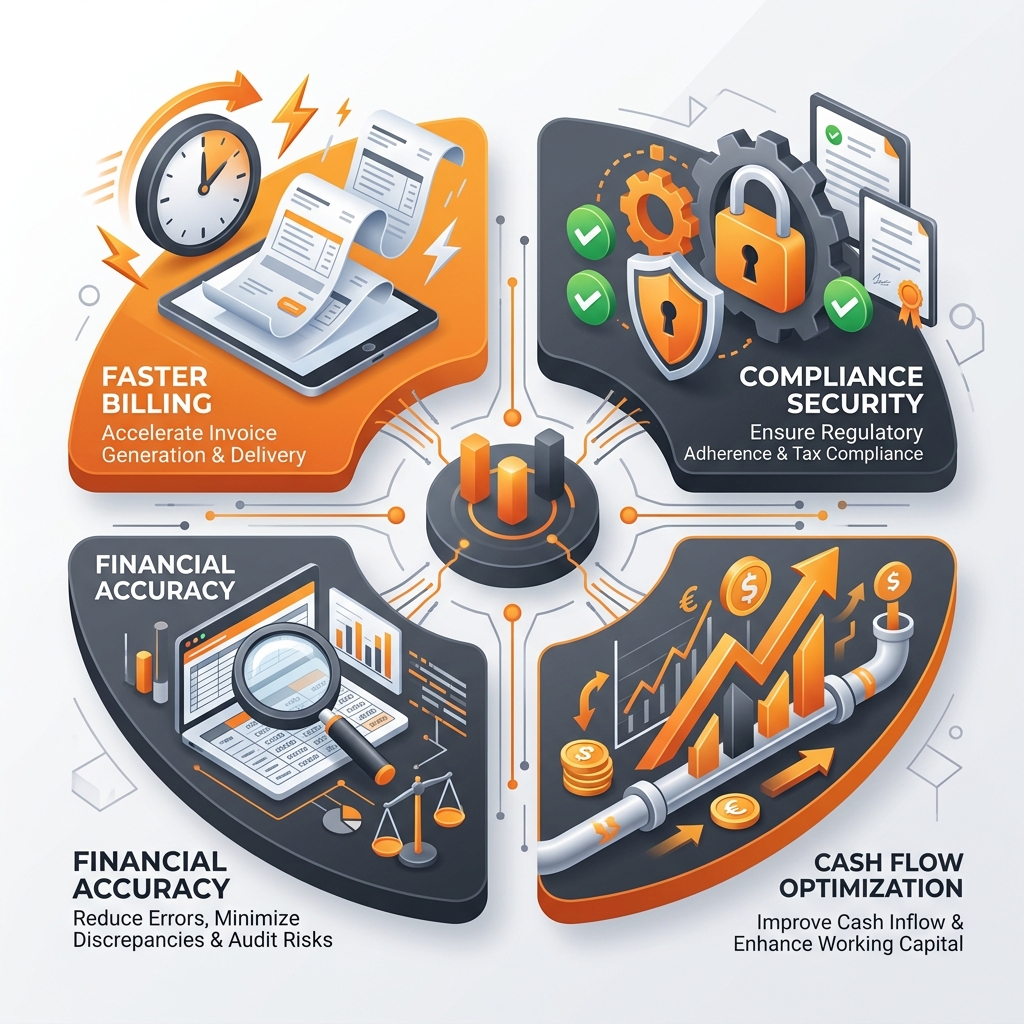
Key business benefits achieved through digital e-invoicing automation.
The primary outcomes include:
- Faster invoice processing: Invoice generation, validation, approval, and submission are completed with fewer manual touchpoints.
- Lower compliance risk: Standardized workflows reduce the likelihood of missing required data or applying inconsistent processes.
- Improved financial accuracy: Using a common ERP data source reduces discrepancies between commercial invoices, tax values, and general ledger records.
- Faster billing and cash flow: Accurate, validated invoices reach customers faster, lowering picking errors and invoice disputes that delay payment.
- Reduced manual workload: Finance employees spend less time re-entering invoice data, uploading files, checking manual tax rates, and reconciliations.
- Stronger audit readiness: Demonstrating creation, approval, submission details, portal acknowledgements, and GL postings from a linked history.
- Centralized visibility: Leaders monitor billing performance, outstanding receivables, failed documents, and tax balances via integrated reports.
- Scalable finance operations: Standardized workflows support higher transaction volumes, new branches, and changing rules.
SAP B1 E-Invoice ROI Framework
Automating electronic invoicing with SAP Business One yields a measurable return on investment through time saved and errors avoided.
Current-state cost indicators
Measure: Monthly invoice volume, average processing time per invoice, number of manual touchpoints, invoice error/rejection rate, turnaround time for approvals, manual portal upload time, reconciliation workload, audit-document retrieval time, and cost of delayed billing.
Post-implementation performance indicators
Track: Straight-through processing rate, first-time acceptance rate, average invoice cycle time, number of failed submissions, exception-resolution time, days sales outstanding (DSO), finance productivity, and audit preparation time.
Common SAP B1 E-Invoice Implementation Challenges
Transitioning to digital e-invoicing requires addressing data, integration, and process alignment challenges.
1. Poor master-data quality
Incorrect GSTINs, tax numbers, addresses, UOMs, and HSN/SAC codes cause statutory portal rejections. Recommendation: Conduct a structured data review prior to configuration.
2. Unclear statutory scope
Organizations sometimes configure workflows without confirming legal entities, branches, and transactions that fall under the mandate. Recommendation: Complete a regulatory assessment beforehand.
3. Legacy and disconnected systems
Sales, logistics, or invoice details originating in applications outside SAP Business One. Recommendation: Map every source system, data owner, and integration point.
4. Excessive customization
Custom layouts, fields, and approval paths complicate portal mappings. Recommendation: Rely on standard configurations where possible.
5. Incomplete integration planning
Downtime processes, retry logic, security, and authentication methods. Recommendation: Define API roles, ownership, and support responsibilities before development.
6. Regulatory change management
Tax rules, schemas, and portals can update. Recommendation: Establish a formal review process for updating system configuration.
7. Limited user involvement
Finance users resisting the solution when introduced only at go-live. Recommendation: Include finance, tax, sales, and IT representatives during workflow design and testing.
8. Weak testing
Happy-path tests are insufficient. Recommendation: Test valid, invalid, cancelled, exports, high-value, and platform downtime scenarios.
9. Unclear support ownership
Unsure whether issues belong to finance, IT, SAP support, or tax portals. Recommendation: Define a support matrix with severity levels and escalation paths.
SAP B1 E-Invoice Implementation Best Practices
A structured implementation methodology ensures a reliable and legally compliant deployment.
Target Workflow & Setup Best Practices
- Complete regulatory assessment: Identify legal entities, tax limits, dates, covered document types, and record-retention rules.
- Assess SAP Business One readiness: Review SAP version, patches, localization capabilities, branch setup, and database infrastructure.
- Clean master data: Clean business partner, item, tax, address, and classification details.
- Design the target workflow: Document invoice generation, validation, approval, submission, response processing, and exception paths.
- Design controls: Define who creates invoices, edits tax fields, approves submissions, and resolves errors.
Integration & Go-Live Best Practices
- Plan integrations thoroughly: Confirm data formats, API protocols, retry processes, downtime handling, and support ownership.
- Test realistic scenarios: Test exports, branch transactions, high-value orders, and invalid fields using real business data.
- Deliver role-based training: Train finance users on exceptions, IT users on monitoring, and managers on dashboards.
- Use a controlled go-live: Implement a phased rollout (by company, branch, or document type) with a cutover list and escalation contacts.
- Monitor after deployment: Review turnaround times, rejections, user errors, and regulatory changes for continuous improvement.
Industries That Benefit from SAP B1 E-Invoice
While e-invoicing is a B2B requirement, specific sectors experience distinctive improvements in inventory control, billing speed, and tracking accuracy.
It can support industries such as:
- Manufacturing: Connects billing with inventory, delivery, branch dispatch, and intercompany accounting.
- Pharmaceuticals: Standardizes distributor billing, document logs, and regulatory batch traceability.
- Wholesale and distribution: Automates receiving, inventory, and billing across warehouses and tax zones.
- Retail: Manages B2B, marketplace, and franchise transactions with consistent tax treatments.
- Healthcare: Streamlines hospital billing, equipment invoicing, and records retrieval.
- Automotive: Connects dealer parts, service logs, and supplier billing logs.
- Food and beverage: Manages high-volume invoicing and batch-sensitive distribution networks.
- Trading companies: Reconciles domestic, interstate, import, and export transactions.
- Professional services: Links milestone billing and contracts with project management records.
Why Choose Emerging Alliance for SAP B1 E-Invoice Implementation?
SAP Business One e-invoicing implementation requires more than technical integration. It requires accurate compliance interpretation, reliable master data, sound finance processes, testing discipline, and user adoption. Emerging Alliance helps organizations design and implement SAP B1 E-Invoice processes around their actual business and regulatory requirements.
Our objective is not simply to deploy a e-invoicing solution. We help businesses create standardized invoicing workflows that improve compliance reliability, audit readiness, operational visibility, and long-term ERP value.
Conclusion
SAP B1 E-Invoice helps enterprises replace fragmented invoice processes with a more integrated, traceable, and scalable finance workflow. By connecting invoice generation, tax configuration, data validation, approval, statutory processing, accounting, and reporting, SAP Business One can reduce manual effort and improve financial control.
For growing organizations, SAP B1 E-Invoice can support faster billing, improved audit readiness, better transaction visibility, and stronger compliance governance. With the right implementation strategy and partner, electronic invoicing becomes more than a regulatory obligation. It becomes a foundation for finance digitization, operational resilience, and sustainable business growth.
Key Takeaways
Frequently Asked Questions
What is SAP B1 E-Invoice?
SAP B1 E-Invoice is an electronic invoicing process connected with SAP Business One. It can support invoice generation, tax calculation, mandatory-data validation, approval, statutory submission, response tracking, accounting, and audit records. Available functions depend on the country localization, SAP version, configuration, and integration model.
How does SAP B1 E-Invoice simplify enterprise compliance?
It standardizes invoice data, validates required fields, supports configured tax rules, tracks submission responses, and preserves transaction history. This reduces manual inconsistencies and makes compliance evidence easier to retrieve.
Does SAP Business One support GST e-invoicing in India?
SAP Business One 10.0 includes India-localized GST and electronic billing functionality. The required setup depends on the installed version, feature package, electronic billing protocol, and integration architecture. Organizations should verify current SAP documentation and GST requirements before implementation.
What are the main benefits of SAP B1 E-Invoice?
The main benefits include faster invoice processing, fewer data-entry errors, better tax consistency, reduced manual effort, improved audit readiness, faster exception handling, stronger financial visibility, and a more scalable order-to-cash process.
Can SAP B1 E-Invoice integrate with existing SAP Business One modules?
Yes. It can use data from Sales, Purchasing, Inventory, Business Partners, Finance, Banking, branch management, and reporting. The exact integration depends on the business process and localization.
Does SAP B1 E-Invoice automatically submit invoices to tax authorities?
It can support automated or integrated submission where the applicable localization, protocol, service provider, and system configuration permit it. This should be confirmed during solution assessment.
Modernize Enterprise Invoicing with SAP B1 E-Invoice
Automate invoice processing, strengthen compliance readiness, and improve financial visibility with a tailored SAP B1 E-Invoice solution from Emerging Alliance.
Our SAP Business One consultants can assess your existing finance workflow, data quality, integration requirements, statutory obligations, and ERP readiness.
Schedule a personalized SAP B1 E-Invoice consultation to identify implementation risks, automation opportunities, and the right roadmap for your organization.